









With the panel tools on, open a player’s Actions and choose Spawn creatures or Start a raid. Both act at once, around that player, and need that player to be online. Use them with care: they can kill people. More about the game: Valheim servers.
What you need
- The panel tools turned on. See the Valheim panel tools. Without them the server has no way to do this.
- The player online.
- A role that may use game actions on the server.
Spawn creatures
- Open the Players page. Find the player under Online.
- Open their Actions and choose Spawn creatures. A box titled “Spawn creatures near (name)” opens.
- Pick a Creature (1). You can type to search.
- Set How many (2), from 1 to 10.
- Set Stars (3). More stars means a stronger creature.
- Choose Spawn (4).
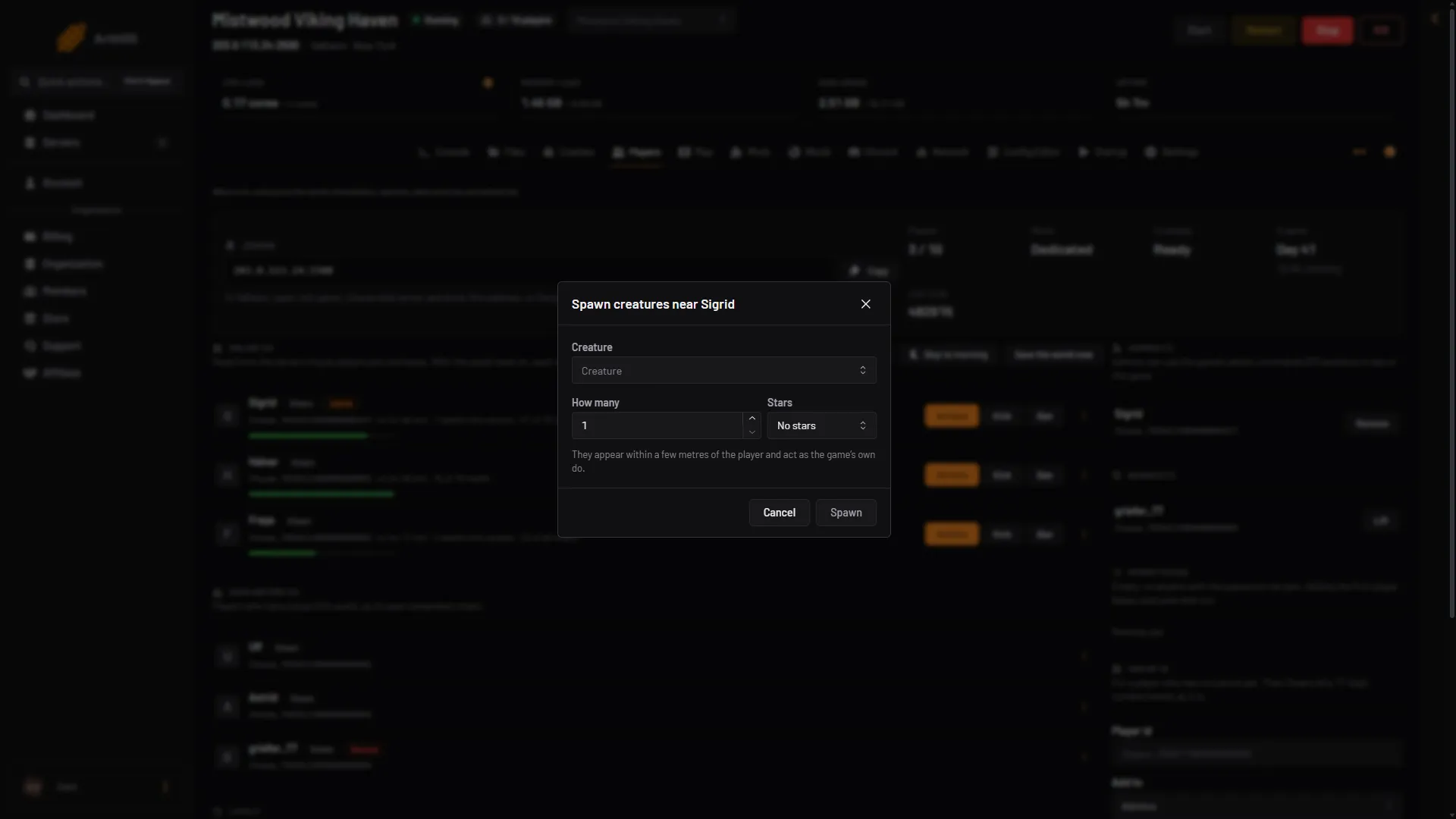
- Pick a creature
- How many
- Stars
- Spawn
The creatures appear within a few metres of the player. Spawn a few small ones first to see what you get.
Start a raid
A raid is a group of enemies that attacks around a player. The game calls it an event. It comes with a warning, music and its own creatures.
- Open the player’s Actions.
- Choose Start a raid. A box titled “Start a raid around (name)” opens.
- Pick a Raid (1) from the list. The list comes from the game.
- Choose Start raid, below the list.
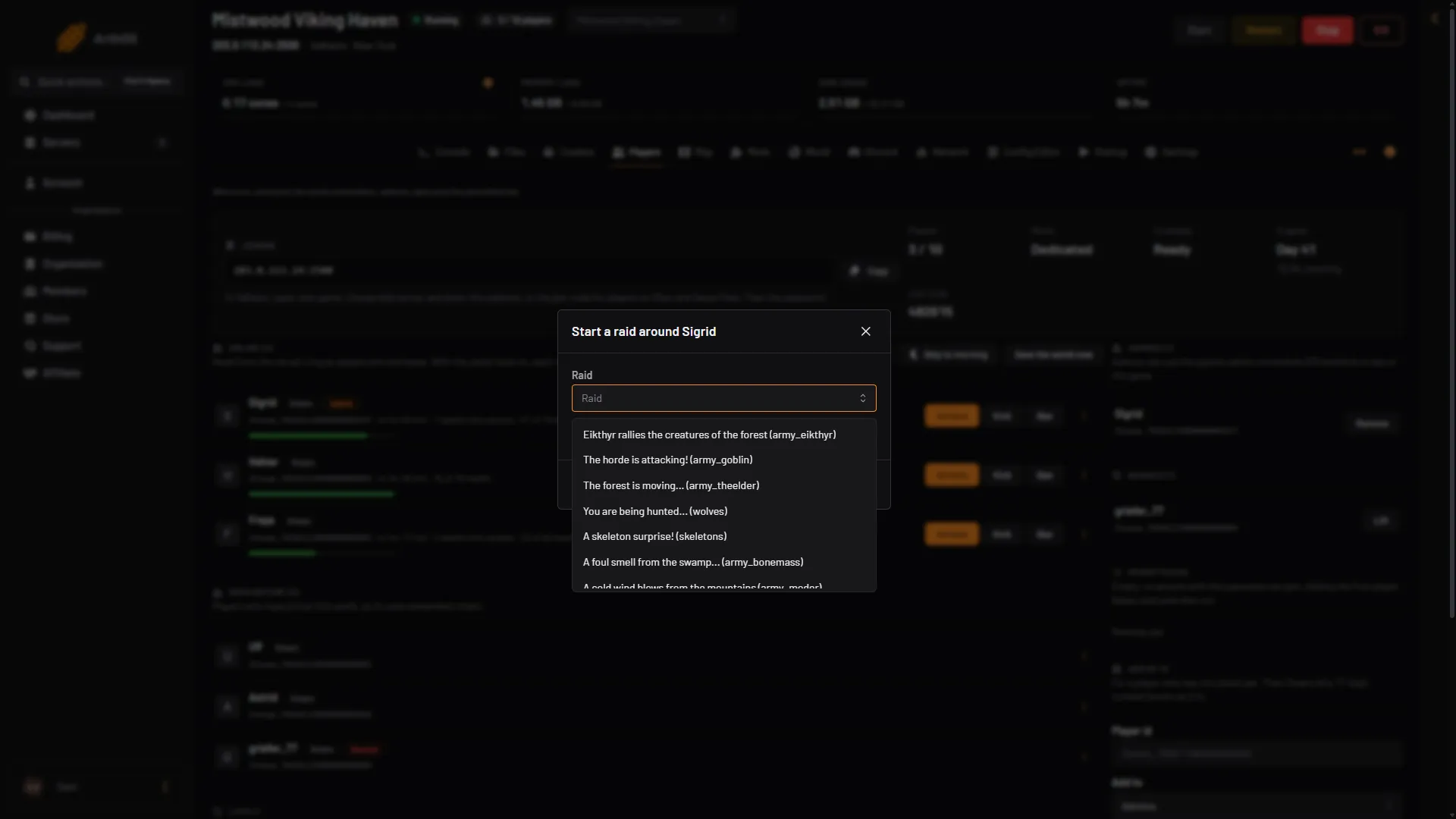
- Pick a raid
If a raid is already running, a new one ends it, as the game does.
What raids are
The game starts raids by itself. With the world’s normal setting there is a 20% chance of a raid every 46 minutes. A raid starts only if a player is in the right biome, outside a dungeon, and near at least three of their base’s pieces. The game picks from the raids that the world’s progress allows. Harder raids come after you beat bosses.
A raid lasts about 80 to 150 seconds. Players must stay in its area for the timer to run down.
How often raids come
Set this on the World page, under Difficulty. Changes apply at the next start.
- Raids sets how many raids come: None, Much less, Less, More or Much more. Choose None to turn them off. The wiki notes that night raids still happen even with raids set to none.
- Raids follow players’ progress makes each raid depend on what the player has done, not on which bosses the server beat.
See raid settings.
If it does not work
- The buttons are missing. The panel tools are off or the server needs a restart to load them. The page says so. Your role may also not allow game actions.
- The list is empty. The panel’s tools write the game’s lists when the server starts. Choose Restart at the top of the server page once.
- “That player is not on the server any more”. They left. Pick another.
- A raid you started stops early. A new raid ends the one before it. Check that nobody else started one.
Not checked on 1.0.20 as of 21 October 2026: which creatures and raids the lists show.
Sources: valheim.fandom.com: Events, valheim.fandom.com: World Modifiers