









Your Valheim server writes one log file every time it starts. The files are in the logs folder. You can also watch the same output live on the Console page. If mods are on, BepInEx writes a second log. The Crashes page reads these logs for you and tells you what went wrong.
The logs folder
- Open the Files page.
- Open the
logsfolder. - Each start has one file named
valheim_(date)_(time).log, for examplevalheim_20261020_131347.log.
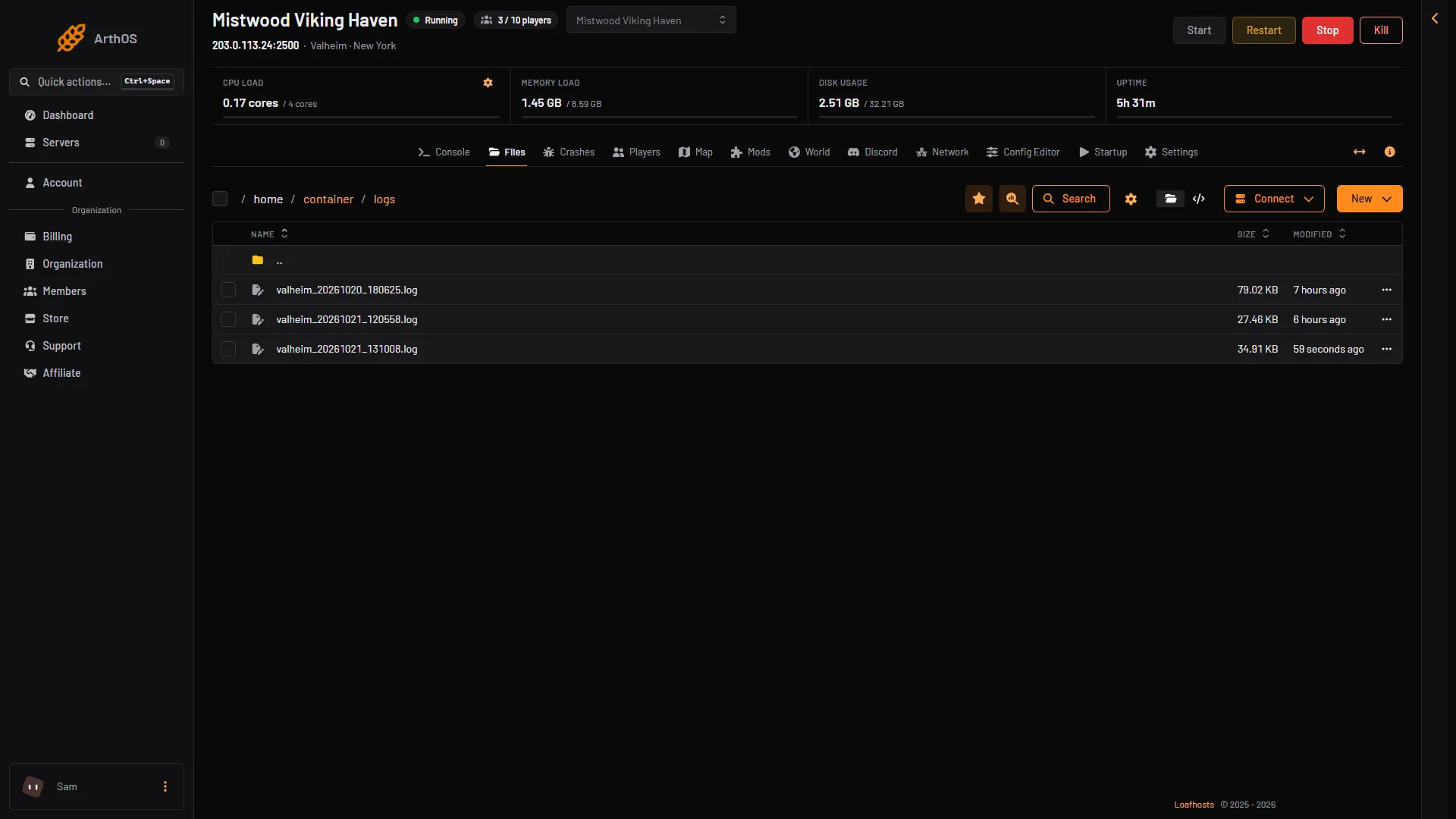
- A start log
The date and time in the name are the time the server started, in UTC (world time). They are not your local time. The server keeps the ten newest logs. Older ones are removed as new starts come in, so copy a log you want to keep.
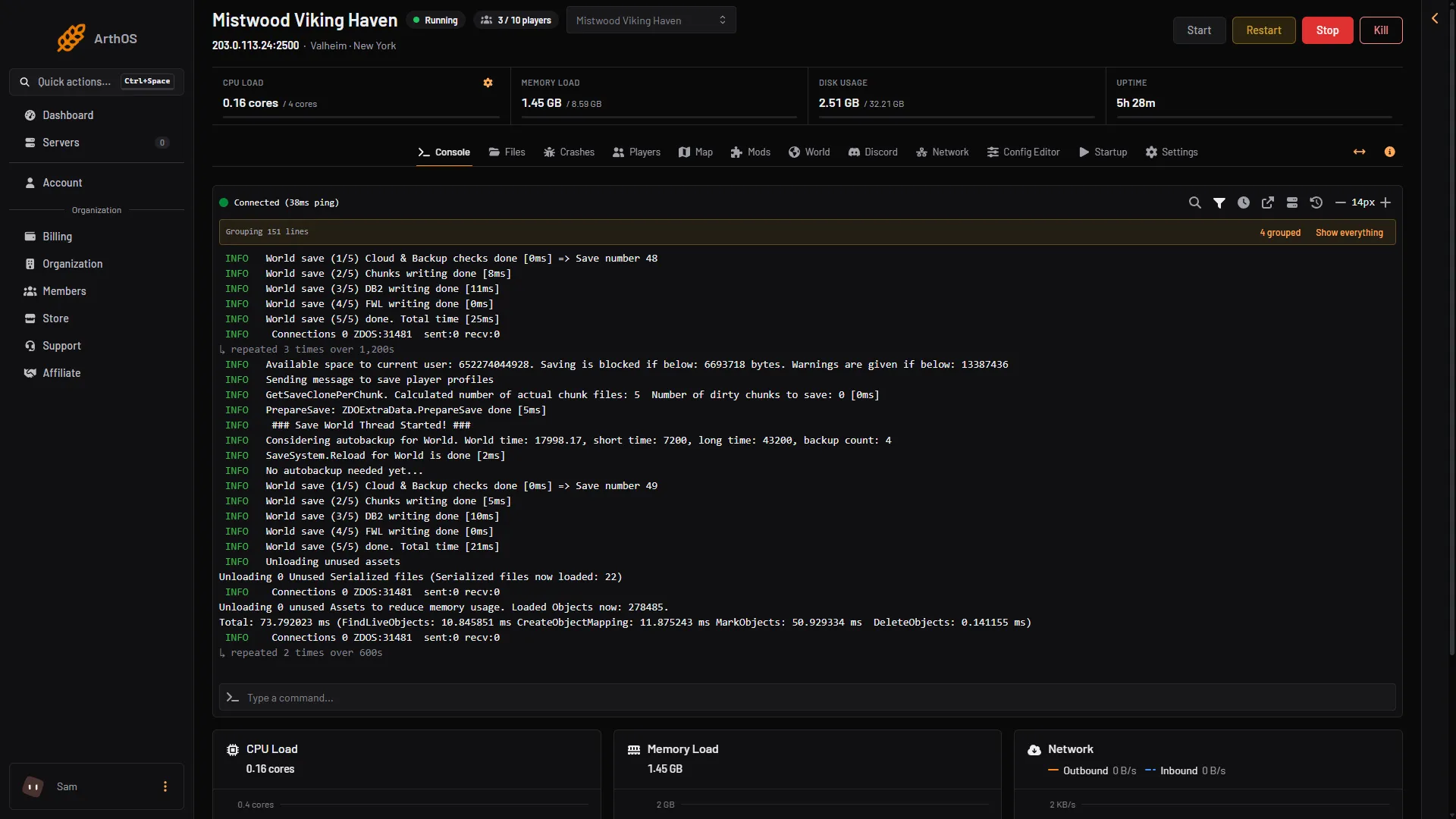
Lines from the game itself start with a date and a time, like 10/21/2026 17:08:22: Game server connected. The line Game server connected means the server is ready for players. The lines World save (1/5) to World save (5/5) done appear at every save. A save line just before the end of the log means the server saved as it stopped. The line Valheim version: near the top tells you which game version the server ran.
Watch it live
Open the Console page. It shows what the game prints right now. The Console groups repeated lines: choose Show everything to see every line. Use it while the server starts, or while a player tries to join. See restart the server.
- Restart
The mod log
When Load mods is on, BepInEx writes its own log. It is the file BepInEx/LogOutput.log in Files. It lists every mod it loaded, and why a mod did not load. See mod not loading.
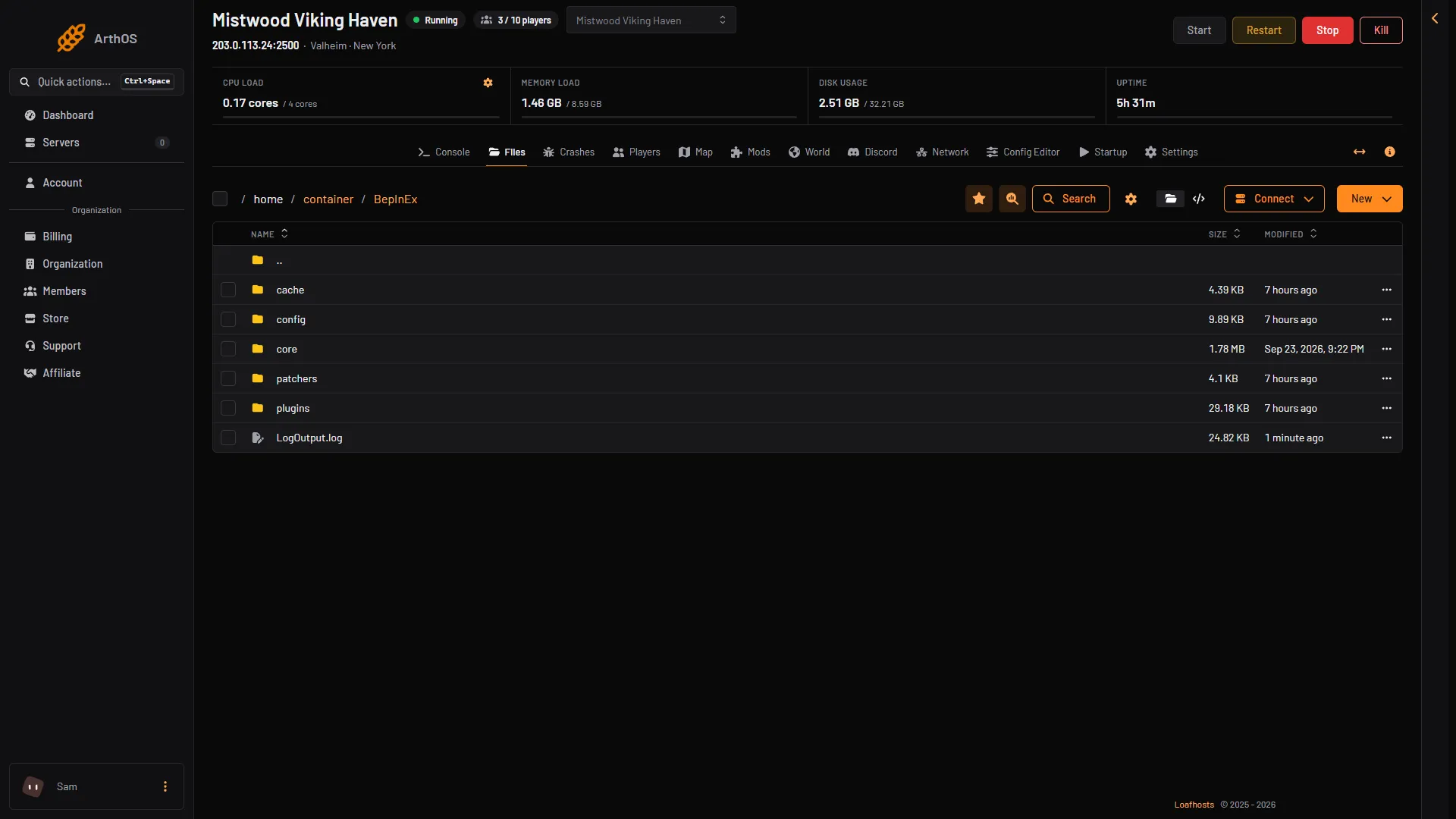
- LogOutput.log
The log is replaced at each start, so it describes the last start only.
Lines that look bad but are routine
The game engine prints some lines at every start. They look like errors but are not faults. Ignore them:
- Lines about a shader or material that could not be found, such as
Could not find material Hidden/VideoDecode. - Lines that say
The referenced script on this Behaviour ... is missing!.
The Crashes page never counts these as findings.
Let the Crashes page read it
- Open the Crashes page.
- It lists the last ten starts and how each one ended.
- Open a start. It shows each finding with a plain title and a fix, and the last lines of the log without the routine ones.
The findings include a world that could not be loaded, a password the game refused, a world that could not be saved, crossplay that could not reach its relay, a mod that did not load, and a server that ran out of memory. See server crash.
On your own server
If you run the server yourself, the start option -logFile "(path)" sets the log file (the game’s manual). On Linux, connection logs are in ~/.steam/logs, in files named like connection_log_2456.txt (the wiki).
Download a log
- Open Files and go to
logs. - Open the menu on the log file and choose Download.
Send the file to support if you ask for help.
If it does not work
- The folder is empty. The server has not started since it was installed. Start it once.
- There is no BepInEx log. Mods are off, or BepInEx is not installed. See the Mods page.
- A log has fewer lines than you expect. Only the ten newest starts are kept.
More about the game: Valheim servers.