









Choose Skip to morning on the Players page. The game skips the rest of the night. It needs the panel tools. Nobody has to sleep. More about the game: Valheim servers.
What you need
- The panel tools turned on. See the Valheim panel tools.
- A role that may use game actions on the server.
See the day and the time
The Players page shows In game (1) with the game’s day and time, for example “Day 41” with a clock time and a word such as morning. The Map page shows the same under In game.
Skip the night
- Open the Players page, or the Map page.
- Find the world buttons: Message everyone, Skip to morning (2), Save the world now.
- Choose Skip to morning.
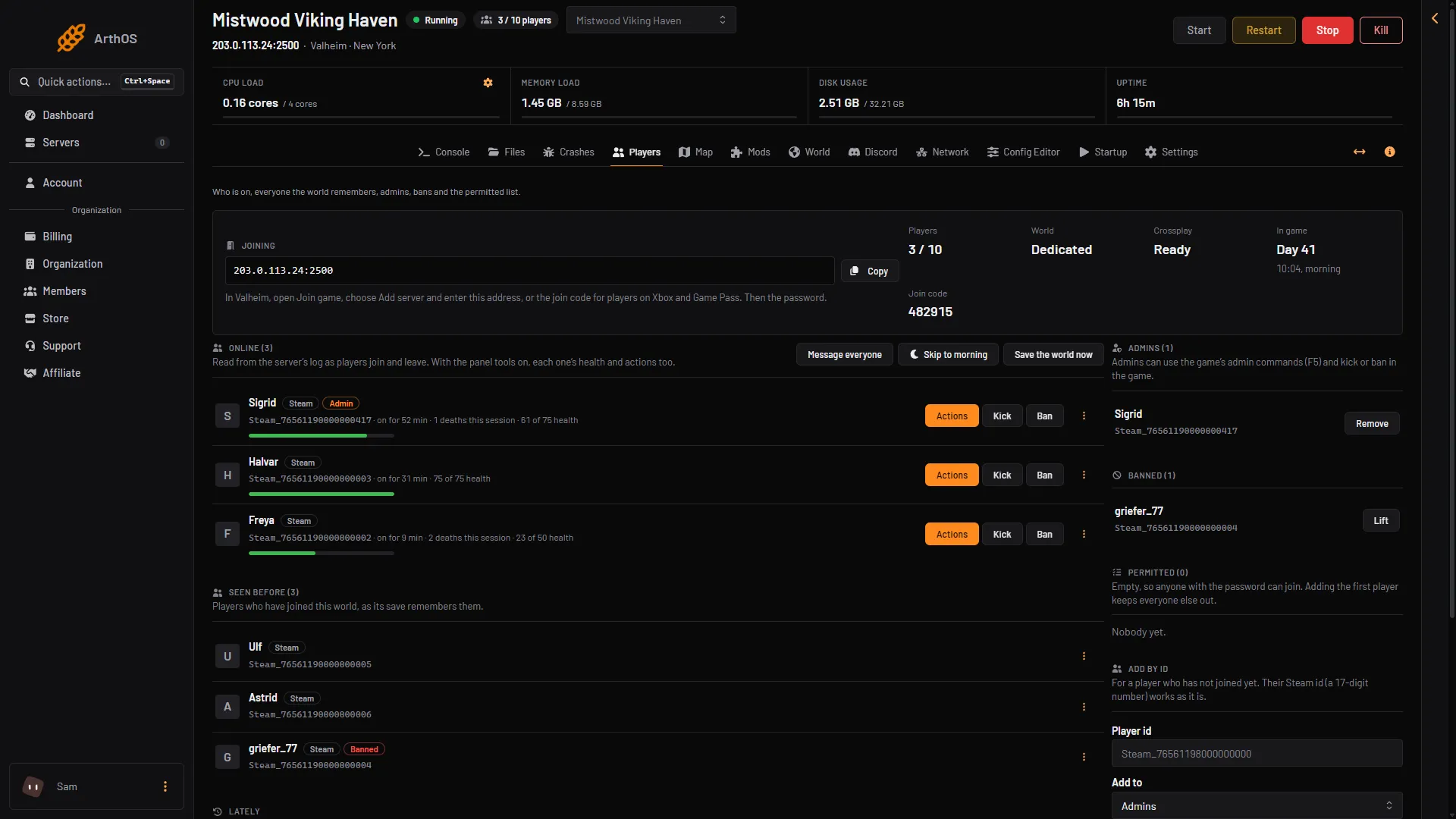
- In game
- Skip to morning
Not checked on 1.0.20 as of 21 October 2026: what players see while the night is skipped.
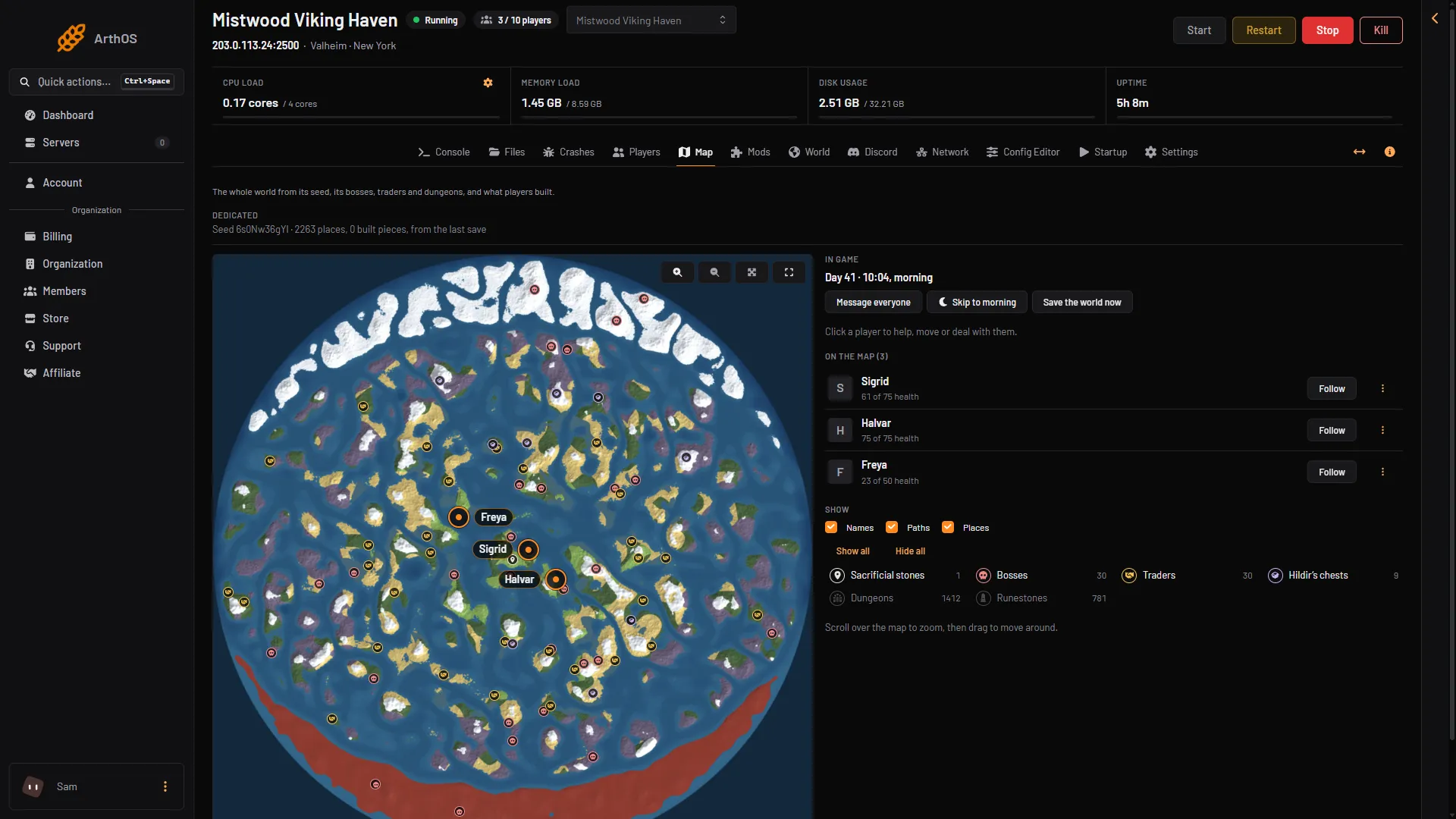
- In game
- Skip to morning
Save the world now
Save the world now sits beside it. It makes the game save the world at once. The game also saves by itself on a timer (every 30 minutes unless you changed it) and when the server stops. Use it before something risky, like starting a raid. See world backups for how the saves are kept.
How the game does it
In the game, a player skips the night by sleeping in a bed. The wiki lists what sleeping needs: it is afternoon or night, no enemies are near, the bed has a roof and 80% cover, there is a fire nearby, and the player is not wet. Sleeping skips the game clock to the next morning.
The panel button needs none of that. It is the way to move on when nobody can sleep, for example when a player is far from their bed.
If it does not work
- The buttons are missing. The panel tools are off, or the server needs a restart to load them. The page says which. Your role may also not allow game actions.
- The day and time are empty. The tools have not read the game yet. Wait a little after the server starts.
- Morning does not come. Read the message the panel shows. If it reports an error, the server may be stopped or still starting. Try again once it is running.
Not checked on 1.0.20 as of 21 October 2026: whether the button also works in daytime.
Sources: valheim.fandom.com: Bed, valheim.fandom.com: Sleeping