









A Valheim server uses two UDP ports. The first is the game port. The second is the game port plus one. On a Loafhosts server both are already set up. You do not forward anything. More about the game: Valheim servers.
What the two ports are for
- The game port. Players connect here. It is the number after the colon in the server address, like
203.0.113.7:2500. - The next port. This is the Steam query port. Steam uses it to list the server and to check that it is still alive. Players do not type it.
Both ports use UDP, not TCP. The wiki’s Dedicated servers page lists both as UDP. The game’s own manual says the server “uses the specified Port AND specified Port+1”.
See your ports
- Open the Network page.
- On the Allocations tab you see two ports on one address, one after the other. The first, marked as the main port, is the game port (1). The second is the next port (2). The page says “2 of 2 maximum allocations assigned.”
- The address players use is the hostname with the game port. The Players page shows it ready to copy in the card Joining.
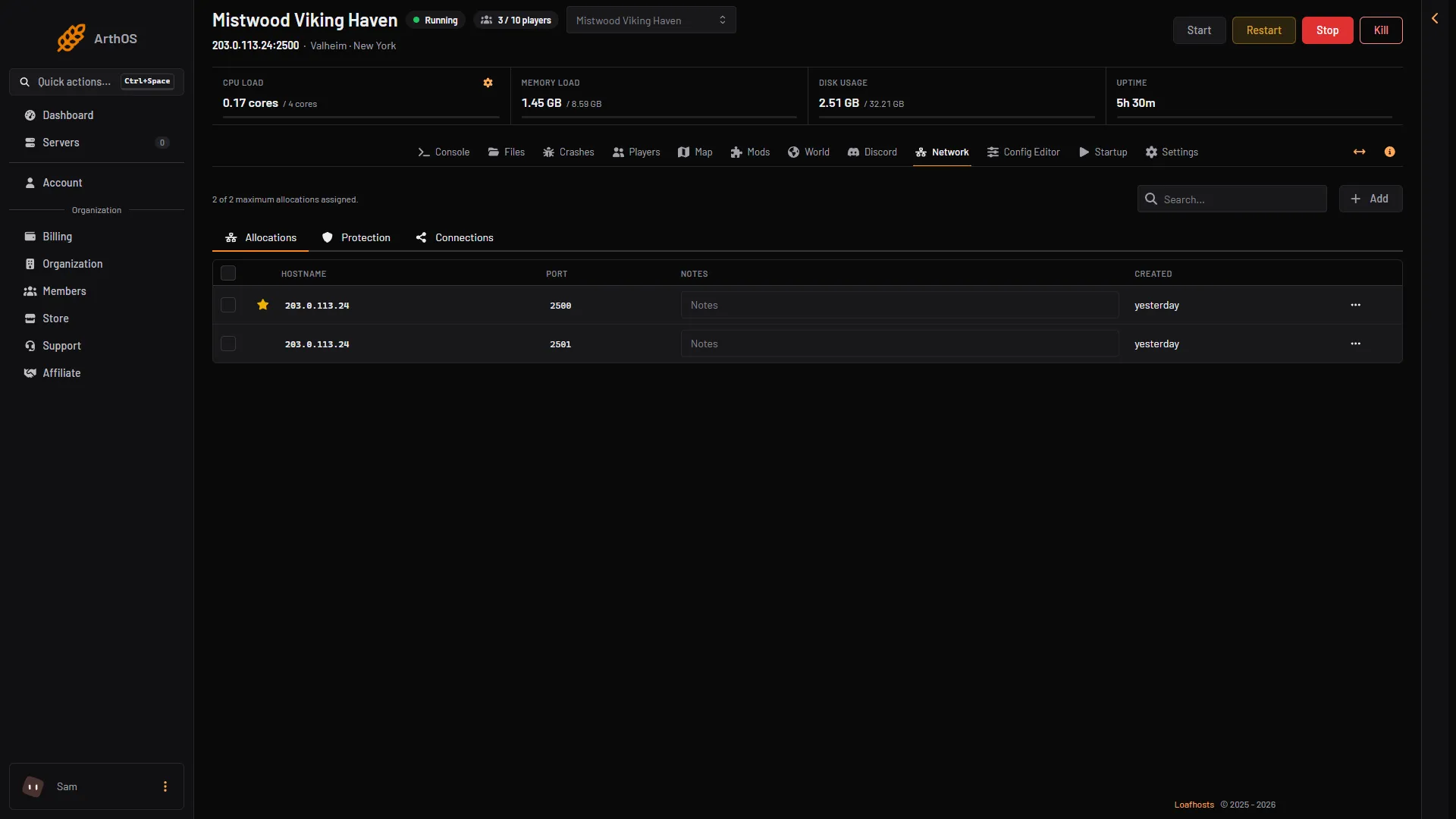
- Game port
- Second port
The Network page does not show the protocol. Both ports are UDP. The panel sets them when the server is made, so there is nothing to change.
Crossplay uses a relay
With Crossplay on, players do not reach the server through its port. The server and the players both talk to a relay run by PlayFab, which is Microsoft’s game network service. The relay is why players on Xbox and other platforms can join. The wiki says the same: with crossplay there is “no port binding” on the server and no inbound listening ports.
The address and port still matter. The game’s manual says the port is “used to distinguish between multiple servers on the same public IP address”, and the game uses them to find the server’s relay. So keep the ports as they are.
A Loafhosts server is on Crossplay when you order it. See Valheim crossplay server.
No port forwarding
Port forwarding is something people do on a home router, so that players on the internet can reach a server in the house. A Loafhosts server is not behind your router. It has its own public address. You do not forward ports, open a firewall or change anything on your own network.
By hand
This part is for a server you run yourself.
- The default pair is 2456 and 2457, both UDP.
-portsets the first. - The start script that ships with the server says 2456-2458 in a comment. That is older advice. The game uses the port and the port plus 1.
- Without
-crossplay(the Steam backend), forward both ports on your router and allow them through your firewall. - With
-crossplay, no port forwarding is needed. The port still tells several servers on one address apart. - The server also needs outbound access to Steam or Microsoft services.
Protection
The Protection page filters attacks at the network edge, with a filter made for each game. Valheim has no game filter, so Protection does not add one to the Valheim ports. The server still runs normally.
If it does not work
- Players cannot connect. Check that they use the address from the Players page. Check the password. Check that the game versions match. With crossplay on, check the Crossplay stat on the Players page. See connect to a Valheim server.
- The server is not in the server list. The list depends on the Steam query port, and on the setting Listed in the server browser. See list a Valheim server in the server browser.