









Open the Players page, choose Actions on the player, then choose Teleport: click the map and click a spot on the map. Or choose To another player to send them next to someone else. The player must be online, and the panel tools must be on. More about the game: Valheim servers.
Before you start
- Turn on the panel tools. See Valheim panel tools.
- The player must be online.
- Your role must be allowed to act in the game.
Send a player to a spot on the map
- Open the Players page and find the player under Online (N).
- Choose Actions, then Teleport: click the map. The Map opens.
- The map says “Click the spot to send (name) to.” Click the spot.
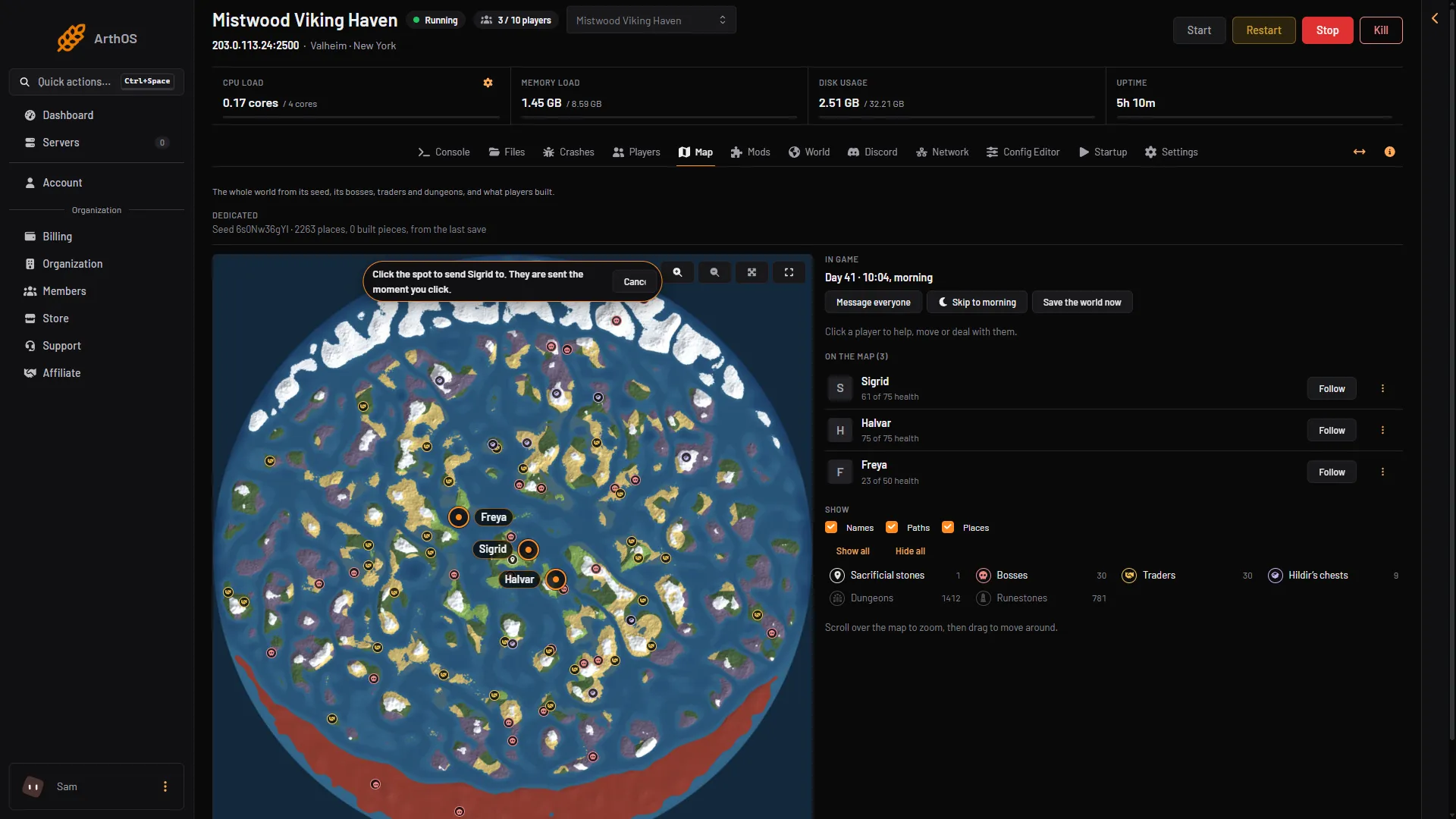
- The prompt
The prompt (1) is at the top of the map.
Pick the spot with care. You can cancel before you click.
A spot must be inside the world. The panel refuses a spot outside it.
You can also click a player on the Map to open their card. It has Teleport: click the map and To another player too.
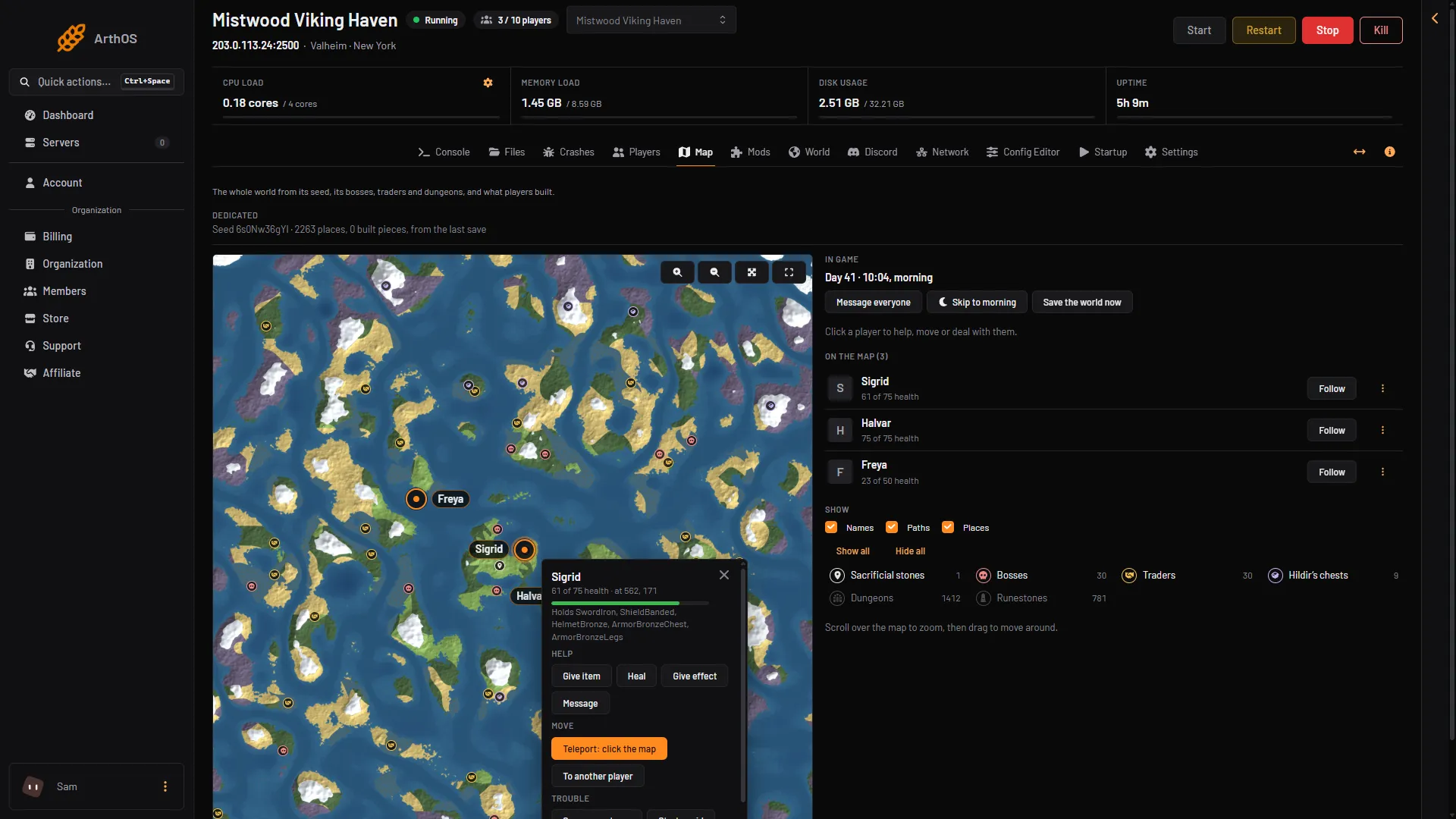
- Teleport: click the map
Send a player to another player
- On the Players page, choose Actions on the player you want to move.
- Choose To another player. A box called “Send (name) to another player” opens.
- In Player to send them to, pick the other player.
- Choose Teleport.
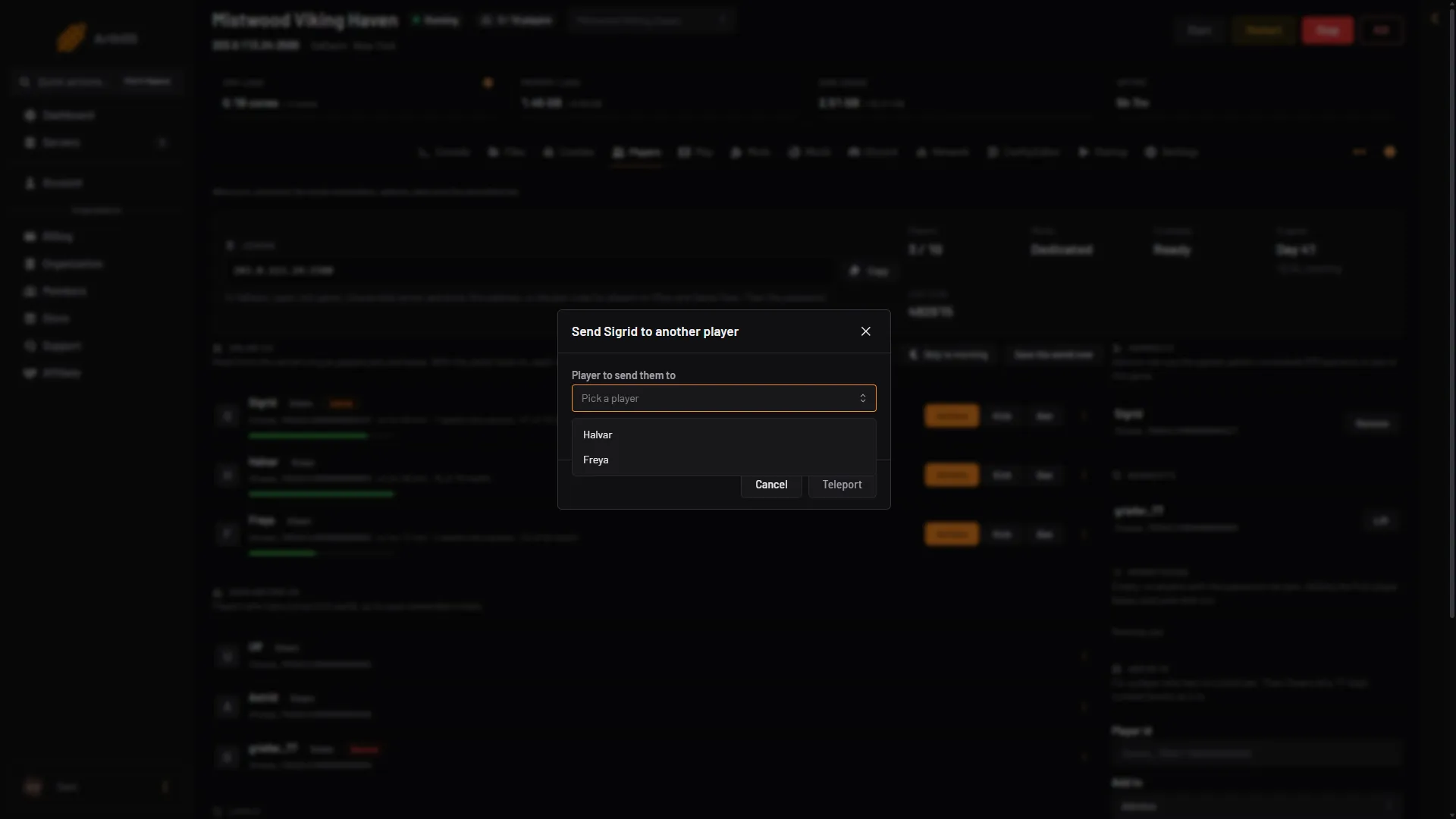
- Player to send them to
Pick the other player in the list (1).
The player lands beside the one you picked. If nobody else is on the server, the box tells you to use Teleport: click the map instead.
What the player sees
Not checked on 1.0.20 as of 21 October 2026: what the player sees during the teleport.
In the game
The Valheim wiki lists goto (teleport to coordinates) among its cheat commands. It says the cheat commands do not work on a dedicated server. On a Loafhosts server, use the panel tools.
If it does not work
- There is no Actions button. The panel tools are off, or the player is not online.
- “That player is not on the server any more.” The player or the target left. Try again.
- “That spot is outside the world.” Click closer to the middle of the map.
- The map shows the player only by name. The panel tools are off. Turn them on to see where players are.