









Open the World page. The Seed row in the World card is your world’s seed. A new world made from the panel gets a random seed. To play a seed you picked, make that world in your own game first, then upload it. More about the game: Valheim servers.
What a seed is
A seed is a piece of text the game uses to build a world. Every world made from the same seed has the same layout on the same game version. A different game version can lay it out differently. A new Valheim update can change worlds from old seeds.
Find your seed
- Open the World page.
- In the World card, read Seed (1). Name, Day and Bosses show beside it.
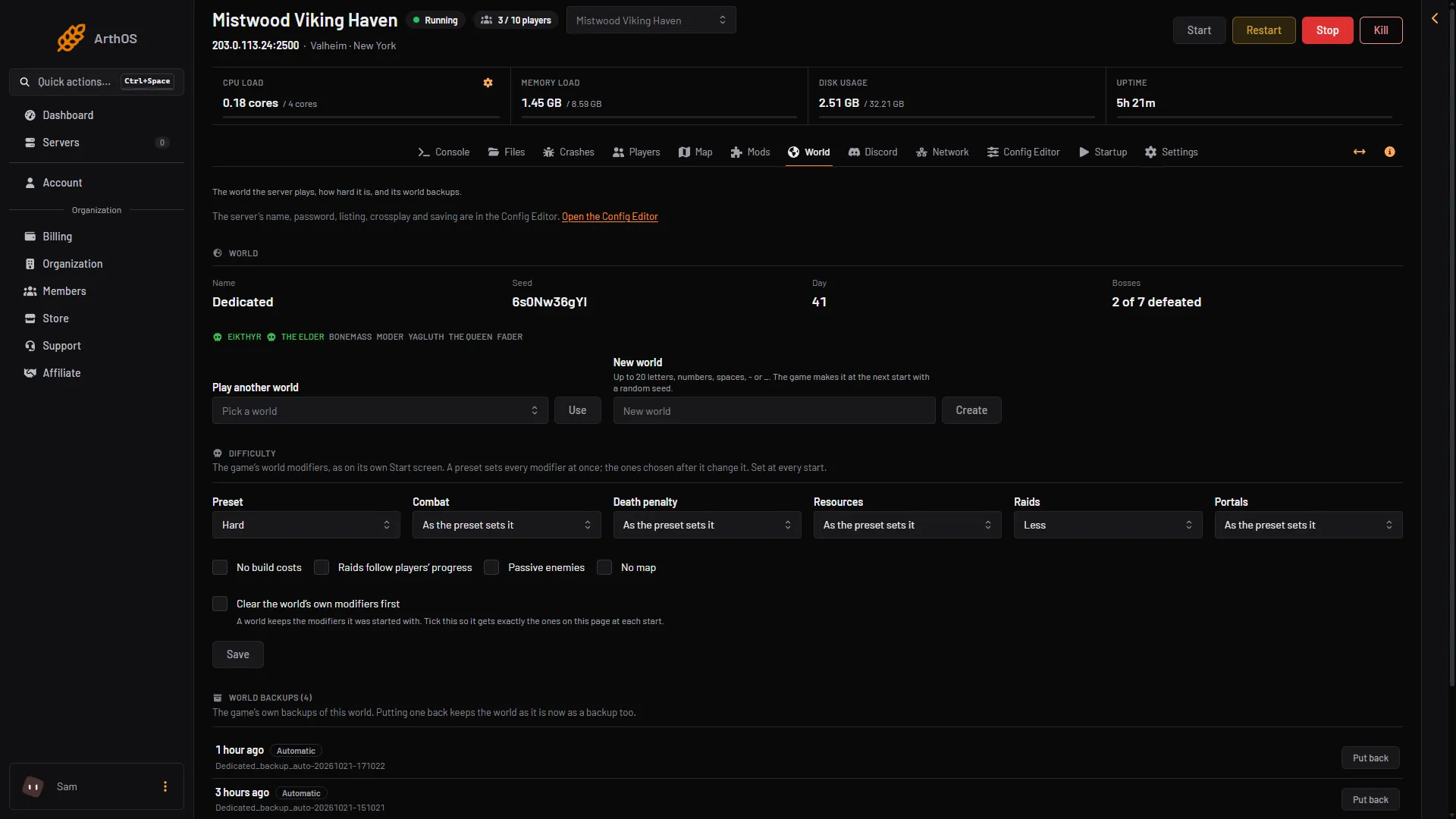
- Your seed
- World name
If the card says the world does not exist yet, the server has not started with it. The game makes the world at the next start, and the seed shows after that.
The Map page is drawn from this seed, so it shows the same world players see. The line under the world’s name gives the seed and how many places and built pieces the last save holds. See the server map.
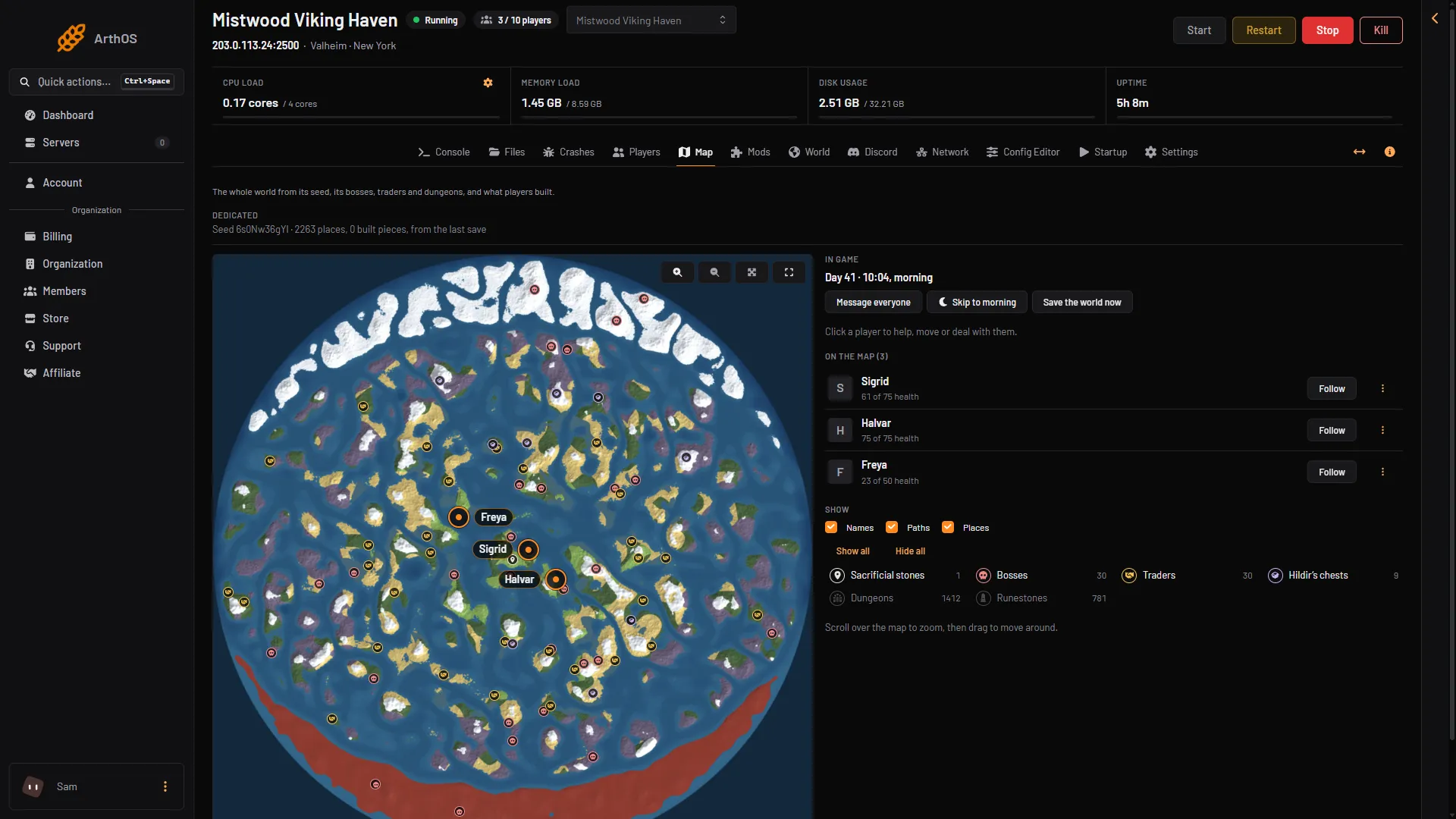
- Seed and save
A new world from the panel
On the World page, the New world box and Create show for everyone who may change the world. Play another world shows beside them only when the server holds another world. Type a name of up to 20 letters, numbers, spaces, - or _, then choose Create. The game makes the world at the next start with a random seed. The current world stays on the server.
The panel has no box for a seed. A dedicated server picks a random seed for a new world name.
Play a seed you chose
- In your own Valheim game, make a new world. Type the world name and the seed you want.
- Start the world once so the game writes its files.
- Upload that world to the server. See upload a Valheim world.
- On the World page, under Play another world, open Pick a world, choose that world and choose Use. Play another world shows only when the server holds another world. Then choose Restart at the top of the server page.
Not checked on 1.0.20 as of 21 October 2026: uploading a world made in a player’s own game.
The same seed gives the same world, so you can check a seed in your own game before you upload it.
Two things to watch
- Give the world a name the server does not use yet, so it does not mix with the world already there.
- On a listed server, the password cannot be part of the world’s name or seed. If it is, the game refuses it and quits.
If it does not work
- The Seed row is empty. The world does not exist yet. Start the server once.
- The world looks different from the seed you chose. The seed was made on another game version. Use the same version as the server.
- The server will not start after an upload. Check the password is not part of the world’s name or seed.
Sources: valheim.fandom.com: World seed, valheim.fandom.com: Dedicated servers