
















ACE3 (Advanced Combat Environment) adds medical care, ballistics and many new interactions. It needs a second mod, CBA, the community’s shared framework. A modpack is a ready-made set of mods; the panel’s ACE3 modpack adds both in one step.
Add it
- Open the Mods page and choose the Presets tab.
- Find Modpacks. The text says “Well-known sets to start from. What each mod needs comes with it.”
- On the ACE3 row (1), choose Add.
- A box titled Add ACE3 lists how many mods go on the list, how many are there because another mod needs them, and how much there is to download.
- Choose Add (number).
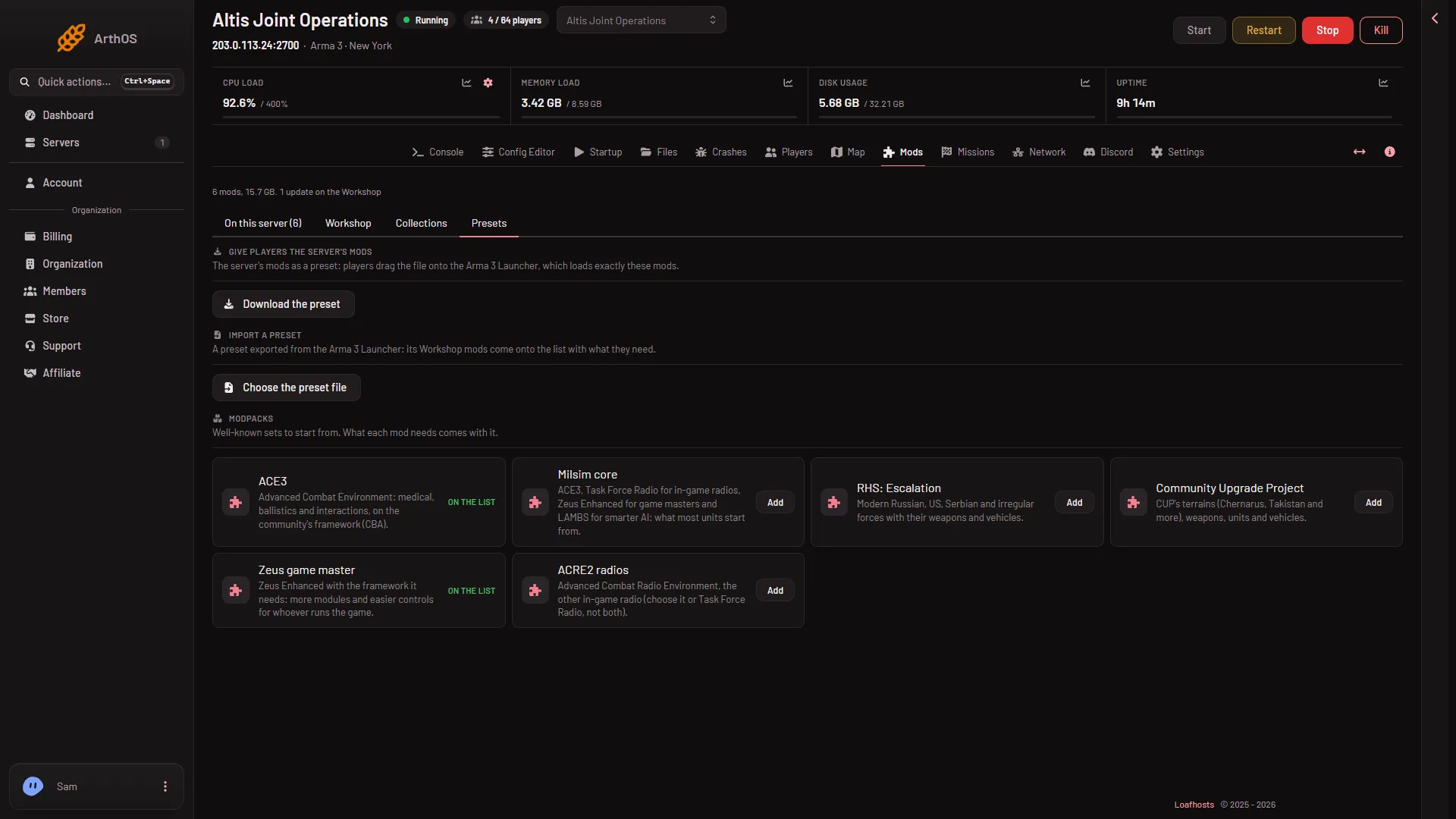
- ACE3 row
In this picture ACE3 is already on the list, so the row shows On the list where yours shows Add.
The mods are now on your list, but the server has not changed. The box says “They wait on the list until it is applied, which downloads them and restarts the server.”
Apply it
- Go to the On this server tab and check the list. It is the load order (the order the mods load in): each mod loads after the ones above it. If a row says “Loads before (name), which it needs.”, drag it lower.
- In the bar Changes not applied yet, choose Apply if the server is stopped, or Apply and restart if it is running.
- Read the box Apply the mod changes? and confirm.
Loafhosts downloads the mods for you. You never enter a Steam account.
The panel also copies each mod’s signing keys into the keys folder. With Check mod signatures on (the default for a new server), the keys decide which players may join.
More on this step: apply mod changes.
Tell your players
ACE3 is loaded by the server, so every player must load the same mods. On the Presets tab, under Give players the server’s mods, choose Download the preset. Send the file to your players. They drag it onto the Arma 3 Launcher, which loads exactly these mods.
If it does not work
- Add is missing. If the row says On the list, ACE3 is already there.
- A player is refused with a signature error. Their ACE3 or CBA is not the same version as the server’s. Ask them to let the Launcher update both.
- The download failed. The panel says which mod and why. The mod stays on the list, waiting. Apply again in a few minutes.
- The apply button is missing. Your role may not allow changing the startup or restarting the server.
More about the game: Arma 3 servers.