
















Changes on the Mods page are a draft until you apply them. Apply makes the server match the list: it downloads what is new, takes off what you removed, copies the keys, and starts the server with the new list. If a download fails, the copy the server already had stays.
The change bar
Add, remove, move or update a mod and a bar appears at the bottom. It counts what will happen, for example “2 to add” or “1 to remove”, and shows “to download” with the size. Discard changes throws the draft away.
If the server is stopped, the button is Apply. If it is running, the button is Apply and restart. Without the right role the bar says “Applying needs permission to change the startup and to restart the server.”
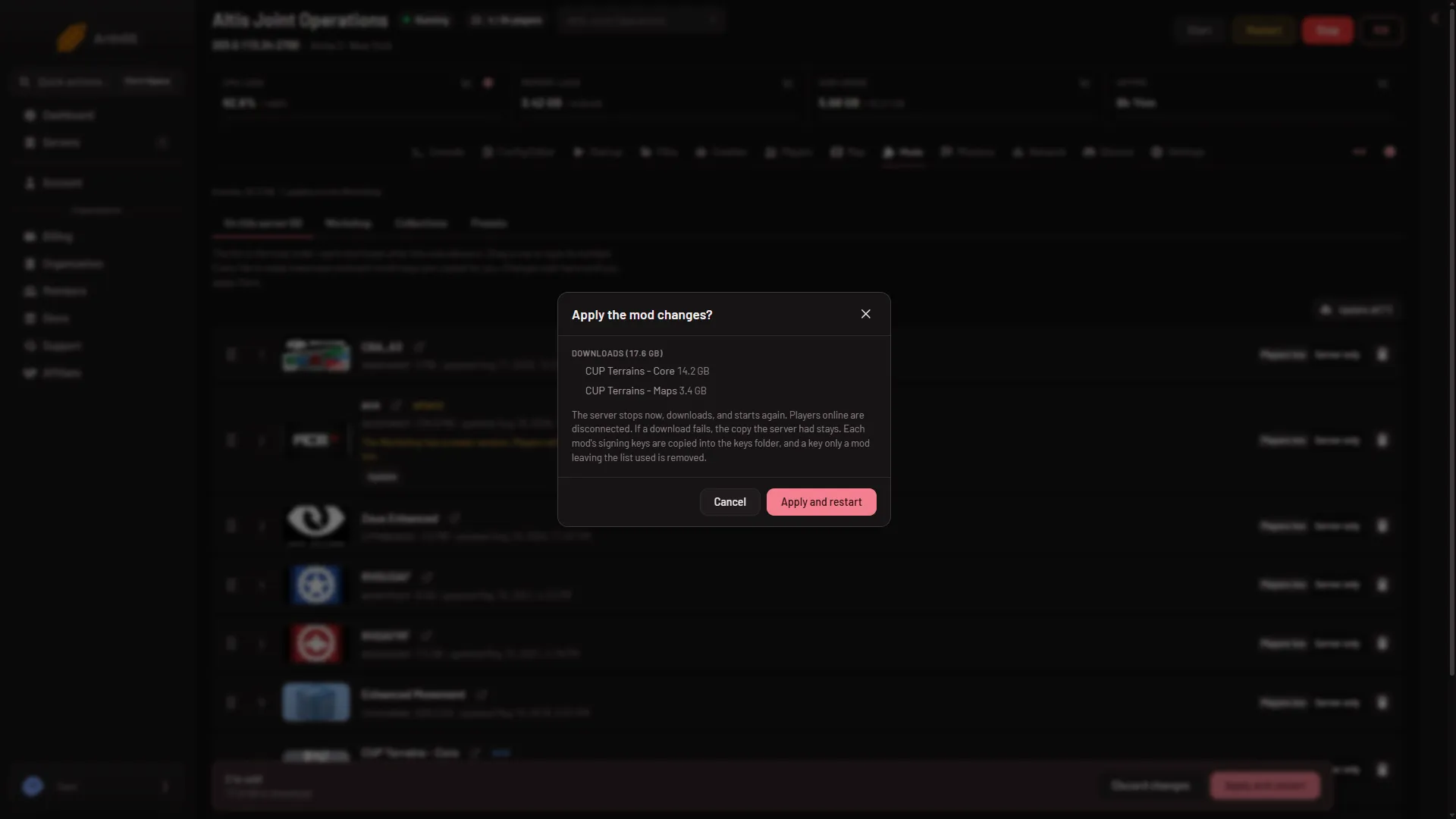
- Apply and restart
The box lists the downloads and their size. Choose Apply and restart (1) to go ahead.
What Apply does
Choose the button and a box called Apply the mod changes? lists what is about to happen. Then, in order:
- The server stops if it is running.
- Each new or updated mod downloads. Loafhosts downloads them with its own Steam account. You do not enter one.
- File names are made lower case, because the server runs on Linux.
- Keys are copied. Each mod’s signing keys (
.bikeyfiles) go into thekeysfolder. A key is removed only when no mod left on the list uses it. - The list and its order are saved, and the server’s start line is changed to load the list as shown.
- The server starts again. The panel waits until it is up.
If the server was stopped, it downloads and stays stopped.
Progress shows at the top of the page: “Applying. Progress shows at the top of the page.”
When it finishes
The page tells you what happened, for example “Last apply downloaded” and the mod names, and “Keys:” with how many were added, updated or removed. A mod that could not be downloaded is left off and stays on the list, waiting. A mod that could not be updated keeps the copy the server had, and that copy keeps loading.
Why it can be refused
The panel stops before changing anything when:
- The list changed since you opened the page. Reload and try again.
- There is nothing to apply. The list already matches the server and every mod is current.
- There is not enough disk space. The panel says how much the downloads need and how much is free. Free some space or ask for a bigger plan.
- A mod is no longer on the Workshop and not on the server. Take it off the list.
- The Workshop or the download step failed. The message says nothing on the server changed, so try again in a few minutes.
If the server stops while starting with the new mods, the message says so, and the Console shows why. If it is still starting after 20 minutes, the message says that instead. See mod download failed.
Tips
- Players need the same mods and versions as the server. See mod keys and signatures.
- To install your first mod, see install a Workshop mod.
More about Arma 3 servers.
Sources: Bohemia wiki: Server Config File