
















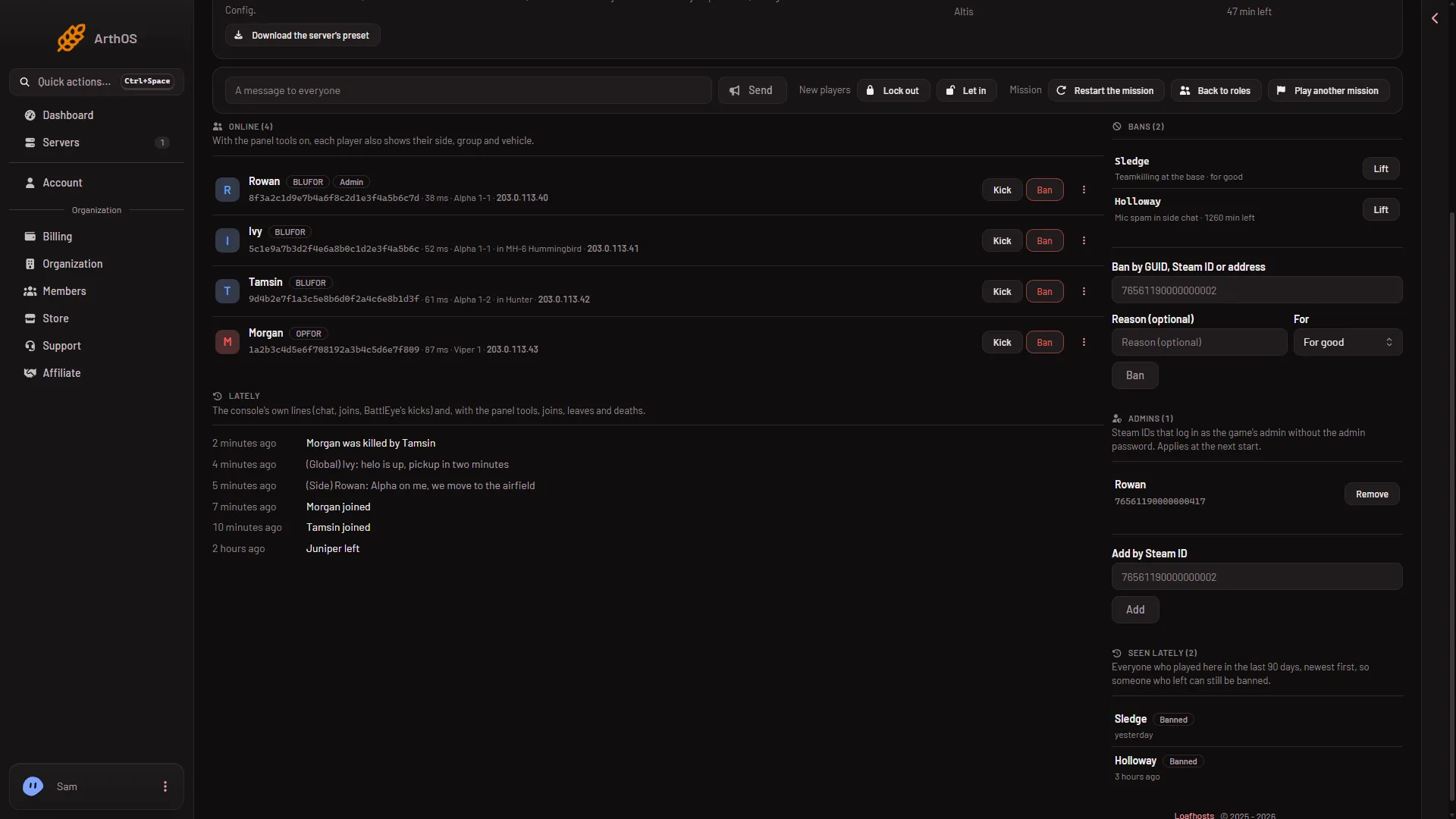
A player’s BattlEye GUID is the 32-character code under their name on the Players page of your Arma 3 server, in the Online list. Click it to copy it. BattlEye uses the GUID to ban and kick players.
What the GUID is
BattlEye is the anti-cheat that Arma 3 uses. It does not identify a player by name, because names change. It identifies a player by a GUID, a code of 32 letters and digits.
The GUID is made from the player’s Steam ID. The Steam ID is the 17-digit number of their Steam account. The GUID is the MD5 hash of the two letters BE followed by the 8 bytes of the 64-bit Steam ID, lowest byte first. The made-up Steam ID 76561190000000101 gives:
c1eb1f81bd274b7f0b269cc5c6f32310You cannot turn a GUID back into a Steam ID. You can work forward from a Steam ID to the GUID, and the panel does that for you.
So the GUID is the same player, written another way. It stays the same between visits, and the same Steam account always has the same GUID. A player who changes their name keeps their GUID.
Find the GUID
- Open the Players page of your server. The server must be running.
- Look at the Online list. Each player has a row.
- Under the player’s name is a line of grey text. It starts with the GUID.
- Click the GUID to copy it.
- BattlEye GUID, click to copy
The GUID is the long code (1). The tags beside the name show the side and Admin.
The line after the GUID shows the ping, and the group and vehicle when the panel tools are on. A role that is allowed to see addresses also sees the player’s address. Other roles do not.
A player with no GUID yet
A player who is still joining shows joining in place of the GUID. Their Kick and Ban buttons are greyed out. Wait a few seconds.
A tag GUID not checked yet means BattlEye has not marked the GUID as checked. BattlEye does this a moment after a player joins, and the tag goes away by itself once it has.
Players who have left
A player who has left is not in Online. Look in Seen lately, which lists everyone who played in the last 90 days. That list shows names, not GUIDs. You can ban a name from it with Ban, and the panel uses the right GUID for you. That ban is for good.
A GUID also appears in the Bans card when the panel has never seen the player on your server.
Use the GUID or the Steam ID
The box Ban by GUID or Steam ID takes either. It wants “A 32-character GUID or a 17-digit Steam ID.” If you give a Steam ID, the panel turns it into the GUID before it asks BattlEye. See ban by GUID or Steam ID.
Admins are the other way round. The Admins list holds Steam IDs, not GUIDs. The Steam ID comes from the panel tools, which you turn on from the Map page.
If it does not work
- The Online list is empty. The server is stopped, or BattlEye is not answering yet. Start the server and wait for it to come up.
- I only have a Steam ID. That is enough. Use it in the ban box.
- I want to ban someone who is not on. Use the ban box, or Seen lately.
Sources: Bohemia wiki: BattlEye