
















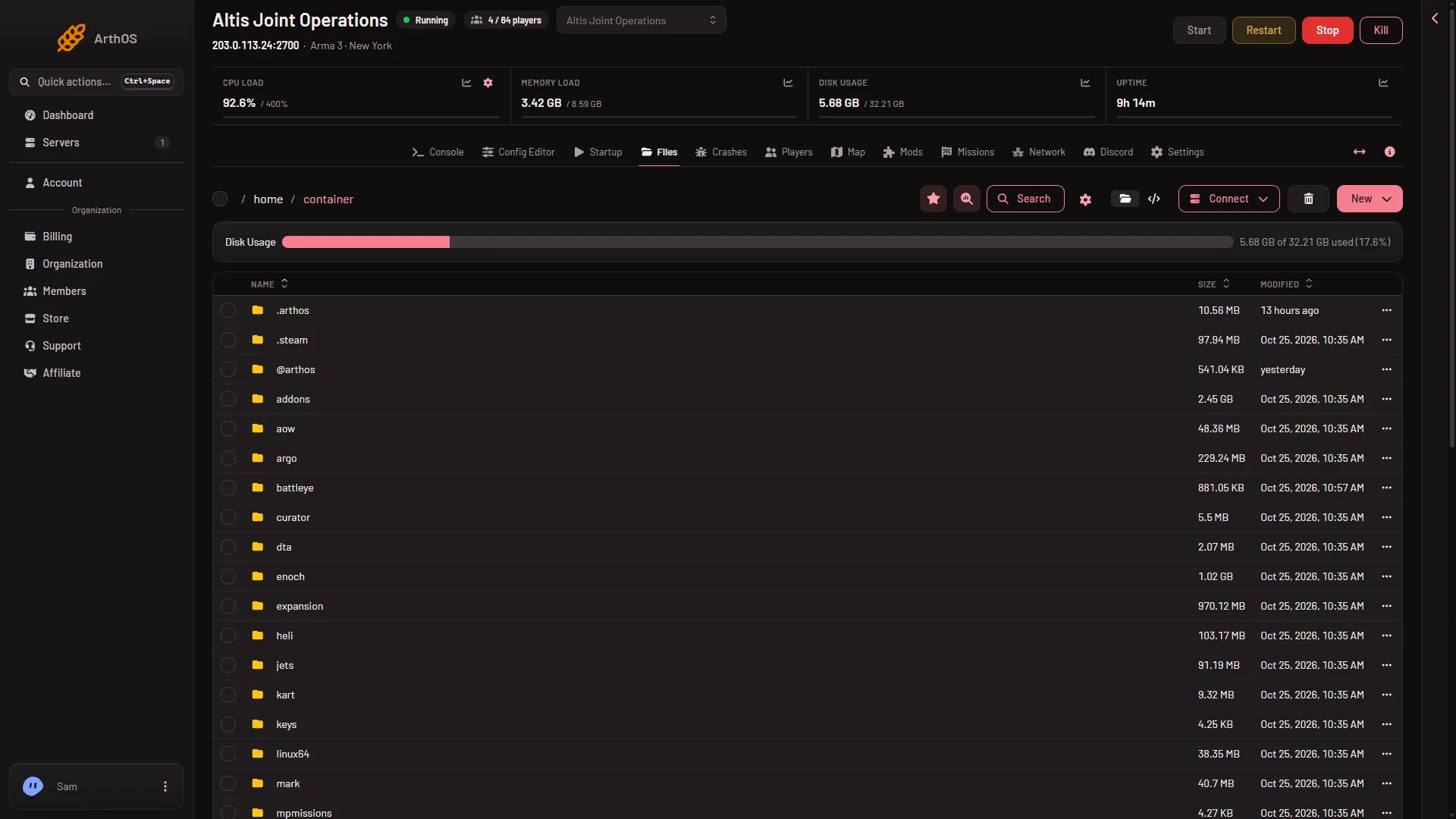
An Arma 3 server keeps its settings in server.cfg and basic.cfg, its missions in mpmissions, its mod keys in keys, each mod in an @ folder, and its logs under serverprofile. Open Files on the server to see them all at the root. Most of them you never edit by hand: the panel has a page for each.
- The keys folder
- The mpmissions folder
The map
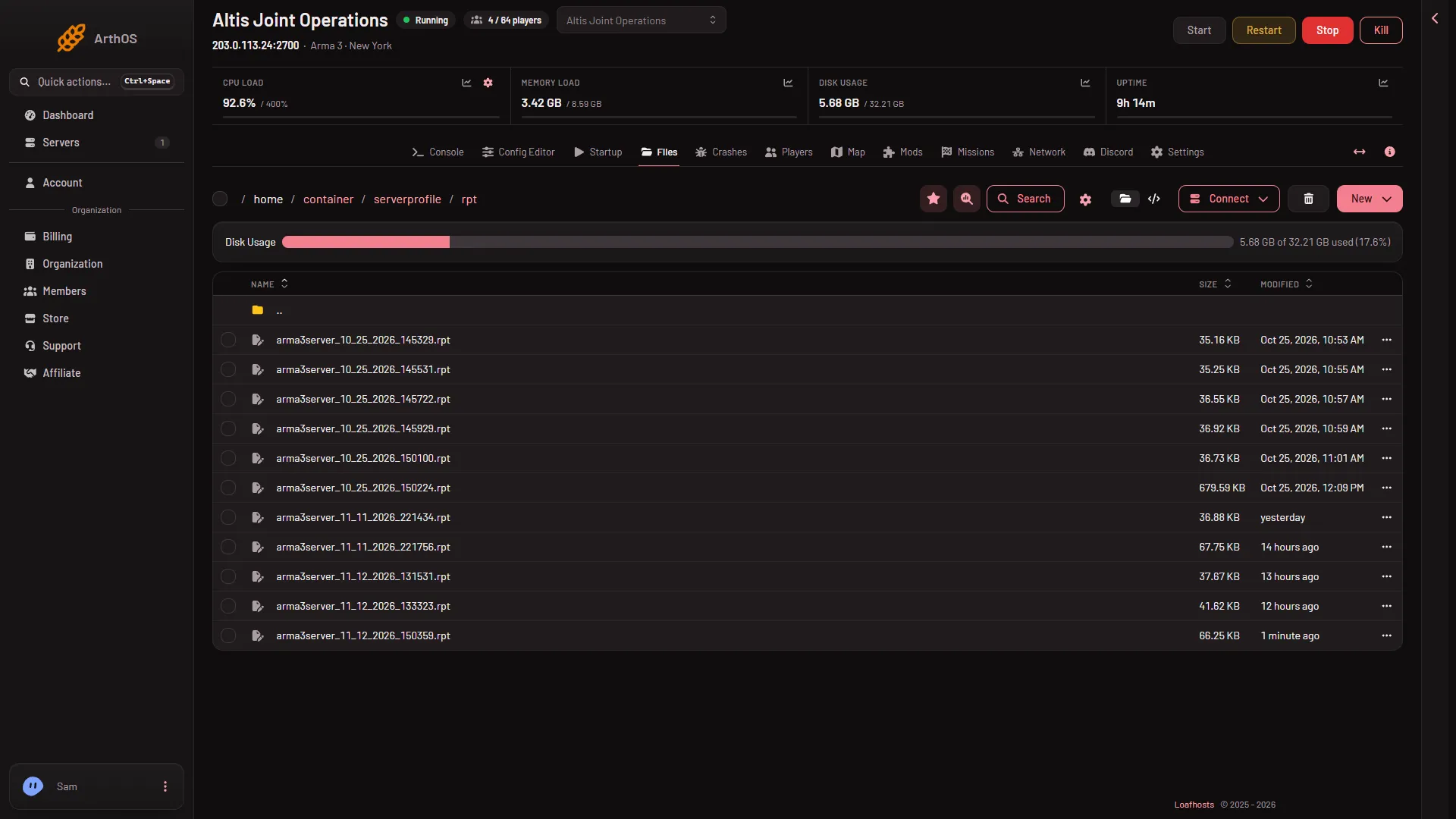
server.cfg. The game’s main settings: server name, player limit, mission list, voice, voting. Edit it in the Config Editor rather than as text. The game reads it once, so a change applies at the next start.basic.cfg. Network tuning, such as the largest packet and bandwidth. The server is started with it. Also edited in the Config Editor, and read at the next start.mpmissions. The missions the server can play. Each one is a.pbofile (a packed mission) or a folder named likeMyMission.Altis: the mission name, a dot, then the world. The Missions page lists them. To add one, see upload a mission.keys. Signing keys, files ending in.bikey. With signature checking on, the game only lets in players whose mods match a key here. The Mods page copies each mod’s keys here for you, and removes a key only when no remaining mod uses it.@folders. One folder per mod, named with its Workshop number, such as@450814997. The names are lower case on purpose, because the server runs on Linux. See where mods are stored.serverprofile. The server’s profile and logs. Inside it:home/PlayerholdsPlayer.Arma3ProfileandPlayer.vars.Arma3Profile. On a Loafhosts server the profile is kept here. Missions that keep a campaign, such as Antistasi and KP Liberation, save into the second file.rptholds one log per start, named likearma3server_11_13_2026_120000.rpt. The time in the name comes from the machine the server runs on. The Timezone card does not change it. The lineHost identity created.means the server is ready.
battleye. The files of BattlEye, the game’s anti-cheat.battleye/launch/beserver_x64.cfgholds the remote console port and password. The panel rewrites it at every start, so never edit it.@arthosand.arthos. Only there when the panel tools are on. They are the panel’s own data. Leave them.- Other folders. Folders such as
addons,dtaandlinux64are the game’s own files. Leave them alone.
What to leave alone
beserver_x64.cfg: any change is overwritten at the next start.- Passwords inside
server.cfg: the join password and admin password are set under Passwords in the Config Editor. The panel writes them to the file at every start, so a hand edit does not last. - Mod folders by hand: add and remove mods on the Mods page so the keys stay in step.
Look at a file
- Open Files.
- Click a file to open it, or use the file’s menu to Download it.
- To download a folder, choose Archive on it, then download the archive. Or use Connect, then via SFTP.
Deleting a file moves it to the Trash button on the Files page, where Restore to… brings it back.
If it does not work
- A setting you changed in a file did not apply. The game reads
server.cfgandbasic.cfgonce. Restart the server. - A password you typed into
server.cfgis gone. The panel replaced it at the start. Use Passwords in the Config Editor. serverprofilehas no log yet. The first log appears when the server first starts.- A mod you uploaded is not loaded. Its folder must start with
@, be lower case and have no spaces. The Mods page shows it under On the server, not loaded: choose Put on the list, then apply.
More about the game: Arma 3 servers.
Sources: Bohemia wiki: Dedicated Server, Bohemia wiki: Server Config File, Bohemia wiki: BattlEye