
















Each Workshop mod is a folder in the root of the server, named with an @ and the mod’s Workshop ID, for example @450814997. The folder names and the files inside are lowercase. Signing keys go in a folder named keys. Open Files to see them.
Find the mod folders
- Open the Files page. It starts at the server’s root folder.
- Look for folders that start with
@.
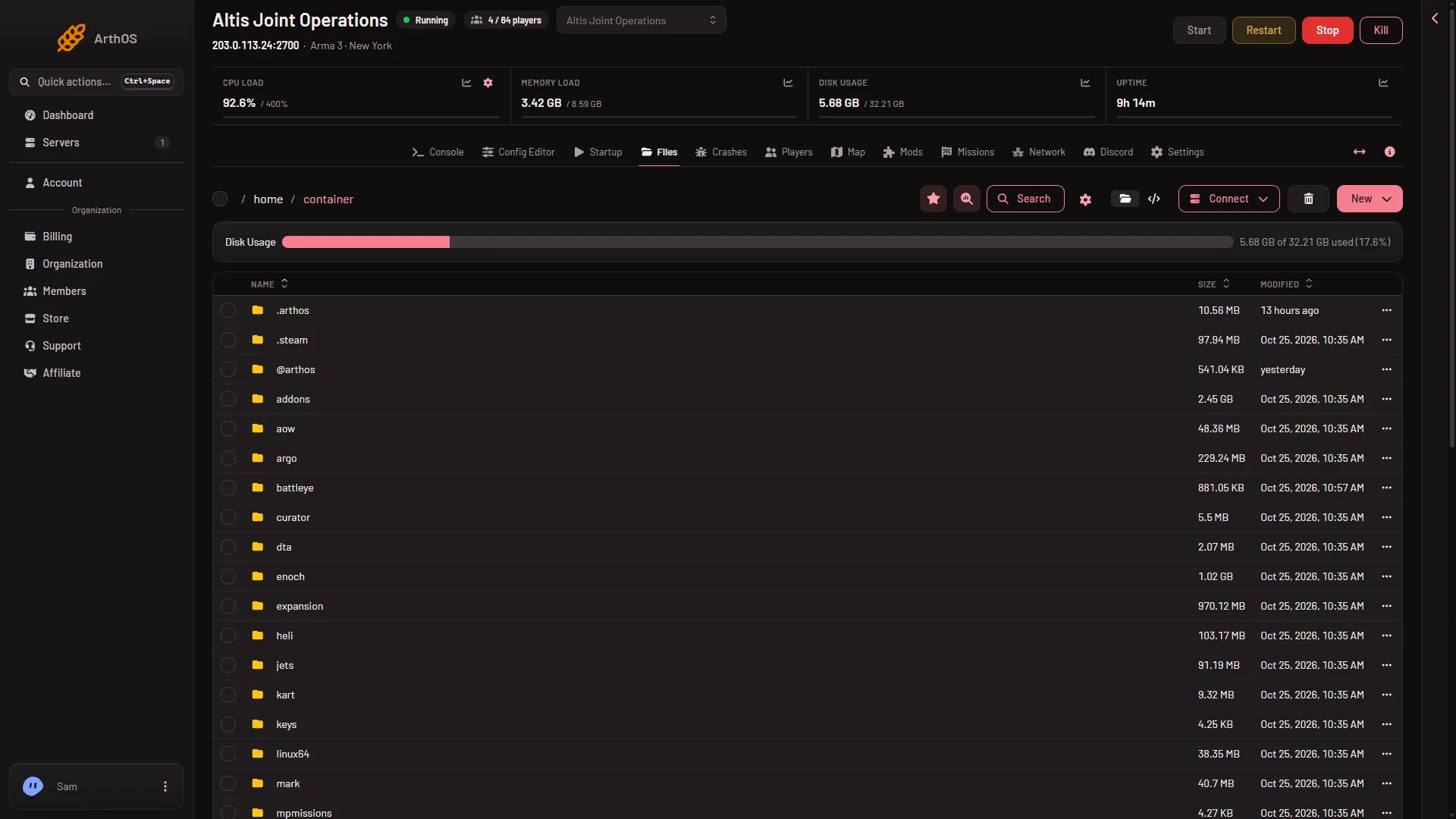
- The keys folder
The keys folder (1) sits in the same list. This picture comes from a demo server whose list shows no mod folders, only the panel’s own @arthos folder. Yours has one @ folder per mod.
Each folder is one mod. The number is the ID in the mod’s Steam Workshop address. The Mods page downloads into these folders, so you do not create them yourself.
A server holds at most 200 mods.
Why everything is lowercase
The server runs on Linux, which treats Mod.pbo and mod.pbo as different files. Some mods fail on Linux when a file name has capital letters. The Mods page makes every file it downloads lowercase for you.
The keys folder
The folder keys holds the .bikey files. With signature checking on, the server accepts only players whose mods match a key here. When you apply mod changes, the panel copies each mod’s keys into keys, and removes a key only when no mod left on the list uses it. See mod keys and signatures.
Other folders you may see
mpmissionsholds missions.serverprofileholds the server’s profile and its logs.@arthosappears only when the panel tools are on.
For the whole layout, see server files and folders.
Folders the Mods page does not manage
A mod folder you uploaded yourself starts with @, has a lowercase name and no spaces. The page shows it under On the server, not loaded until you choose Put on the list. On the list it carries the chip Local folder: “A folder on the server that is not a Workshop download. It is never changed here.” A folder whose name does not start with @ is only named in a line “Also in the mods folder, and left as they are”.
A mod folder that is not on the list shows under On the server, not loaded. The game does not load it and it only takes disk space.
Get the files out
Mod files are large. To copy a mod folder, choose Archive on it in Files and download the archive, or use the Connect menu and via SFTP, which shows SFTP Details.
If it does not work
- There is no @ folder for a mod. It was never applied or it failed to download. Check the row for Not downloaded and choose Apply.
- A mod from your own upload does not load. Check its folder name: it starts with
@, is lowercase and has no spaces. Then choose Put on the list and apply. - Files looks empty. You may be in a subfolder. Go back to the root.
More about the game: Arma 3 servers.