
















Every Arma 3 server on Loafhosts holds a block of ten UDP ports in a row. The first one is the game port, and players connect to it. The others have fixed jobs counted from it. You do not open or forward anything: the block is already yours.
The block, port by port
Call the game port P. Your server’s block runs from P to P+9. All ten are UDP.
| Port | Name | Used for |
|---|---|---|
| P | Game | Players connect here. Voice chat travels on it too. |
| P+1 | Steam query | The server browser and the Launcher ask here for name, players and mission. |
| P+2 | Steam | The game’s Steam port. |
| P+3 | Voice (reserved) | Reserved. |
| P+4 | BattlEye | Traffic of BattlEye, the game’s anti-cheat. |
| P+5 | RCon | BattlEye’s remote console. The panel uses it for the Players page. |
| P+6 to P+9 | Spacing | Four ports kept free. |
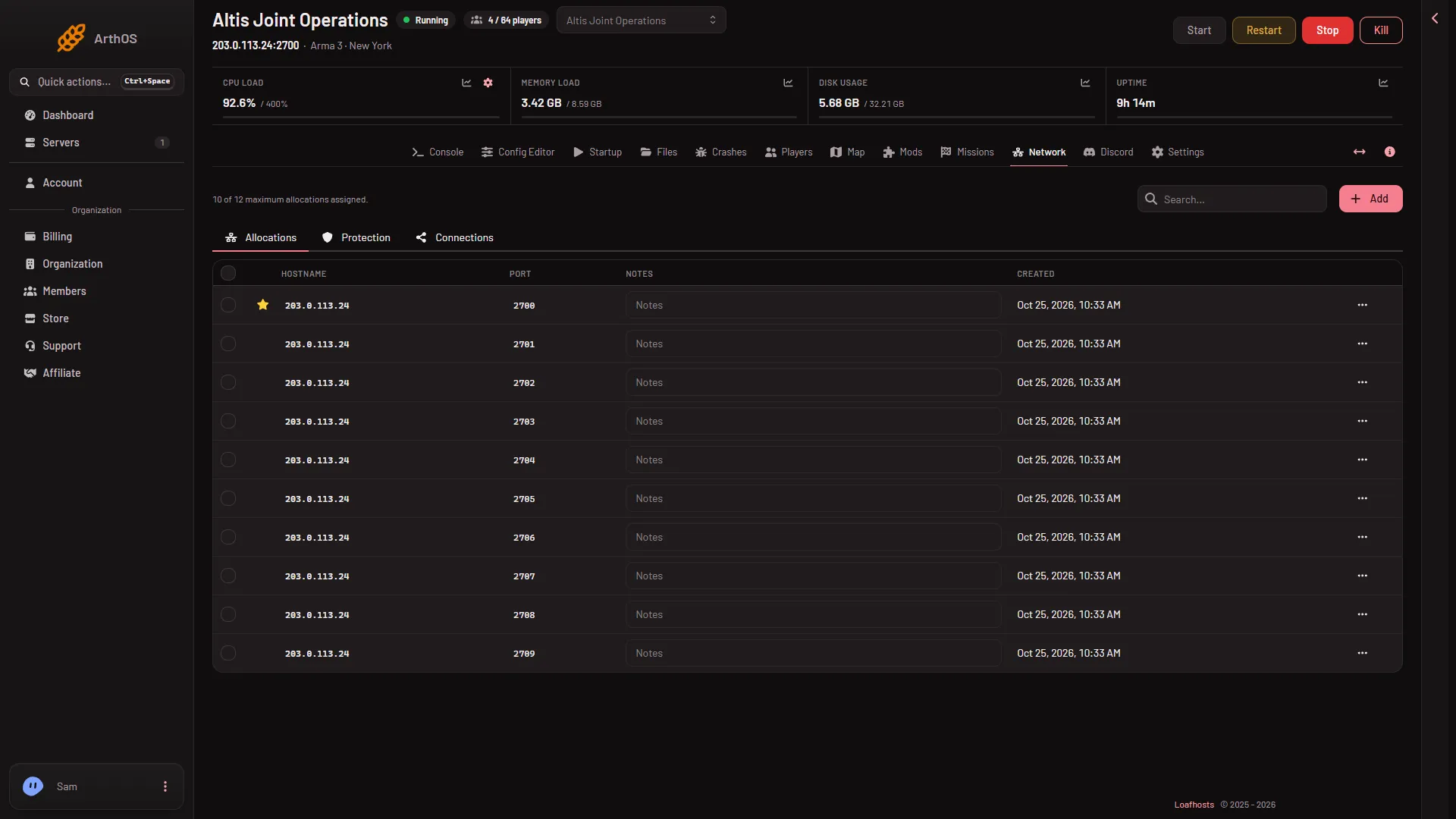
For example, with a game port of 2700, the Steam query is 2701, BattlEye is 2704 and RCon is 2705. That is only an example: your own game port is on the Players page.
Which ports do players use
Players use the game port only, and they get it as part of the address. The Steam query port (P+1) must stay reachable so the server shows in the browser, and it does. The rest are for the server and the panel.
See your own ports
- Open the Network tab.
- Look at the Allocations list. Its columns are Hostname, Port, Notes and Created. It shows the ten ports in a row, all on the server’s address. The starred port at the top is the game port. No row says what a port is for, so count from the star: the next one is the Steam query (P+1), then Steam, voice, BattlEye (P+4) and RCon (P+5), using the table above. Notes is an empty box that you can type in.
Good to know
- The game’s own default game port is 2302, with the same layout counted from it. Your server has its own block, so always use the port the panel shows.
- The panel manages network protection per port for you. The Protection tab under Network shows it.
More about the address: find your server address. Joining: how to join your server. The game: Arma 3 servers.
If it does not work
- The server is not in the browser. The server may be stopped or still starting. Use Direct Connect with the address.
- The Players page says BattlEye is not answering. The server is starting, or BattlEye is off. Wait for
Host identity created.in the Console tab.
Sources: Bohemia wiki: Dedicated Server