
















The line SteamInternal_SetMinidumpSteamID can appear in the log a few minutes into a normal start. It is not a crash and you do not need to fix it. If the server is running and players can join, leave it alone.
Check it
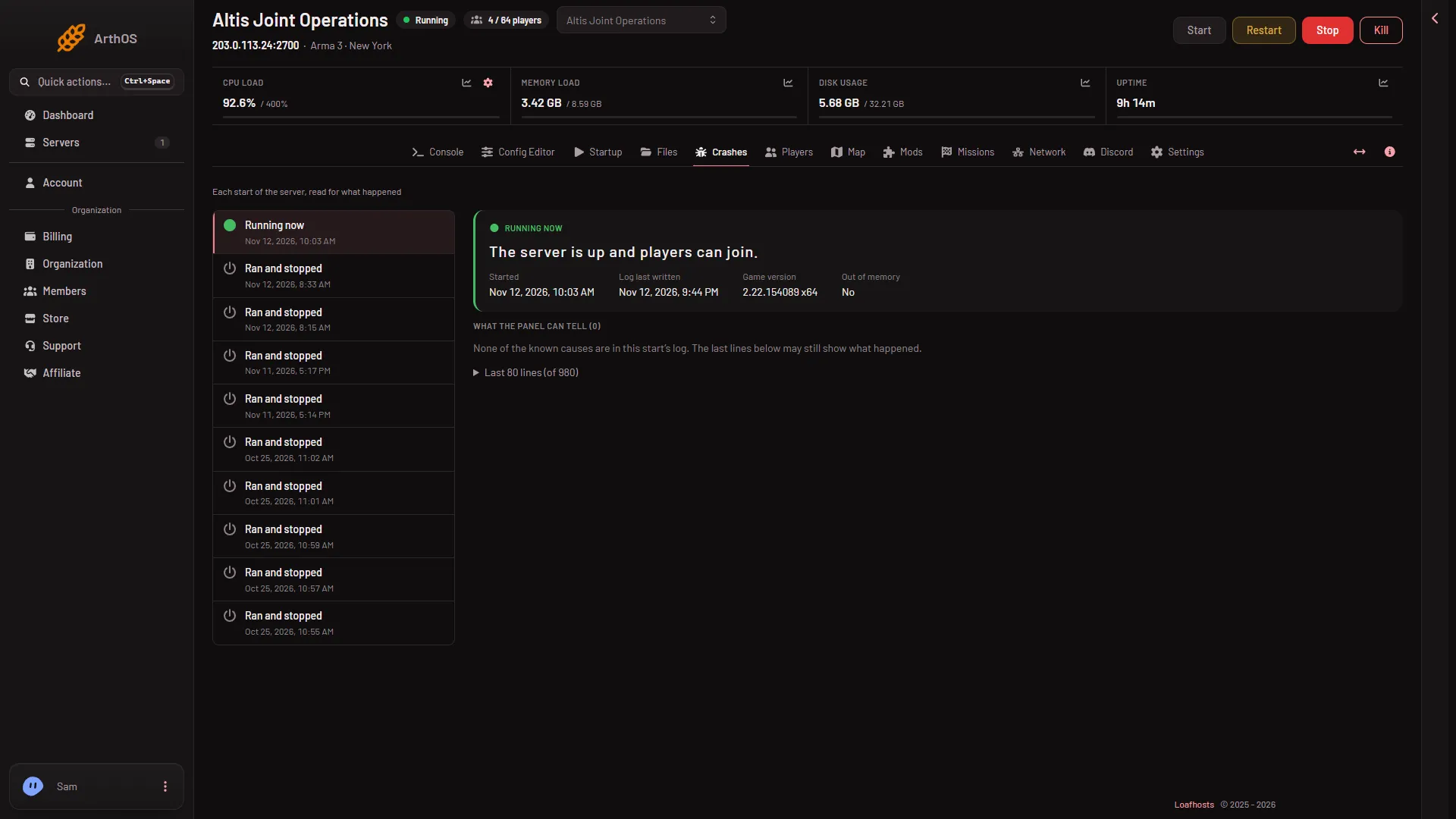
- Open the Crashes page and pick the start you are worried about.
- Read the outcome. Running now or Ran and stopped means the server did not crash.
- Read the findings under What the panel can tell. The panel does not count this line as a problem, and it does not show it as one. A line saying “Setting breakpad minidump AppID” is the same kind of line and is also ignored.
How to tell a real crash
A real crash looks different:
- The outcome says Crashed, with the headline “The game stopped without being asked to.”
- A finding named “The game crashed inside its engine” appears. It is shown when the log holds words such as
segmentation fault,sigsegv,fatal error:orcrash dump. - The server went offline and players were dropped when you did not stop it.
If you see these, restart the server. If it happens again at the same moment, the last mod or mission you added is the first thing to remove. See how to read the Crashes page.
Other lines that look bad and are not
The log has many harmless lines. See where the logs are for the list.
If it does not work
- The server really did stop. Check the outcome and exit code on Crashes, then the last lines. The minidump line is only a coincidence in that case.
- The outcome is Failed to start. That is a different problem. The log never reached
Host identity created.Read the findings for the cause.
More about the game: Arma 3 servers.