
















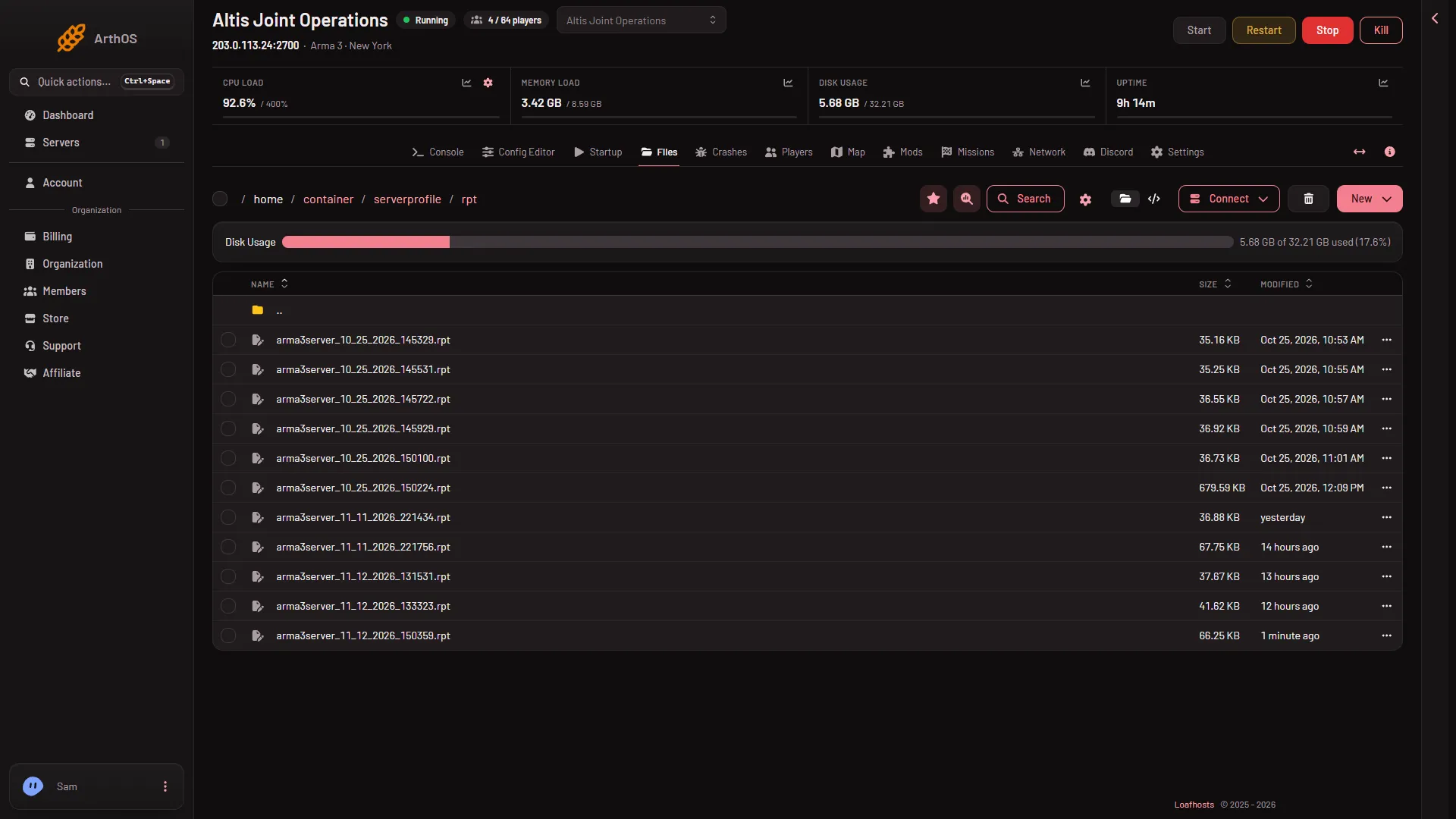
The game writes a log file called an RPT for every start of the server. They are in the folder serverprofile/rpt. The newest file is the one for the latest start. The game keeps about the newest ten.
Find the logs
- Open the Files page.
- Open the folder
serverprofile, then the folderrpt. - Look for names like
arma3server_11_13_2026_091500.rpt. The name is the month, day, year and time of the start, written asMM_DD_YYYY_HHMMSS. The time comes from the server’s own clock, so it can differ from the time the Crashes page shows, which uses the zone set under Timezone in Settings. - The newest start has the latest date and time in its name.
Get a log onto your computer
Open the menu on the file’s row and choose Download. Or use the Connect menu, choose via SFTP, and copy the file with any SFTP program. It shows the SFTP Details to connect with.
You do not need to download it to read it. The Crashes page reads each log and lists what it found. See how to read the Crashes page.
What to look for
Search the file in your text editor for these:
Host identity created.The server reached this line, so it was ready. If it is missing, the start failed before players could join.Starting mission:,Mission file:,Mission world:andGame started.These name the mission that was loading or running.BattlEye Server: InitializedThe anti-cheat started. It also prints the game version, such as2.22.154089.it is dependent on downloadable content that has been deletedorrequires addon. A mission or mod needs content the server does not load. See the missing addons error.wrong signature for file. A player’s mod files did not match the server’s keys. See the wrong signature error.
Lines that are normal
The log is long and loud. These lines are usual and are not the cause of a problem:
- The list of loaded addons, one line each, ending in
.pboand a number. Strange convex componentSteamAPI initialization failed/sbin/ifconfig: not found- A line about content “that has been deleted” that names only
a3_characters_f. SteamInternal_SetMinidumpSteamID. See that line.
The Crashes page leaves most of these out of its last lines for you.
If it does not work
- The
rptfolder is empty or missing. The server has not started yet, or it runs with the start option-noLogs. The game’s own page warns that this means “none errors saved to RPT file”. Take it out of Extra Start Parameters on Startup. - The newest file is old. The server has not started since then. Start it and a new file appears.
- You need more than about ten starts. The game deletes older logs. Download a log you want to keep before the server starts again many times.
More about the game: Arma 3 servers.
Sources: Bohemia wiki: Startup Parameters