











The name in VEIN’s server browser is the Server list name on the Startup page. Change it there and restart the server. A new server starts with the name you gave when you ordered.
Change the name
- Open the Startup page.
- Find Server list name.
- Type the new name. It can be up to 64 characters. Double quotes and line breaks are not allowed.
- Choose Save.
- Choose Restart at the top right of the server page. If players are on, use Restart with a warning on the Players page instead.
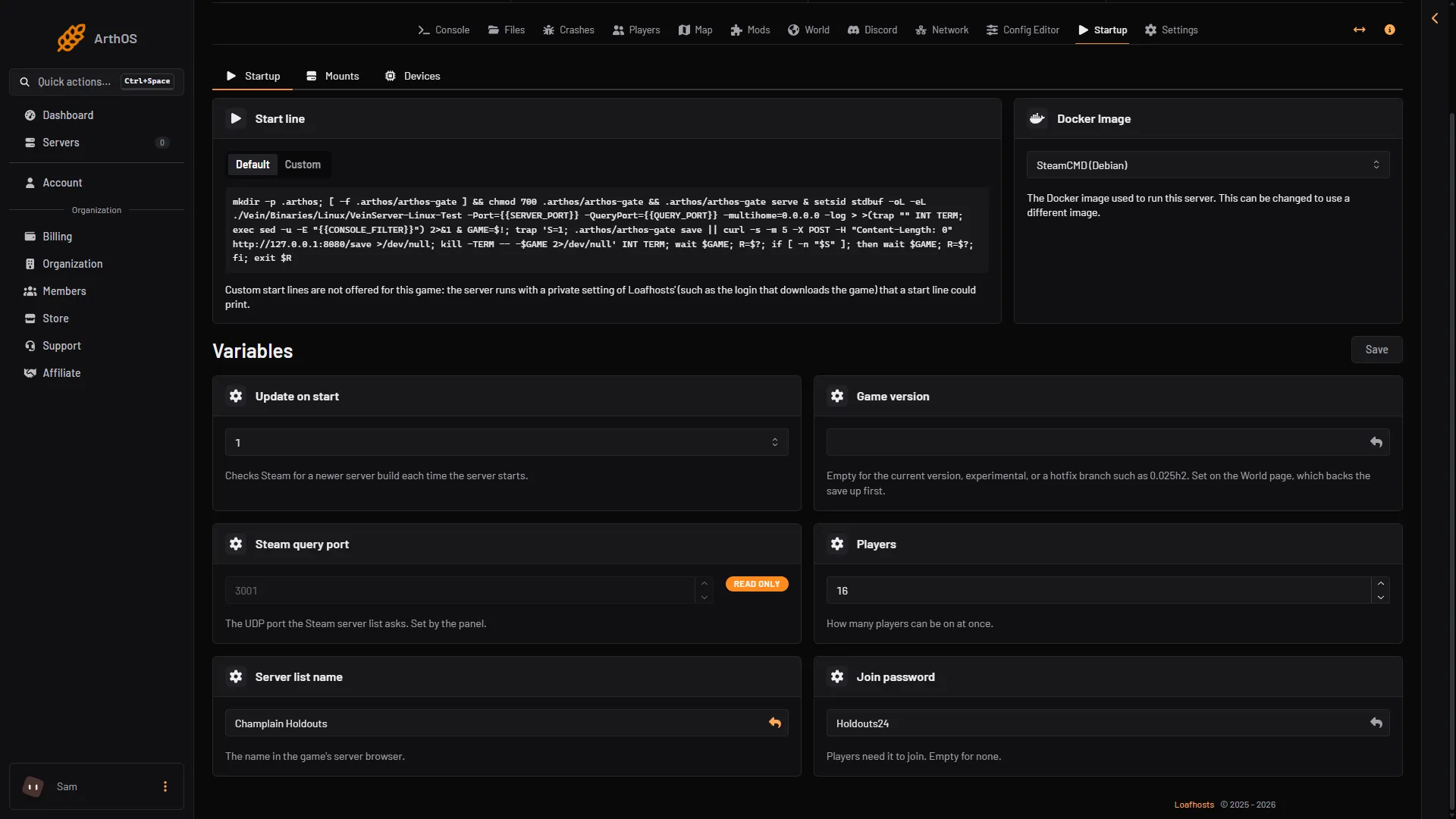
- Server list name
- Save
The name changes at the next start, because the game reads it when it starts. After the restart, the server appears under the new name about 30 seconds after it is ready.
The Config Editor will not change it
In the Config Editor the name is shown as locked. The page says it is set on the Startup page, which writes it on every start. A change made there or by hand in Game.ini would be overwritten. Use Startup only.
The description is another setting
The description is the text players see when they pick your server in the browser, such as rules or a message of the day. It is not the name. See the VEIN server description.
If it does not work
- The old name still shows. The server has not restarted since you saved, or it is still starting. The server appears in the list about 30 seconds after it is ready.
- The server is not in the list at all. A server that nobody played on for 10 days stops by itself and is missing from the list. Choose Start at the top right of the server page.
- The page refuses the name. Remove double quotes and line breaks, and keep it to 64 characters.
- Friends cannot find the server. Tell them the new name. See connect to a VEIN server.
More about the game: VEIN servers.