











Open VEIN, find the server by its name in the server browser, and type its join password. The server browser is the list of servers inside the game. If the server is not in the list, add its address to your Steam favourites and join from there.
Before you join
- The server must be running and ready. A new start appears in the browser about 30 seconds after it is ready. A server that nobody played on for 10 days stops by itself and is missing from the browser: start it with Start at the top right of the server page, or with its wake link (Make link in the Standby card on Settings).
- You need the same VEIN version as the server. The server’s version is on the Players page, in the Version box. If your game is a different version, the server refuses you.
- You need the join password, unless the server has none.
Find the name and the password
- Open the server in the panel and go to the Players page.
- Read the card Joining. It says “In VEIN, find (name) in the server browser.” and whether players need a join password.
- The password itself is on the Startup page, under Join password.
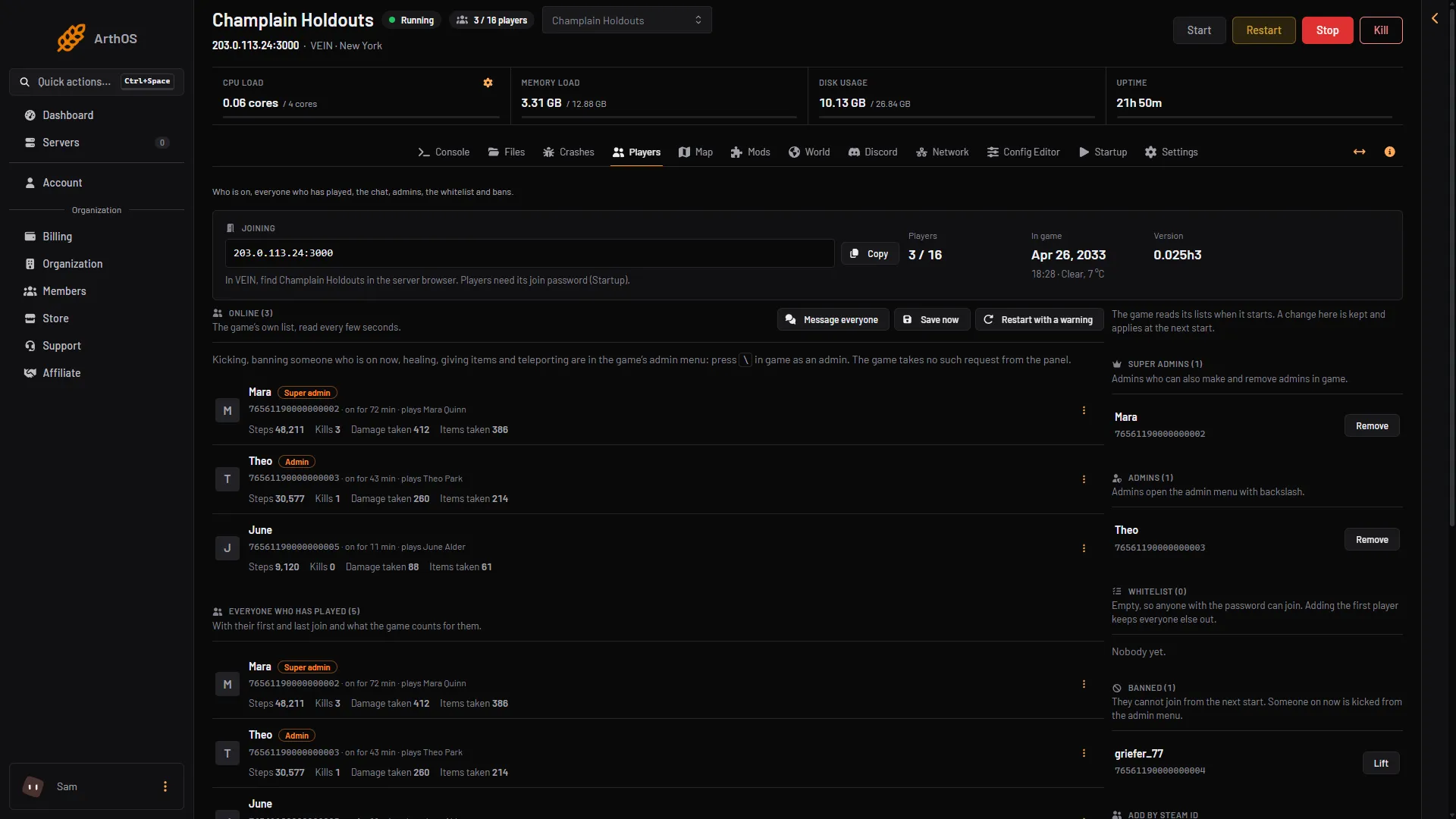
- How players join
- Copy the address
- Version
Join from the server browser
- In VEIN, open the server browser.
- Search for the server name.
- Select the server and join.
- Type the join password.
If the server is not in the list
The game’s list only shows a limited number of servers at one time. The VEIN wiki says the best way in is your Steam favourites:
- The card Joining shows the server address and a Copy button. Copy it.
- In Steam, add the address to your server favourites.
- In VEIN, open the favourites tab of the server list and join from there.
The same works for a server whose owner turned off Listed in the server browser in the Config Editor. Such a server is never in the browser and players join through favourites.
Not checked on 0.025 as of 27 October 2026: which port Steam’s favourites box needs, the game port or the query port, and the exact steps in Steam.
If it does not work
- The name is not in the list. Wait 30 seconds after the server is ready and search again. Then use the favourites way above.
- Wrong password. Read it again on the Startup page under Join password. A changed password applies at the next start.
- The server is stopped or starting. The Players page says so. Choose Start at the top right of the server page if it is stopped.
- Version mismatch. Update VEIN on your PC. A hotfix is a small update that fixes problems, and each one has its own version number.
- Your friends run an older hotfix. The server owner can set a matching version on the World page.
- Your friends cannot update. The server owner can turn on Players on other versions in the Config Editor. Ramjet warns that it will probably crash them.
More about the game: VEIN servers.
Not checked on 0.025 as of 27 October 2026: a direct address box in the game itself.