











The description is a line of text that players see when they pick your server in VEIN’s server browser. Use it for your rules, your play style, or a message of the day. You set it in the Config Editor, on the Server settings tab, in the field Description. Change it while the server is stopped. It applies at the next start.
Set the description
- Stop the server with Stop at the top right of the server page. The game rewrites its settings file when it stops, over anything changed while it runs. The Config Editor says so: “Stop the server to change these settings.”
- Open the Config Editor.
- Choose the Server settings tab. This is the game’s
Game.ini. - Find the field Description. It is in the group Players and the server. The help line reads “Shown when a player picks the server in the browser: rules, play style, a message of the day.”
- Type your text.
- Choose Save. The message says “Saved. The changes apply when the server starts.”
- Choose Start at the top right of the server page.
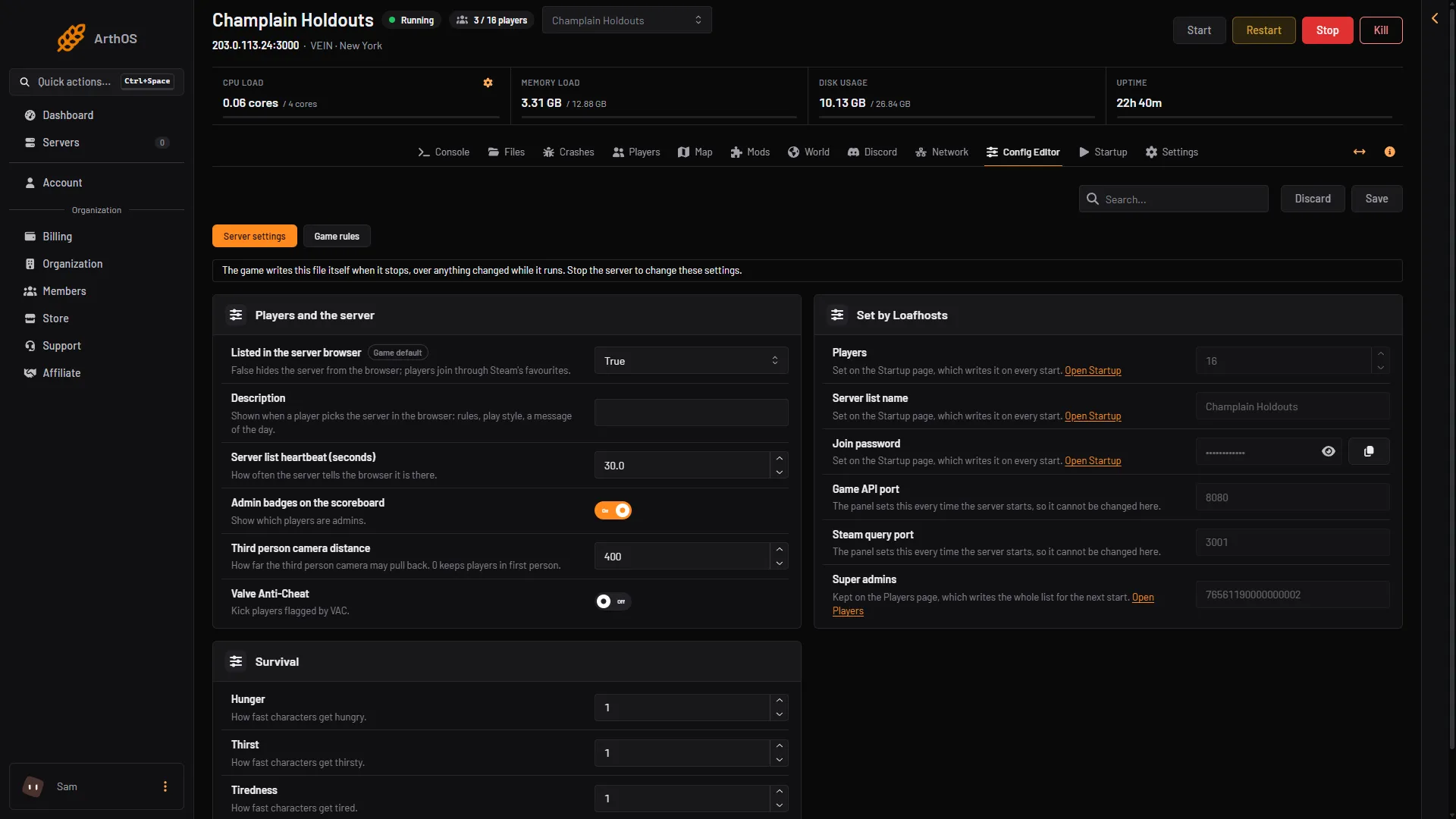
- Type your text here
A new server has no description. The field starts empty.
What to write
The field takes one line. It does not accept line breaks: the Config Editor says “One line, with no line breaks.” Write short sentences and separate them with a full stop or a bar.
Here is an example:
Friendly PvE. Be kind, no griefing. Join our Discord for help. Restarts at 04:00.Good things to put in it:
- The play style: PvE or PvP, hard or relaxed.
- One or two rules everyone must follow.
- When the server restarts.
- A message of the day that you change from time to time.
Keep it short. A player reads it quickly before choosing whether to join.
By hand
The file is Vein/Saved/Config/LinuxServer/Game.ini. Edit it only while the server is stopped, because the game rewrites it when it stops. The key is ServerDescription, in this section:
[/Script/Vein.VeinGameSession]
ServerDescription=Friendly PvE. Be kind, no griefing.
Not checked on 0.025 as of 27 October 2026: the folder of a Windows server.
Related settings
- The name in the browser is not here. It is Server list name on the Startup page. See change the VEIN server name.
- Whether the server is listed at all is Listed in the server browser, in the same group as the description. See VEIN public server listing.
If it does not work
- You cannot save. The server may be running. Stop it first, then save.
- The old text still shows. The server reads the file at its start. Restart it. The server appears in the list about 30 seconds after it is ready.
- The field shows an error. The text has a line break in it. Remove it.
- The field is missing. Your role on the panel may not allow changing settings.
More about the game: VEIN servers. Not checked on 0.025 as of 27 October 2026: how many characters the browser shows.
Sources: ramjet.notion.site