
















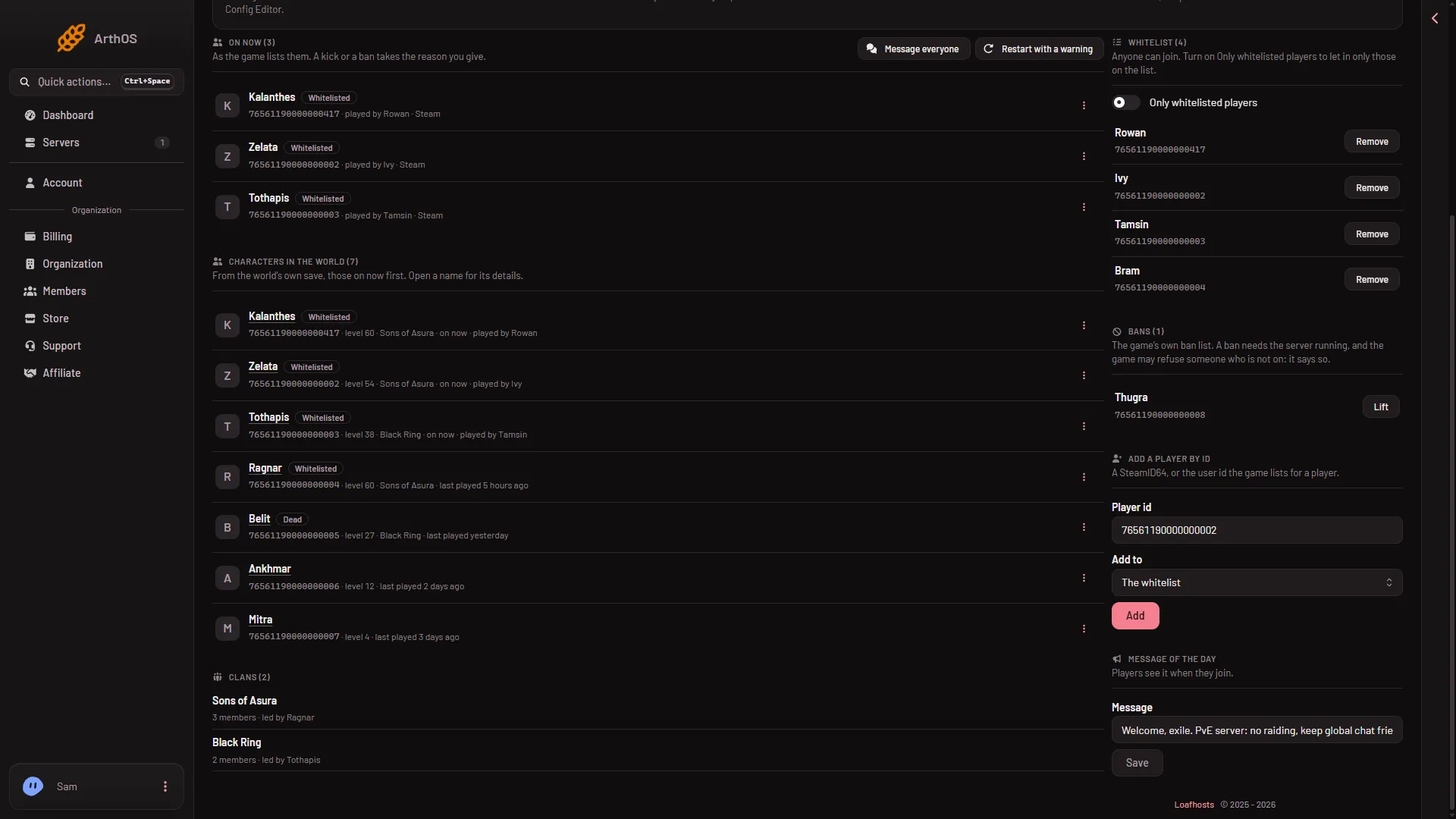
To whitelist someone who is not on the server, use Add a player by id on the Players page. Type their SteamID64, choose The whitelist, and choose Add. If they are on the server now, you can add them from the On now list instead.
A SteamID64 is the 17-digit number of a Steam account. An example is 76561190000000101. The panel also takes the user id the game lists for a player (letters and digits); nothing about players on other platforms was checked. See find a player’s platform id if you do not have it.
From a player who is on now
- Open Players.
- In On now, open the menu on the player’s row (Actions for their name).
- Choose Add to the whitelist.
The page shows the game’s own answer, and the row gets the tag Whitelisted.
By id
Use this for a friend who has not joined yet.
- Open Players.
- Find the card Add a player by id. It says “A SteamID64, or the user id the game lists for a player.”
- In Player id (1), type the id. Digits only for a SteamID64. Letters and digits are allowed for the user id the game lists, nothing else.
- In Add to (2), choose The whitelist.
- Choose Add (3).
- Type the id
- Choose the list
- Add
The name appears in the Whitelist card. Someone the server has never seen is listed as Unknown until the game learns their name.
It works with the server offline
You can add players while the server is offline. The panel writes the list in the server’s files, and the game reads it at its next start. A running server gets the change from the panel through the game.
The file
The list is ConanSandbox/Saved/whitelist.txt, one player a line, written as the id, a colon, then the name:
76561190000000101:UnknownYou can look at the file in Files. The game reads it at every start, so by hand, edit it with the server stopped. On a running server, the game takes WhitelistPlayer <id> and UnWhitelistPlayer <id> through the remote console (RCON), which is what the panel sends.
Adding a list does not turn it on
More about the game: Conan Exiles servers.
If it does not work
- That is not a player id. The panel says “that is not a player id: a SteamID64, or the user id the Players page shows”. Check the id for a typo or a space.
- The Add button does nothing. Your role may not allow moderating players.
- The player still cannot join. Turn on Only whitelisted players, then check that the id on the list is exactly theirs.
- To take someone off. Choose Remove next to the name in the Whitelist card.