
















The whitelist is the list of players allowed to join. Turn on Only whitelisted players and anyone who is not on the list is not allowed in when they try to join. Put yourself and your players on the list first, or you lock yourself out too.
Funcom describes the setting as “Only Allow Whitelisted Players To Join”. It is off on a new server, so anyone who finds the server can join (with the join password, if you set one).
Before you switch it on
- Open Players.
- Look at the Whitelist card. The number in its title is how many players are on it.
- Add yourself and every player who must get in. Use the menu on a row under On now and choose Add to the whitelist, or use Add a player by id for someone who has not joined yet. See add a player to the whitelist by id.
Turn it on
- On the Whitelist card, turn on the switch Only whitelisted players.
- A box asks Only let whitelisted players join? It says “Players not on the whitelist are turned away when they try to join”, then how many players are on the list and “add yourself and your players first”.
- If the number is right, choose Only whitelisted players (1).
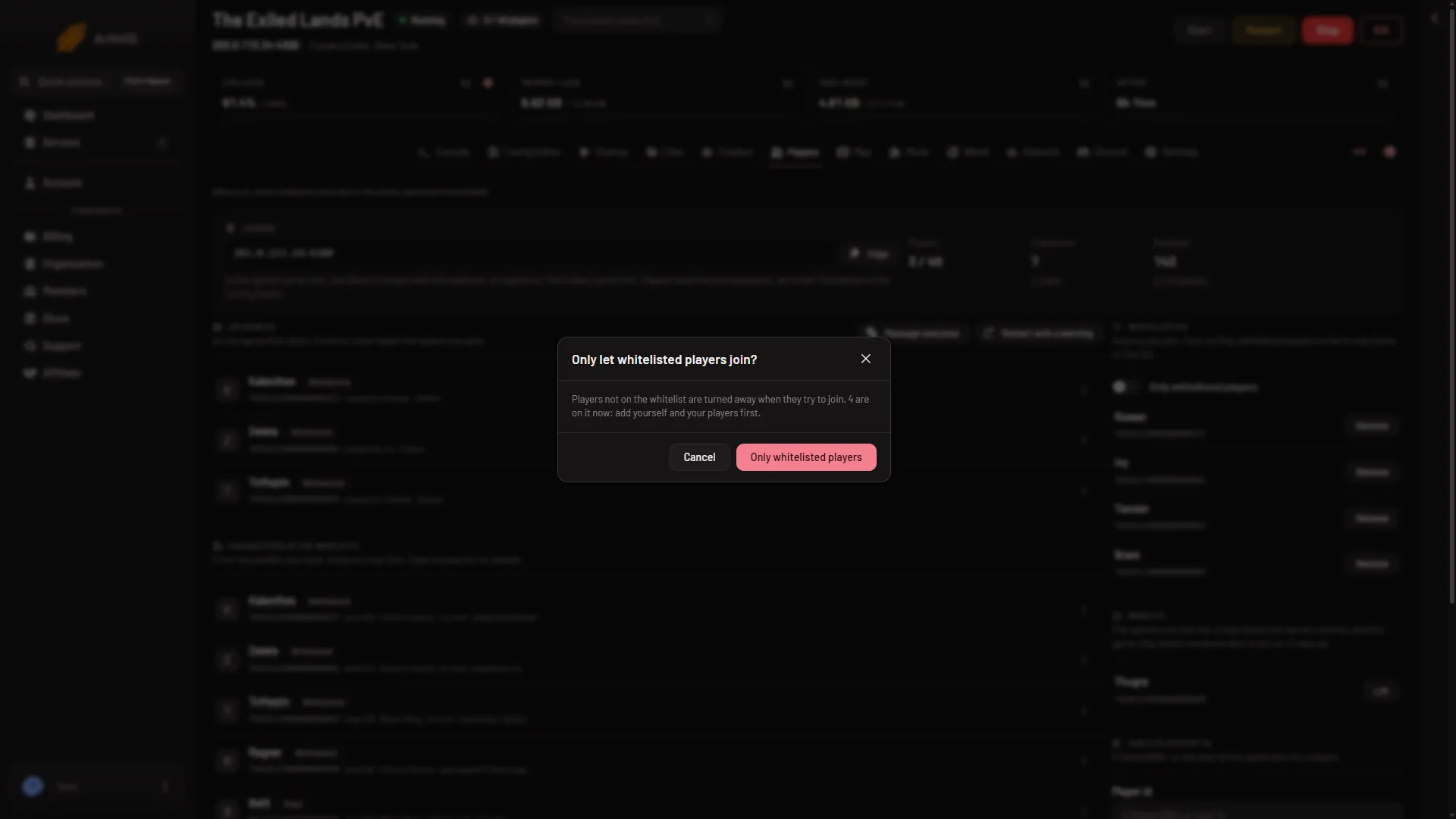
- Turn it on
The page shows the game’s own answer. When the game answers with nothing, the card’s hint changes to “Only players on the whitelist can join.”
When it takes effect
- Server running. The panel sends the change to the game, and the setting file is written at once.
- Server offline. The panel writes the setting into the server’s files. The card says “The game reads this at its next start.” Players are checked from then on.
You can change the whitelist while the server is offline. Only the other player actions, such as a kick or a ban, need the server running.
Turn it off
Turn off the same switch. The card’s hint then reads “Anyone can join. Turn on Only whitelisted players to let in only those on the list.” The names stay on the list, so you can turn the switch on again later.
To take one player off, choose Remove next to the name.
Where the list is kept
The whitelist is the file ConanSandbox/Saved/whitelist.txt, one player a line, written as id:name. You can see it in Files. The game reads it at every start.
By hand
With the server stopped, set EnableWhitelist=True under [ServerSettings] in ConanSandbox/Saved/Config/LinuxServer/ServerSettings.ini, and put one id:name line a player in whitelist.txt (the panel writes Unknown as the name for a player the server has not seen). The game reads both at its next start.
On a running server, the game takes SetServerSetting EnableWhitelist True (or False) through the remote console (RCON), and WhitelistPlayer <id> and UnWhitelistPlayer <id> for single players.
More about the game: Conan Exiles servers.
If it does not work
- You locked yourself out. You were not on the list. Turn the switch off on the Players page, add your id, then turn it on again.
- The switch does not change. Your role on the panel may not allow moderating players. Ask the owner of the server for a role that does.
- The page says the game is not answering. The game answers about half a minute after a start. Try again then, or change the whitelist while the server is offline.
- A friend is still turned away. Check that their id is on the list and spelled right. See the whitelist.