
















Use the card Add a player by id on the Players page. Type the id, choose The ban list in Add to, choose Add, then confirm in the box that opens. The server must be running.
An id is a SteamID64 (17 digits) or the user id the game lists for a player. This works for a player who is on the server now. For one who is not on, the game can answer “No player with platform ID (id)” and the ban is not made. To keep an absent player out, leave them off the whitelist and turn on Only whitelisted players: see the whitelist.
Ban by id
- Start the server. A ban needs the server running. The card says so: “A ban needs the server running.”
- Open the Players page.
- Find the card Add a player by id. Its hint says: “A SteamID64, or the user id the game lists for a player.”
- Type the id in Player id (1). The field takes letters and digits only. An example SteamID64 is
76561190000000101. - In Add to (2), choose The ban list. The other choice is The whitelist. While the server is off, The ban list is greyed out.
- Choose Add (3).
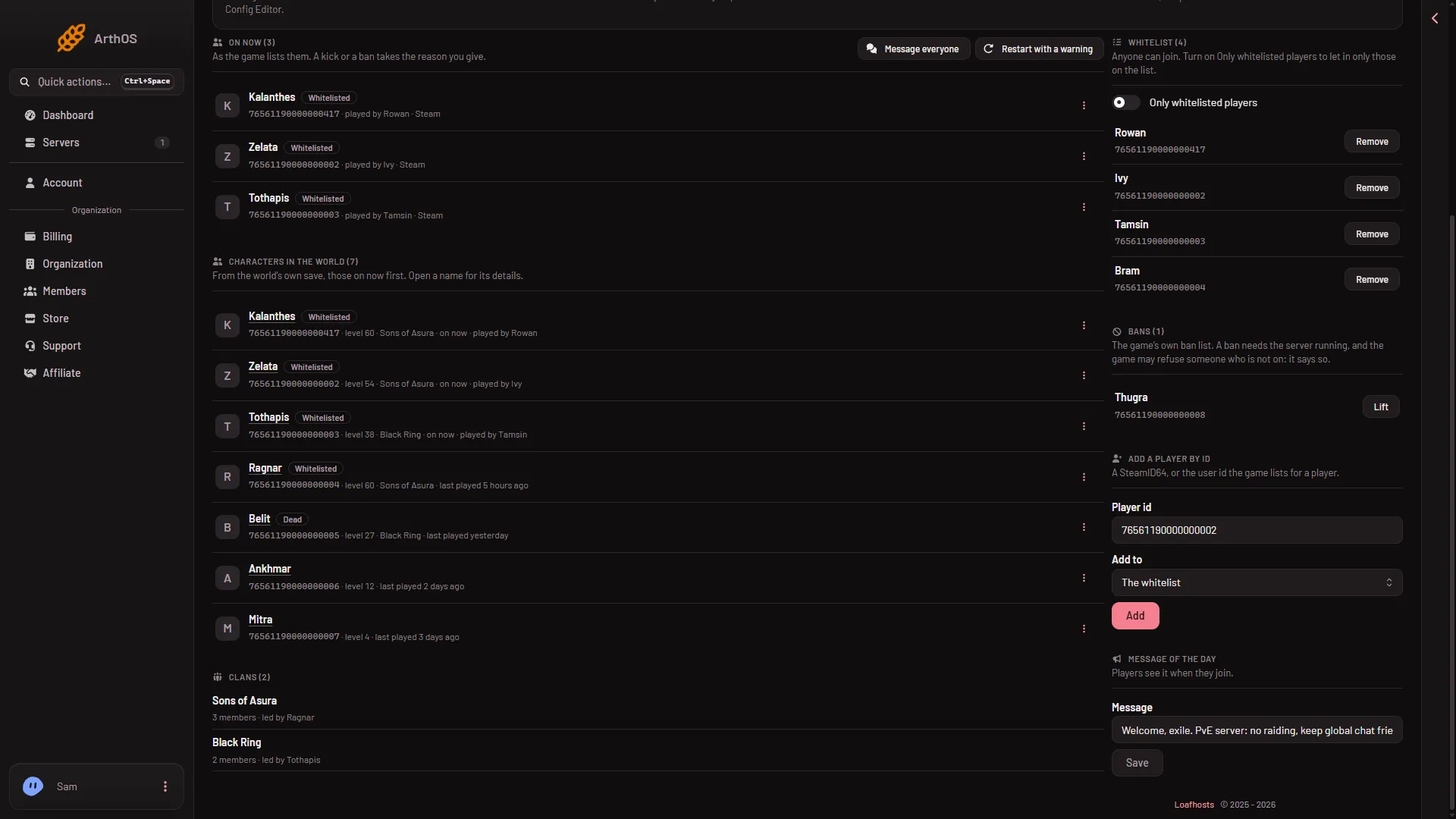
- Type the id
- Choose The ban list
- Add
The picture shows The whitelist in Add to. Choose The ban list to ban.
- A box asks “Ban (id)?” Type a Reason if you want one, then choose the red Ban (4). It is the same box as the row menu opens.
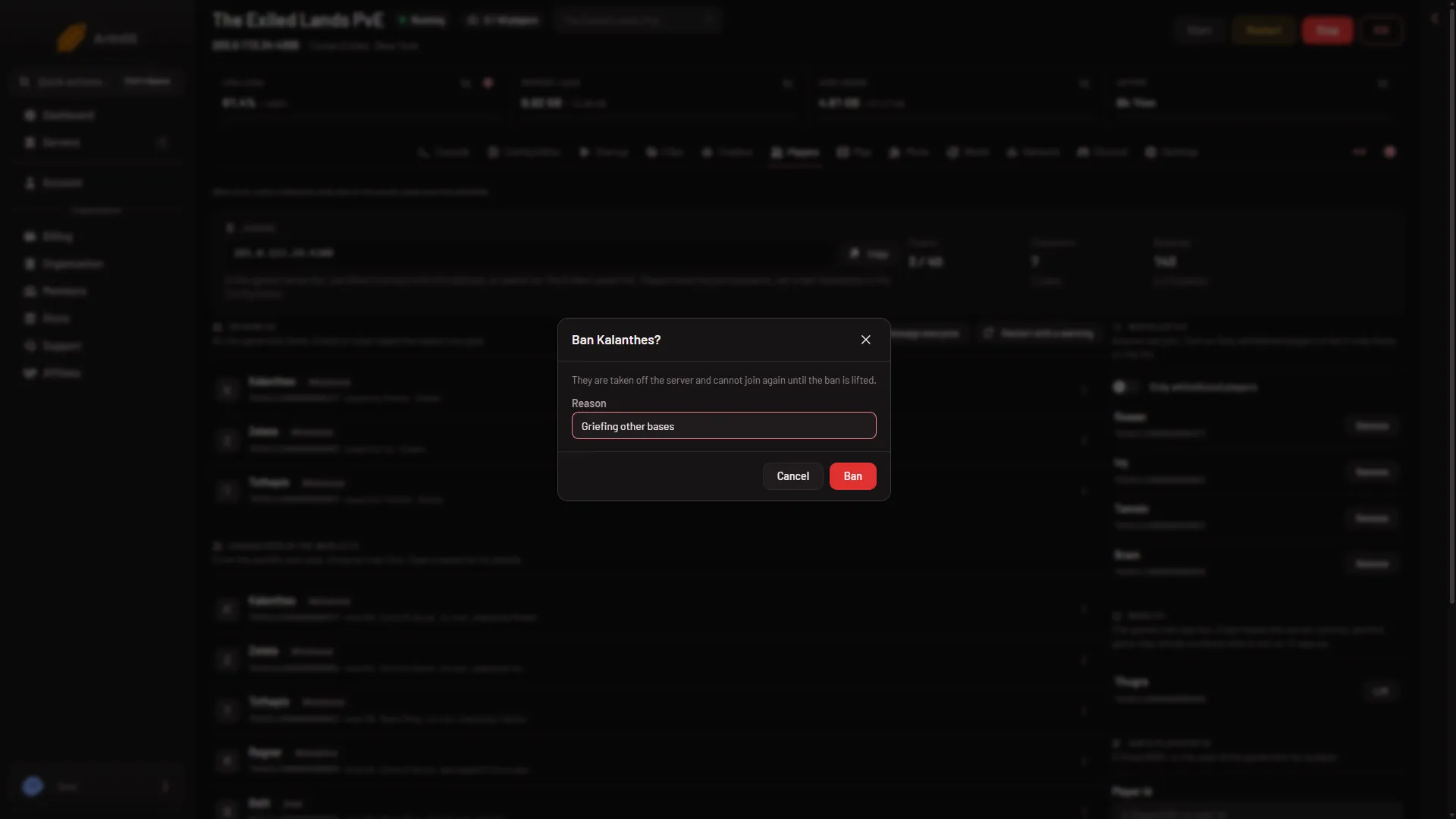
- Confirm the ban
If the game accepts the ban, the id shows in Bans.
Which kind of id
The panel looks at what you typed and sends the game’s own command, BanPlayer.
- An id of only digits is sent as a platform id. On Steam, that is the SteamID64.
- An id with letters is sent as a user id.
Nothing about the ids of other platforms has been checked. If you type something else, the panel says “that is not a player id: a SteamID64, or the user id the Players page shows”.
To find an id, see find a player’s platform id.
The game may refuse
The hint on Bans warns that the game may refuse someone who is not on, and that it says so. The panel then shows “the game said:” and the game’s own answer. In that case the ban is not made. Check Bans to see.
Not checked on Enhanced, server build 25792439 as of 13 November 2026: a ban by id of a player who is on now has not been tried with a real player.
When it takes effect
The ban is sent to the game while it runs. The game also keeps the list in a file and reads it at the next start. See the ban list and the blacklist file. A Conan Exiles ban has no length: it lasts until it is lifted.
To undo it, see unban a player.
If it does not work
- “Start the server first.” The server is offline. Start it, wait until it answers, and try again.
- “The server is not answering yet.” The world is still loading. Try again in a minute.
- The id is refused. Check it for spaces or other characters. Only letters and digits are allowed.
- No Add to choice or no Add button. Your role may not allow moderating players. Ask the owner of the server.
More about the game: Conan Exiles servers.