
















The admin password is for you only. Change it under Passwords in the Config Editor. It must be 6 to 64 characters and it can never be empty. The new one applies at the next start.
A new Loafhosts server gets a random admin password. You can leave it, or set one you will remember. Funcom describes the setting as the password that “gives administration rights”.
Change it
- Open the Config Editor and choose Passwords.
- Find Admin password. The eye button beside it shows the current password, and the button next to the eye copies it. Its help text says it is for you only, and that it is made random for a new server and never empty.
- Type the new password: 6 to 64 letters, digits, dashes (
-) and underscores (_). - A bar reads Unsaved changes: (n). Choose Save. On a running server the page then says “Saved. Restart the server to apply the changes.”
- Restart the server with Restart at the top of the page. A restart drops everyone who is on, so warn them first: Restart with a warning on the Players page does that, as long as the game answers the panel. The panel writes the password into the game’s
ServerSettings.inievery time the server starts.
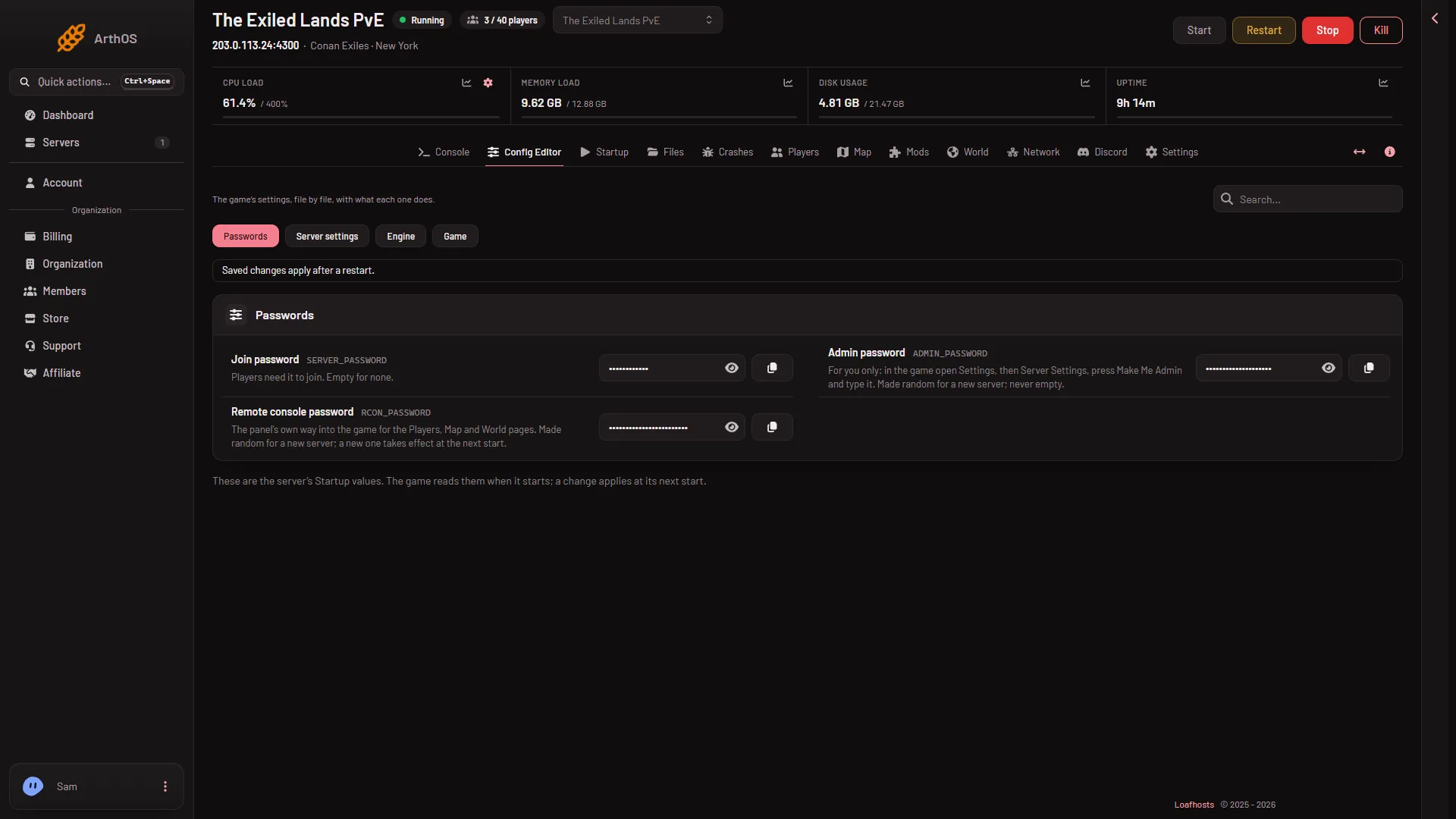
- Passwords
- Admin password
Choose Passwords (1), then change Admin password (2).
Use it in the game
After the restart, join the server, then:
- In the game, open Settings, then Server Settings.
- Press Make Me Admin.
- Type the admin password.
Share it only with people you trust with the whole server. Whether people who are already admins stay admins after a change is not checked on Enhanced, server build 25792439 as of 13 November 2026.
If it does not work
- The password is refused when you save. It is shorter than 6 characters, longer than 64, or holds a space or a symbol.
- The game still takes the old password. The server has not been restarted since you saved.
- You cannot find the password on Startup. Passwords are kept under Passwords in the Config Editor, not on Startup.
Players do not need this password. For the one they type to join, see the join password.
More about the game: Conan Exiles servers.