
















The join password is the one players type to get into your server. Set it under Passwords in the Config Editor. Leave it empty and anyone who finds the server can join. A change applies at the next start.
A new Loafhosts server has no join password. Anyone who finds it can join until you set one.
Set or change it
- Open the Config Editor and choose the Passwords source.
- Find Join password (1). Its help text reads “Players need it to join. Empty for none.”
- Type the new password. It must be 1 to 30 characters: letters, digits, dash (
-) and underscore (_). Spaces and other symbols are refused. - A bar reads “Unsaved changes: (n)” with Discard and Save. Choose Save.
- Restart the server. The panel writes the password into the game’s
ServerSettings.inievery time the server starts, so the old one stays in force until then.
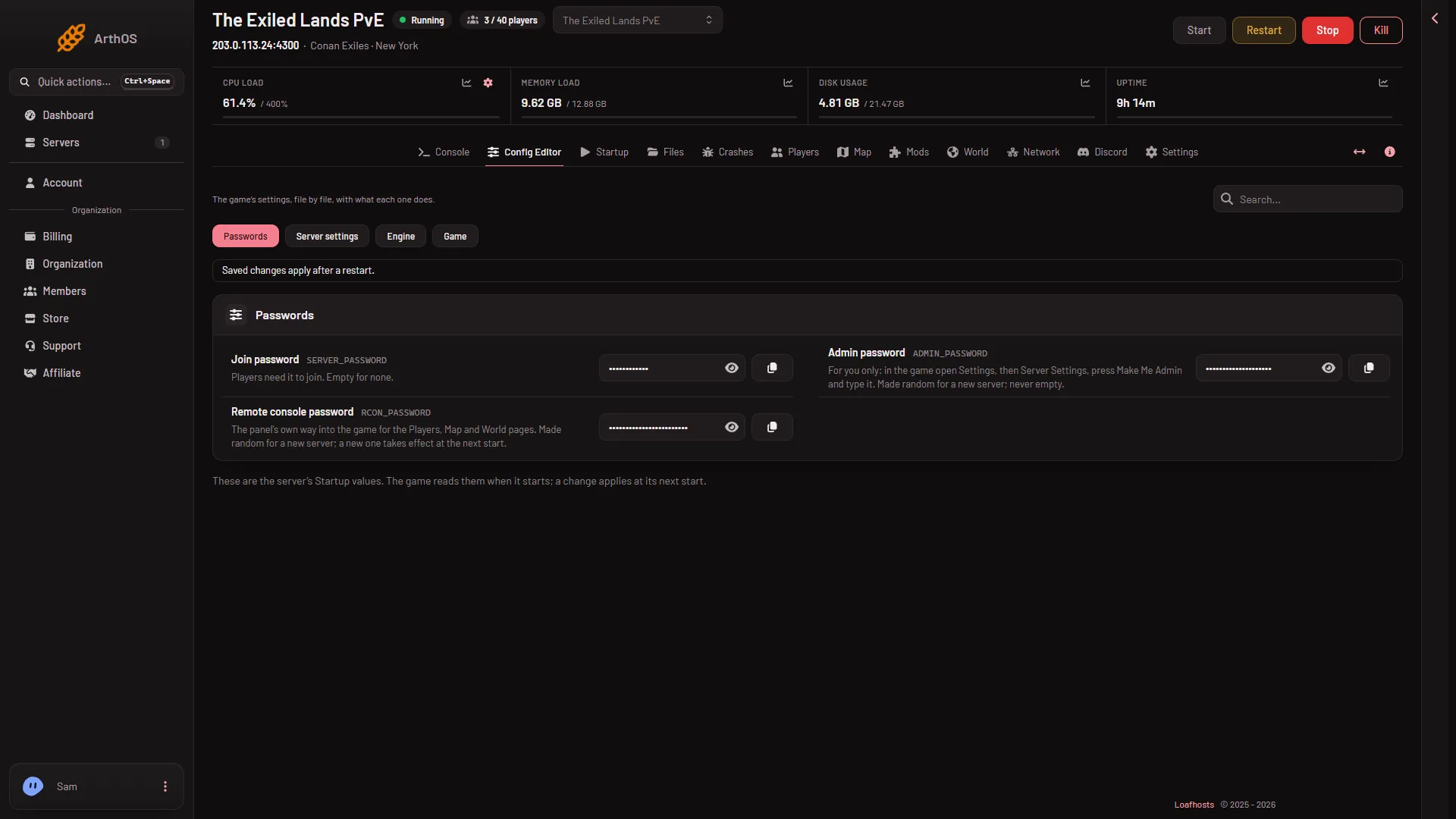
- Join password
- Show or hide it
The eye button (2) shows what is typed.
Remove it
- Open Passwords in the Config Editor.
- Clear Join password so it is empty.
- Choose Save on the bar, then restart the server.
Anyone can then join. Do this only if you want everyone to be able to join.
Check what players are told
Open the Players page. The Joining card says one of two things:
- “Players need the join password, set under Passwords in the Config Editor.”
- “There is no join password, so anyone who finds the server can join.”
This is the quickest way to see whether the change has taken effect. In the game, players use Direct Connect with the address on that card, or search the server list for the name. See find your server address.
If it does not work
- The password is refused when you save. It is too long, or it holds a space or a symbol. Use 1 to 30 letters, digits, dashes and underscores.
- Players still join without it. The server has not been restarted since you saved. Restart it, then read the Joining card again.
- The Startup page has no password row. Passwords are not kept on Startup. Use Passwords in the Config Editor.
The join password is not the admin password. The admin password is for you only. See change the admin password.
More about the game: Conan Exiles servers.