
















A Conan Exiles server on Loafhosts has three passwords: the Join password, the Admin password and the Remote console password. All three are under Passwords in the Config Editor. They are not on the Startup page.
Where they are
- Open the Config Editor on the server’s page.
- Choose the Passwords source. It is the first source in the list. The three files come after it.
- Change a row. A bar reads “Unsaved changes: (n)” with Discard and Save: choose Save.
The Startup page does not show them. It says: “This server’s passwords (names) are kept with its other settings now.”, with a link: Open Passwords on the Config Editor.
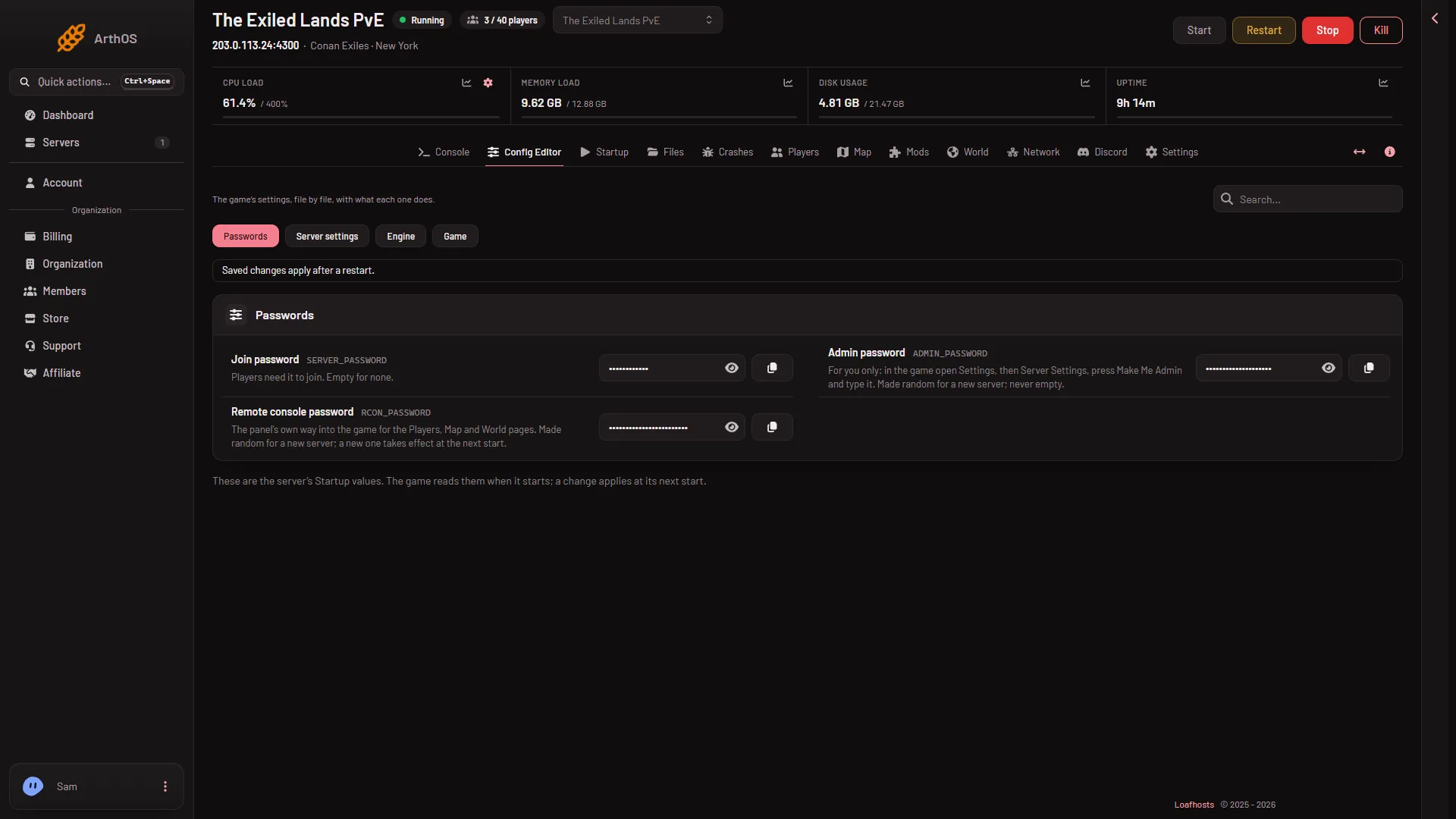
- Passwords source
- Join password
- Admin password
- Remote console password
The three passwords
The numbers in the picture: Passwords (1), Join password (2), Admin password (3), Remote console password (4).
Join password
Players type it to join. It can be empty, and a new server has none: anyone who finds the server can join. If you set one, it is 1 to 30 characters: letters, digits, - and _. The Players page tells you which case you are in. See how to join.
Admin password
It is for you only. In the game you open Settings, then Server Settings, press Make Me Admin and type it. It is 6 to 64 characters of the same kind, and it cannot be empty. A new server gets a random one. See make yourself admin.
Remote console password
It is the panel’s own way into the game (RCON, remote console). The Players, Map and World pages use it. Players never type it. It is 12 to 64 characters of the same kind and cannot be empty. A new server gets a random one. You have no need to change it.
When a change applies
A new password applies at the next start. The panel writes all of them into the game’s files each time the server starts. Restart the server after a change. A server that is running keeps using the old one until then. A restart drops everyone who is on: warn them first with Restart with a warning on the Players page (it works only while the game answers the panel).
Keep them safe
- Do not use the same password for all three.
If it does not work
- The Players page says the game refused the panel’s password (RCON). The panel says: “the game refused the panel’s RCON password: it is written into the server’s settings when the server starts, so restart the server to use the new one.” Restart the server.
- Players are asked for a password you did not set. Look at the Join password row. Empty it and save to remove it, then restart.
- A password is refused when you save. Check the length and the characters. Spaces and other symbols are not allowed.