
















Two settings cover clans: the largest clan the server allows, and whether clan members show on the map in the game. Both are in the Config Editor, under Server settings, in the group Clans. Neither is one of the six settings Funcom marks as needing a restart. In ConanSandbox/Saved/Config/LinuxServer/ServerSettings.ini, under [ServerSettings], the keys are ClanMaxSize and EnableClanMarkers.
Change them
- Open Config Editor and choose the source Server settings.
- Open the group Clans. It holds only these two settings.
- Change a value.
- Choose Save.
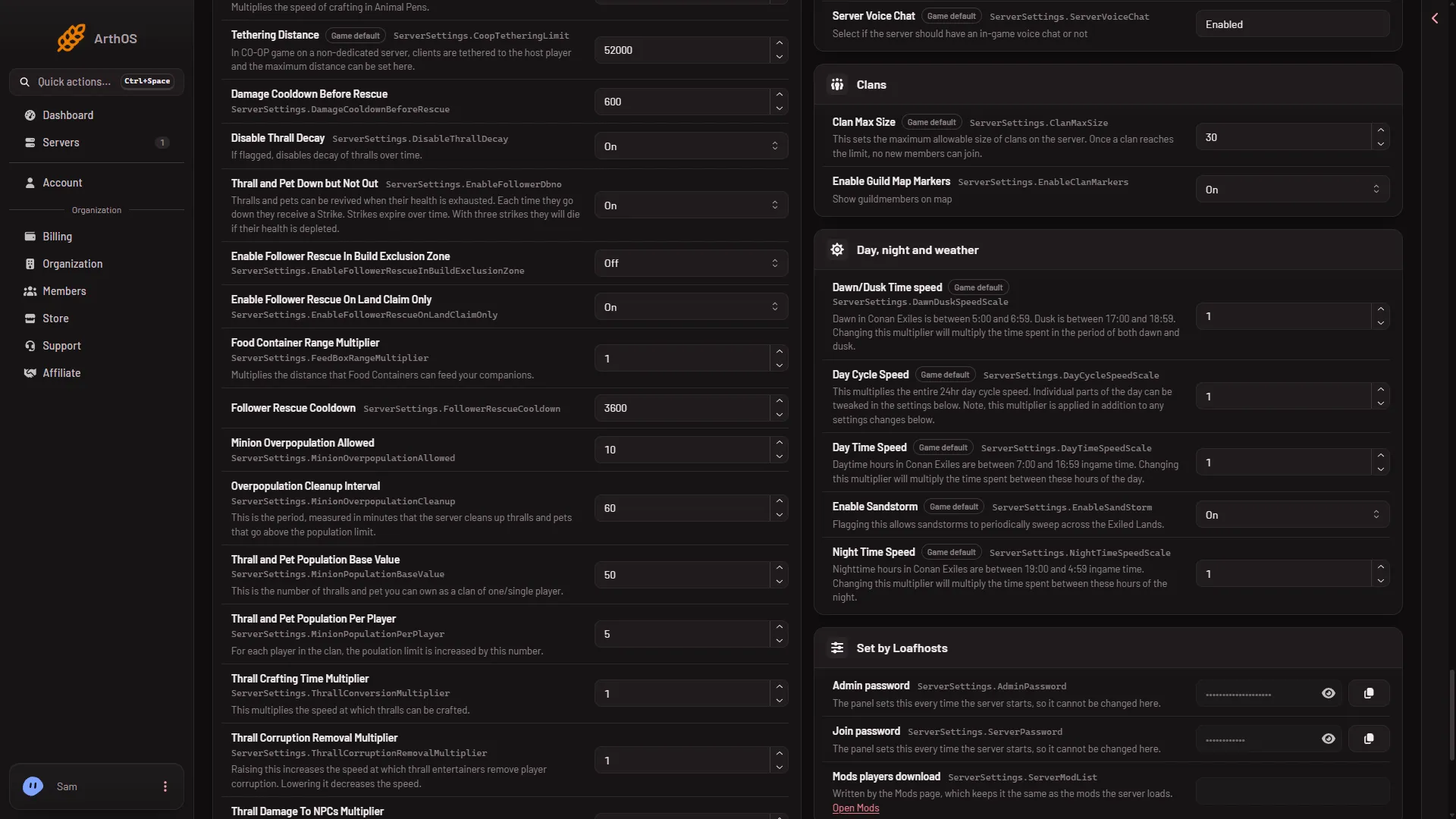
- Clan Max Size
- Enable Guild Map Markers
Set the largest clan in the first row (1) and the map markers in the second (2).
While the server runs, the panel sends the change to the game and the file is written at once; whether the game re-reads each value live is not confirmed one by one. The panel says “Saved and in use now.”
Clan Max Size
This sets the largest clan the server allows. The game says: “Once a clan reaches the limit, no new members can join.” The game’s default is 30.
- Raise it to let bigger groups play as one clan.
- Lower it to keep clans small.
What happens to a clan that is already over a lower limit was not checked on Enhanced, server build 25792439 as of 13 November 2026.
Enable Guild Map Markers
The game’s name for a clan is a guild here, and the game’s text is “Show guildmembers on map”. It is On by default.
- On: the members of a clan can be seen on the map in the game.
- Off: they cannot.
This is the game’s own map. The panel’s Map page is a separate picture drawn from the server’s files.
See the clans on your server
The Players page has a Clans list. Each clan shows the name of its leader (“led by”). Look there before you change the limit.
If it does not work
- Players still see the old limit. Check you saved. The page counts Unsaved changes until you choose Save.
- Save is refused with “the server is not answering yet”. The game has not finished starting. Wait, then save again, or stop the server and save.
- You cannot find the settings. Search for
Clan.
More about the game: Conan Exiles servers.