
















You can change most Conan Exiles Server settings while the server runs. The panel hands each change to the game, and the game writes it to its settings file at once. Six settings are read only at start, and the panel tells you which.
How a save works
In the Config Editor, the Server settings source shows this note while the server is running: “Saved changes are used at once while the server runs, except a few the game reads only as it starts; their descriptions say so.”
- Open Config Editor and choose Server settings.
- Change one or more fields. Each changed row gets the mark Changed.
- A bar reads “Unsaved changes: (n)” with Discard and Save. Choose Save.
The panel sends the game one command for each changed setting, one after the other: SetServerSetting (key) (value). The game then writes the setting to ServerSettings.ini itself. The panel saves it to the running game and the file is written at once. Funcom marks six settings as needing a start. Not checked on Enhanced, server build 25792439 as of 13 November 2026: whether the game re-reads every other one live.
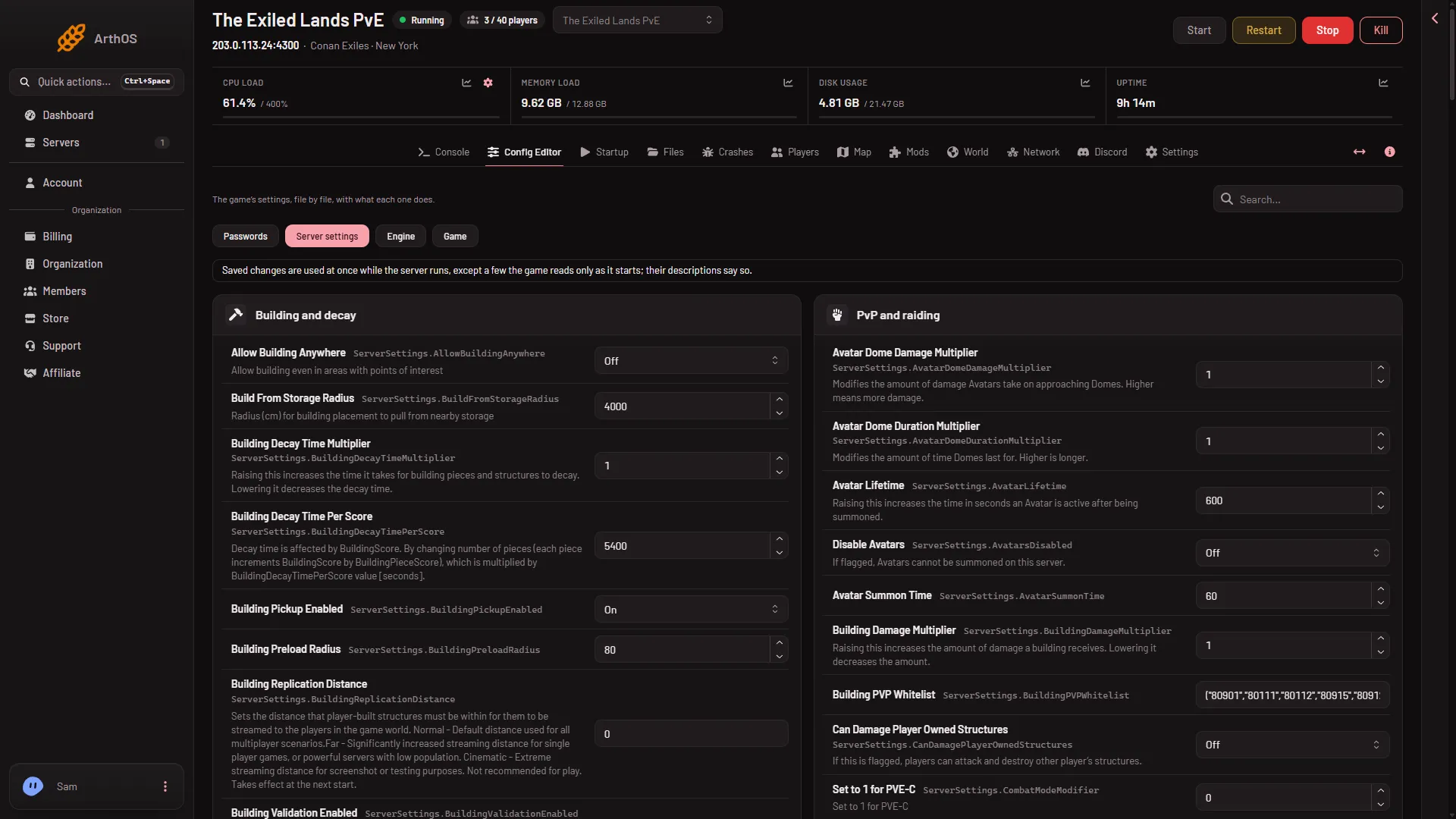
- Server settings
What the messages mean
- Saved and in use now. The panel saved every change to the running game.
- Saved and in use now, except (names): those apply at the next start. The listed settings are saved in the file, but the game only reads them at start. Restart the server to use them. The page offers Restart now. A restart drops everyone who is on the server. Warn them first with Restart with a warning on the Players page, which works only while the game answers the panel.
A value with a space is handled for you. The panel puts it in quotes when it talks to the game. The game refuses an empty value, so to clear a text setting the panel sends a single space. If you type a double quote in a value, the panel refuses it: “(setting) cannot contain quotes”.
Which settings need a restart
Six settings. Each one says “Takes effect at the next start.” in its help text. See settings that need a restart.
When the server is stopped
When the server is stopped, the panel edits the file directly. The message is “Saved. The changes apply when the server starts.” Everything then applies at the next start.
Engine and Game are different: they are saved only while the server is stopped. See Engine and Game files. Passwords also apply at the next start.
If it does not work
- “the server is not answering yet; try again once it has finished starting, or stop it and save”. The game takes about half a minute after a start before it answers the panel. Wait, or stop the server and save.
- “the game did not take (setting): (its answer)”. The game refused a value. If the message adds how many went in before it, those earlier changes are saved. Check the value, then save again.
- “the file changed since you opened it; reload to see the current values”. Reload the page and make the change again.
- The page says the server is starting or stopping. Changes can be saved once it has finished.
- You see the settings but cannot save. Your role on the panel may not allow changing files.
- Too many saves in a row. The game limits how many commands one address can send. The panel spaces its commands, so a normal save is fine. If the panel pages stop answering, see the command limit.
More about the game: Conan Exiles servers.