
















The Config Editor shows a Conan Exiles server’s settings as named fields, with what each one does, instead of a raw text file. For Conan it has four sources: Passwords, Server settings, Engine and Game. Most changes you want are in Server settings.
The four sources
The page title is Config Editor. Its line under the title says: “The game’s settings, file by file, with what each one does.” The sources are listed in this order.
- Passwords. Three rows: Join password, Admin password and Remote console password. They are kept with the server’s other settings, not on Startup. A change applies at the next start. The values are never written in a guide. Read how each one works in server passwords.
- Server settings. This is the game’s
ServerSettings.ini. It holds the rules of the world: PvP, rates, building, thralls, clans and more. It has about 250 settings. - Engine. The game’s
Engine.ini. Only a few rows are offered, such as the regions the server leaves out. - Game. The game’s
Game.ini. It holds the remote console settings the panel uses.
Engine and Game can be saved only while the server is stopped. See Engine and Game files.
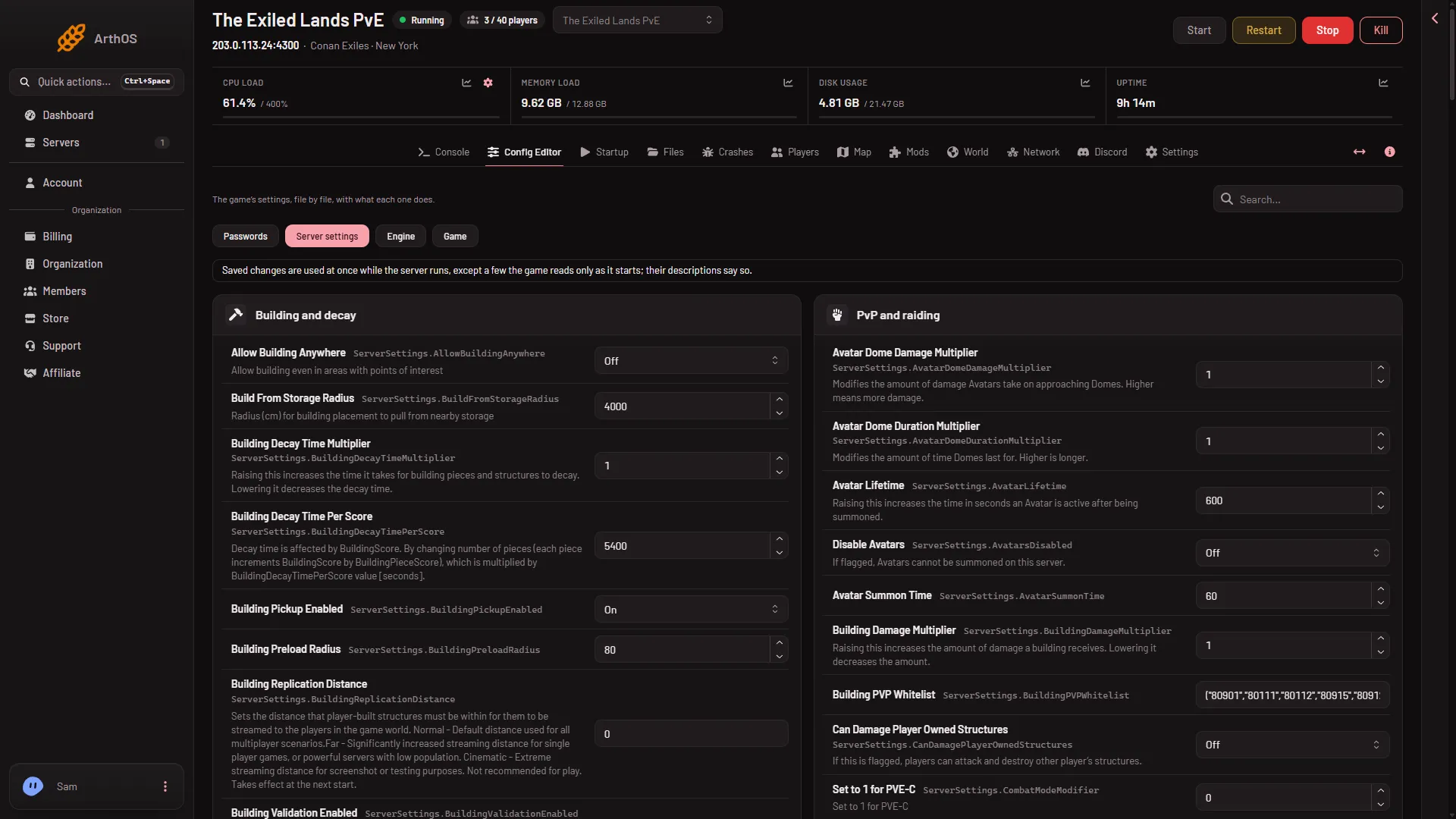
- Server settings
- Engine
- Game
- Search
- A group card
The source buttons (1 to 3) sit above the cards. Search (4) is at the top right and each group is a card (5).
Groups
Each file is split into cards. In Server settings the cards are:
- Server and joining
- Chat
- PvP and raiding
- Day, night and weather
- Isle of Siptah
- Clans
- Thralls and pets
- Building and decay
- Players
- World and NPCs
- Other settings
- Set by Loafhosts
Names and help texts come from Funcom, the maker of the game. On or off settings show as On or Off. The panel writes them to the file as True and False.
Find a setting
Use the search box at the top and type part of a setting’s name. If nothing matches, the page says “No settings match your search.”
Change a setting and save
- Open the source and find the field.
- Change the value. The row gets the mark Changed, and its card shows how many rows you changed.
- Check the bar that counts your edits: “Unsaved changes: (count)”. Discard throws them away.
- Choose Save. A stopped server says “Saved. The changes apply when the server starts.” A running server says “Saved. Restart the server to apply the changes.”
If you try to leave the page with edits you did not save, the panel asks “Leave without saving?”.
A row marked Game default is a setting the file does not list yet. The panel offers it at Funcom’s default value. The game uses that default until you change it.
Server settings can be saved while the server is running. The panel saves each value to the running game and says “Saved and in use now.” or “Saved and in use now, except (names): those apply at the next start.” Not checked on Enhanced, server build 25792439 as of 13 November 2026: whether the game uses every other setting live. See save settings while running and settings that need a restart.
Advanced
A card called Advanced holds settings Funcom does not describe, and five network smoothing settings. It says “(count) more settings are in this file. Most servers never change them.” Choose Show them to open it.
Locked rows
Some rows are locked. A locked row cannot be changed here, and it says why:
- “The panel sets this every time the server starts, so it cannot be changed here.” This covers the remote console settings, the server name, and the admin and join passwords written into the files. Change the name on Startup and the passwords under Passwords.
- “Written by the Mods page, which keeps it the same as the mods the server loads.” This is the list of mods players download. Use the Mods page.
The group Set by Loafhosts holds locked rows.
The passwords are on their own source, Passwords (1). Each row has an eye button to show the value and a copy button.
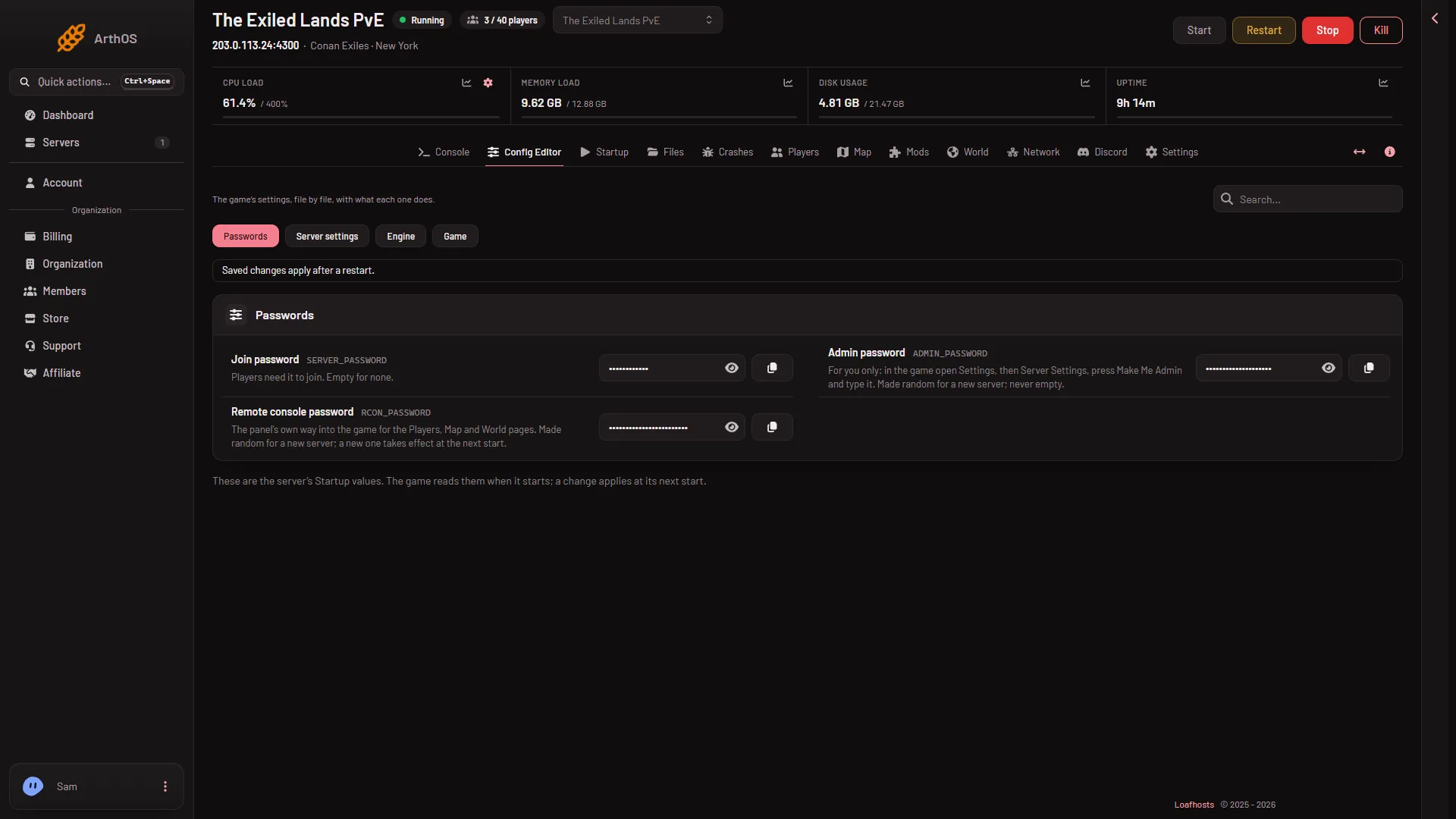
- Passwords
- Join password
- Admin password
- Remote console password
Edit the whole file as text
Edit the whole file as text opens the file in the file editor. Use it for a line the editor does not show.
If it does not work
- A setting is not in the editor. Search for part of its name. If it is not listed, it may be in Advanced, or the game may not have it.
- A save is refused with “the file changed since you opened it; reload to see the current values”. The game or someone else changed the file. Reload the page and make the change again.
- The page says the server is starting or stopping. Wait until it finishes, then save.
- You can see settings but not change them. Your role on the panel may not allow changing files.
More about the game: Conan Exiles servers.
Sources: exiles-enhanced.inflexion.io: Settings, exiles-enhanced.inflexion.io: Regions