
















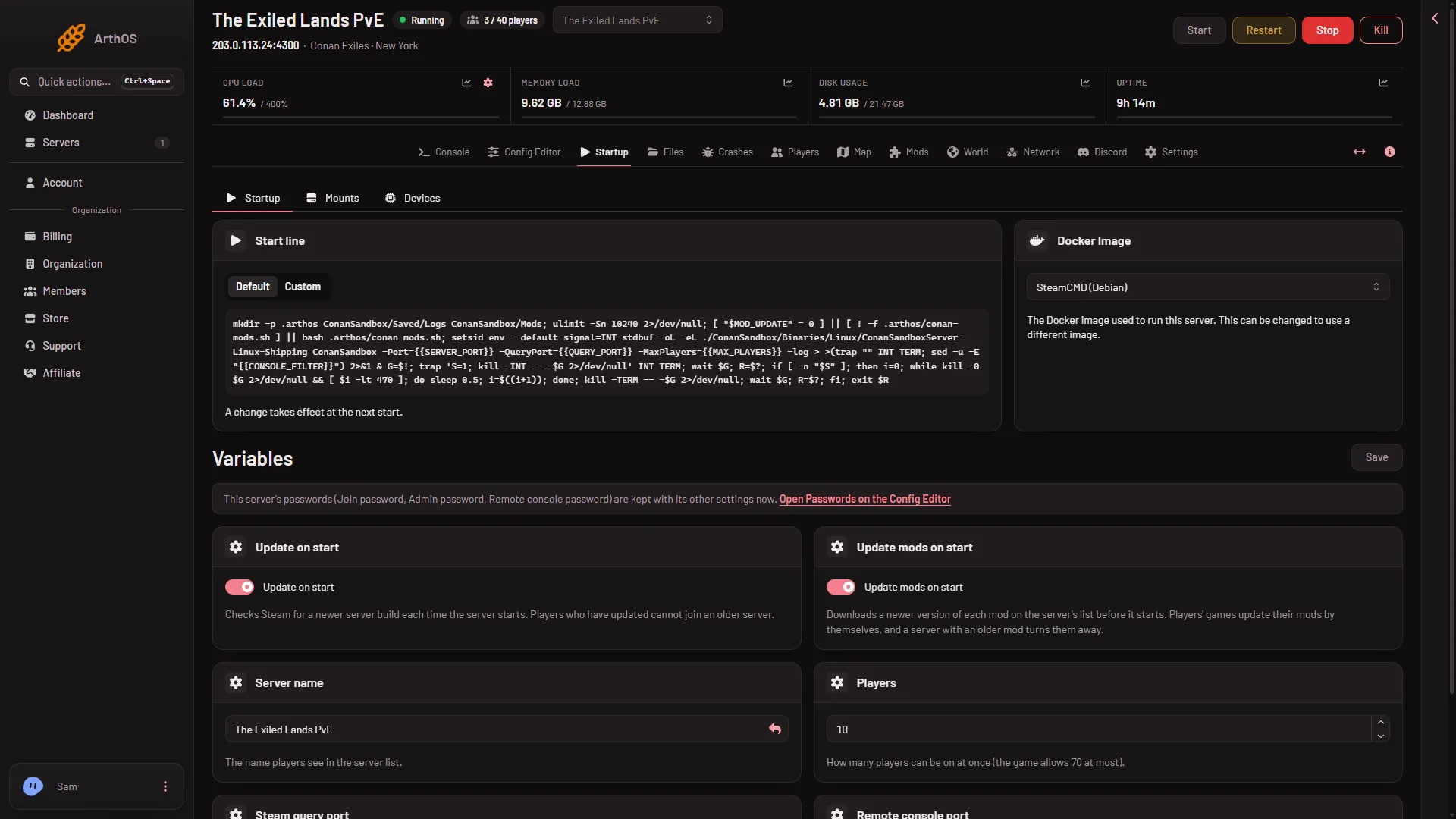
The player limit is the Players variable on the Startup page (not the Players page). It takes a number from 1 to 70, which is the most the game allows. It is part of the start line, so a change applies at the next start.
Change it
- Open the Startup page.
- In Variables, find the Players variable. Its help text reads “How many players can be on at once (the game allows 70 at most).”
- Type a number from 1 to 70. It is required.
- Press Save. The panel shows “Variables updated.”
- Restart the server with Restart at the top of the page.
- Save
Set the Players variable, which sits beside Server name, then press Save (1).
What number to use
A new server starts at the player count of its plan: 20 on Small, 40 on Standard and 70 on Large. A server made without a plan size starts at 40. Setting a lower number is always fine if you want a smaller community. The panel accepts 1 to 70 on every plan. How many players each plan carries was not measured with players, so keep to your plan’s count unless you watch the memory. See Conan Exiles server memory.
Why not at once
The game takes its limit as a launch option, -MaxPlayers. The panel fills it in from Players only when it builds the start line, at the start. Saving the page does not change a game that is already running.
If it does not work
- Save is refused. The number is empty, below 1 or above 70.
- The old limit still applies. The server has not been restarted since you saved.
- You want more than your plan’s count. The panel does not refuse it, but the server can run out of memory. A bigger plan raises what the server can carry. See Conan Exiles server memory.
More about the game: Conan Exiles servers.