
















The name in the server list comes from Server name on the Startup page. It can be up to 60 characters. Save it and restart the server, so the game writes the new name.
A new Loafhosts server is called “Hosted By Loafhosts.com” until you change it.
Change it
- Open the Startup page.
- In Variables, find Server name. Its help text reads “The name players see in the server list.”
- Type the new name. It is required, so it cannot be empty, and it holds up to 60 characters.
- Press Save. The panel shows “Variables updated.”
- Restart the server with Restart at the top of the page. A restart drops everyone who is on, so warn them first with Restart with a warning on the Players page, as long as the game answers the panel.
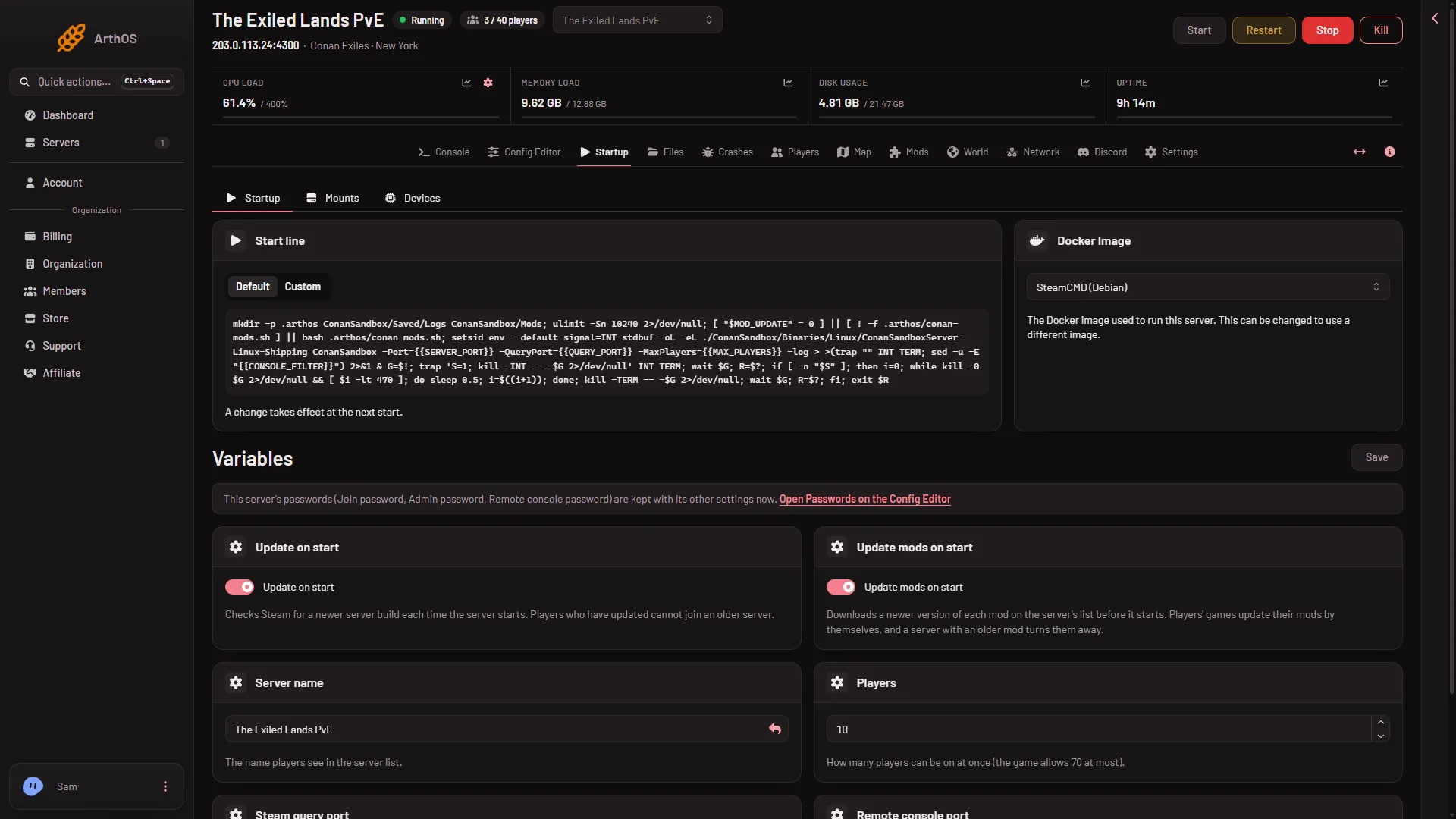
- Server name
- Save
Type the name in Server name (1), then press Save (2).
The panel writes the name into the game’s Engine.ini under [OnlineSubsystem] every time the server starts. This is why a name you type into that file by hand does not last. Set it on Startup instead.
Not checked on Enhanced, server build 25792439 as of 13 November 2026: whether the running game shows the new name before the restart. Restart to be sure.
Check it
Open the Players page. The Joining card says “In the game’s server list, use Direct Connect with this address, or search for (name).” The name there is the one you set. See find your server address.
If it does not work
- The old name still shows in the game. Restart the server, then wait for it to finish starting. Ready takes about 16 to 25 seconds after the files load.
- Save is refused. The name is empty or over 60 characters.
- The name is locked in the Config Editor. That is intended. The Engine file’s Server list name row is locked and set on Startup.
More about the game: Conan Exiles servers.