
















To make PvP possible only in set hours, set Time-Restrict PVP to On in the Config Editor, then fill in each weekday: whether PvP is allowed that day, and when it starts and ends. Times are written as four digits, HHMM. So 1800 is 6 pm.
This works on top of PvP itself. Funcom lists Time-Restrict PVP as relying on PVP Enabled, so turn that on first. See turn on PvP.
The rows
All of them are in the Config Editor, under Server settings, in the group PvP and raiding.
- Time-Restrict PVP. Funcom: “When this is flagged, Player vs Player is only possible within the set time periods.” Off by default. Key
RestrictPVPTime. - Monday: PvP allowed to Sunday: PvP allowed. One setting for each day. Keys
PVPEnabledMondaytoPVPEnabledSunday. “With time-restricted PvP on, whether PvP is allowed on this day.” Every day starts off. - Monday: PvP starts to Sunday: PvP starts. “The hour and minute PvP starts on this day, as HHMM (1800 is 6 pm).” Every day starts at
0. KeysPVPTimeMondayStarttoPVPTimeSundayStart. - Monday: PvP ends to Sunday: PvP ends. “The hour and minute PvP ends on this day, as HHMM.” Every day starts at
0. KeysPVPTimeMondayEndtoPVPTimeSundayEnd.
On your own machine, the keys are in ConanSandbox/Saved/Config/LinuxServer/ServerSettings.ini under [ServerSettings]. Edit that file only with the server stopped.
Set weekend evenings
For PvP from 6 pm to 11 pm on Saturday and Sunday:
- Open Server settings in the Config Editor and find PvP and raiding. Typing
PvPin the search box narrows the list. - Set PVP Enabled to On, if it is not on yet. It applies at the next start.
- Set Time-Restrict PVP to On.
- Set Saturday: PvP allowed and Sunday: PvP allowed to On. Leave the other days Off.
- Set Saturday: PvP starts to
1800and Saturday: PvP ends to2300. Do the same for Sunday. - A bar reads “Unsaved changes: (n)” with Discard and Save. Choose Save. If PVP Enabled was changed, a restart drops everyone who is on the server, so warn players first (see turn on PvP).
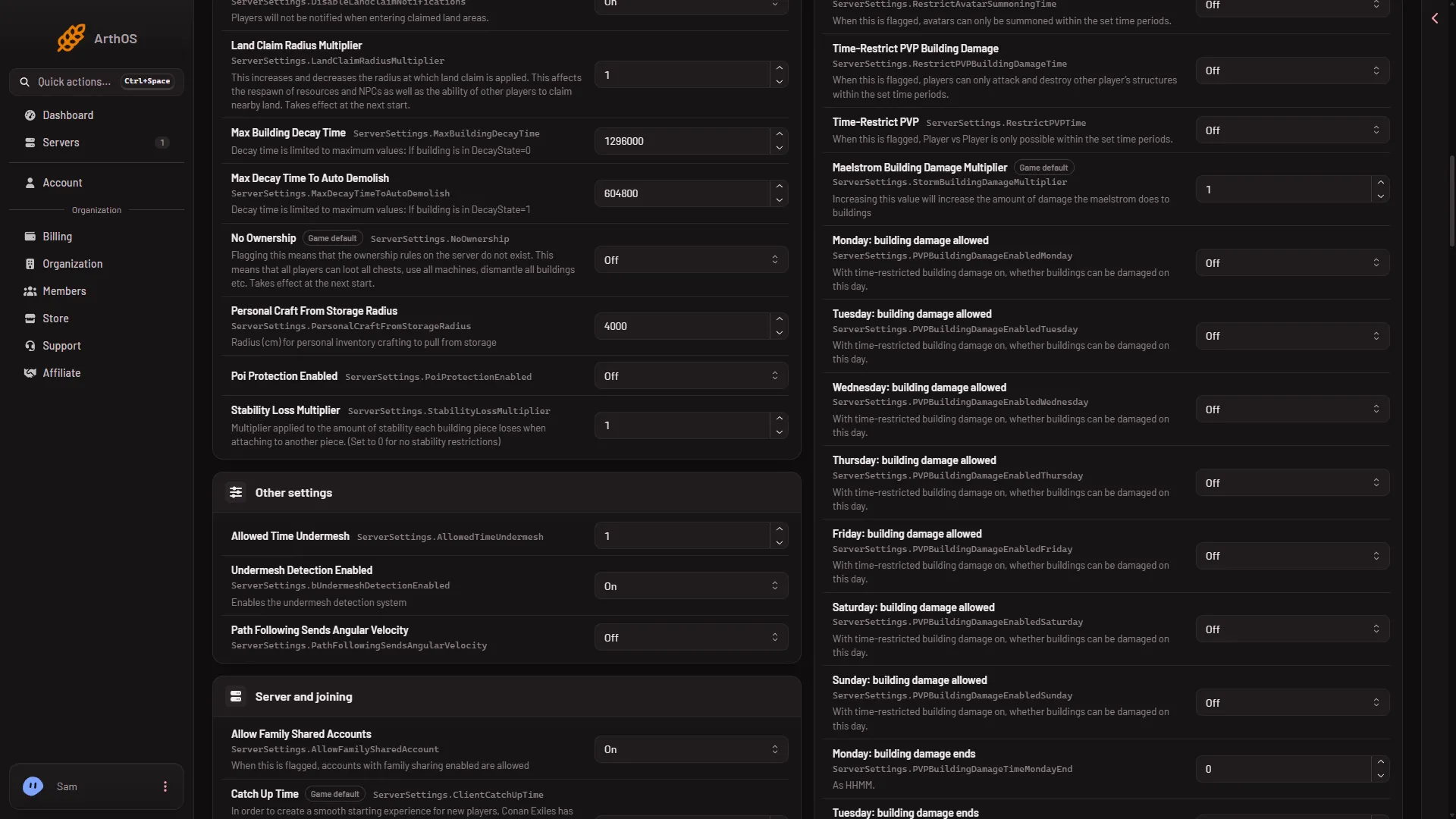
- Time-Restrict PVP
Time-Restrict PVP (1) is the row from step 3. The picture shows the building damage weekday rows, not the PvP ones. The PvP weekday rows are in the same group, one setting per day, then a number box for each start and end.
When it takes effect
While the server runs, the panel sends each change to the game and the game writes it at once. The page then says “Saved and in use now.” Not checked on Enhanced, server build 25792439 as of 13 November 2026: whether the game re-reads every one of these rows live. None of these rows is one of the settings that wait for a restart. PVP Enabled itself does wait for one.
Two things to know
A day left off means PvP is not allowed on it. The times you set only matter on days switched on.
Funcom’s text does not say which clock the times follow, and how an end time earlier than the start is read is not documented in the panel. Not checked on Enhanced, server build 25792439 as of 13 November 2026: the clock, an overnight window, and what happens to a fight in progress when the window ends. Try your hours with a friend before you announce them.
If it does not work
- PvP is on all the time or never. Check that PVP Enabled and Time-Restrict PVP are both On, and that the day’s PvP allowed is On.
- The times seem wrong. Check the digits. Always write four:
0800for 8 am. - The save was refused. Wait until the server has finished starting, or stop it and save. If the page says the file changed, reload and try again.
For limiting only building damage, see raid hours and building damage.