
















To turn on player versus player fighting, set PVP Enabled to On in the Config Editor. A new server has it off. This setting is read only as the server starts, so restart the server after you save.
Turning PvP on does not let players wreck each other’s bases. That is a second setting, Can Damage Player Owned Structures.
On your own machine the keys are PVPEnabled and CanDamagePlayerOwnedStructures, in ConanSandbox/Saved/Config/LinuxServer/ServerSettings.ini under [ServerSettings]. Edit that file only with the server stopped.
Turn PvP on
- Open the Config Editor and choose Server settings. These are the settings for your Conan Exiles server.
- Find the group PvP and raiding. Or type
PVPin the search box. - Set PVP Enabled to On. Funcom describes it like this: “When this is flagged, Player vs Player is enabled on the server.”
- A bar reads “Unsaved changes: (n)” with Discard and Save. Choose Save.
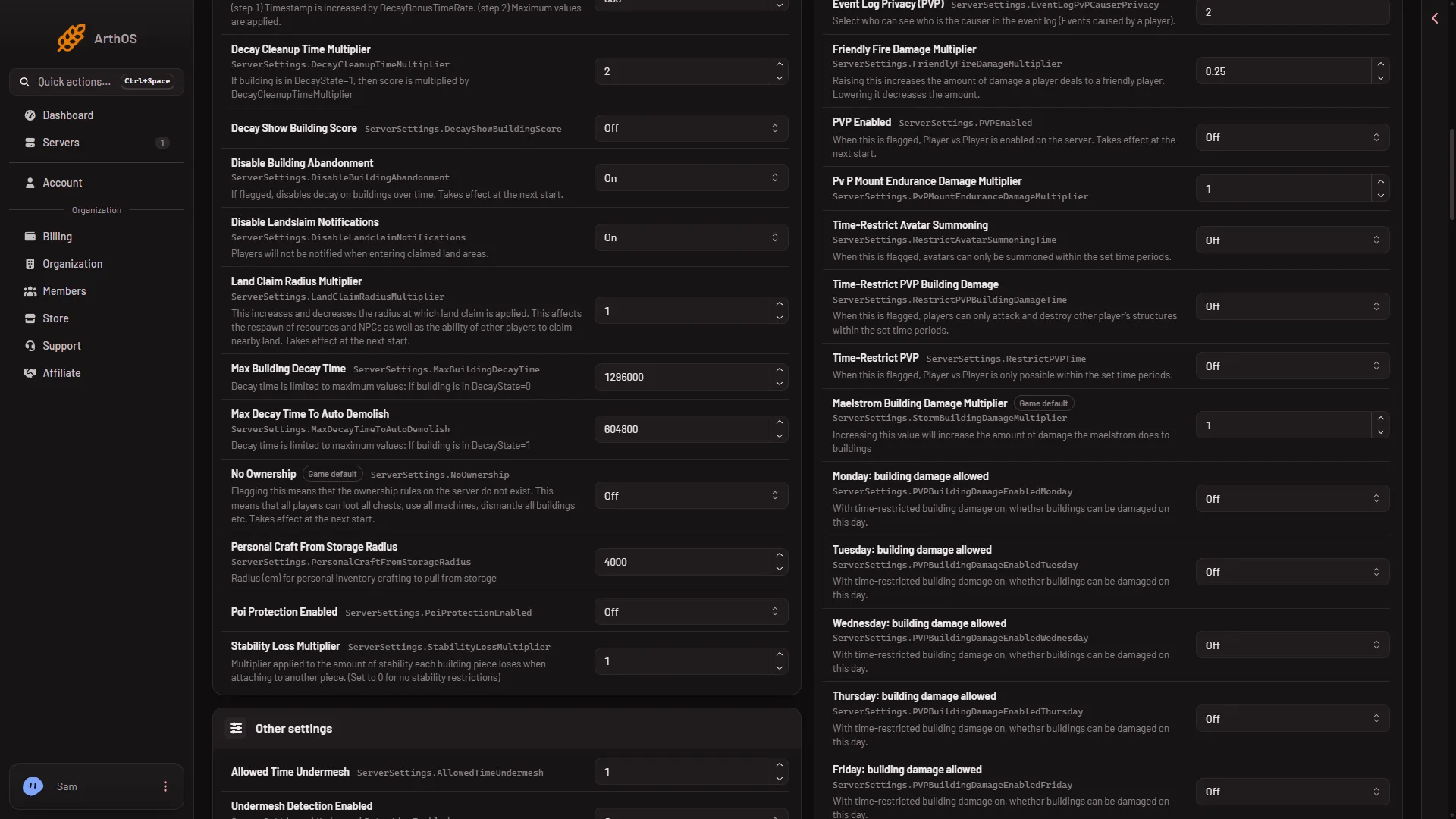
- PVP Enabled
Set PVP Enabled (1) to On, then choose Save.
When it takes effect
PVP Enabled is one of the few settings the game reads only at its start. While the server runs, the panel saves the file and tells you: “Saved and in use now, except PVP Enabled: those apply at the next start.” Choose Restart now if the page offers it, or choose Restart at the top of the server page. A restart drops everyone who is on the server, so pick a quiet moment. The Players page’s Restart with a warning warns them first, while the game answers the panel.
If the server is stopped, the new value is used at the next start with nothing more to do.
Let players damage buildings
With only PVP Enabled on, players fight each other. Buildings stay safe. To let players attack and destroy other players’ structures, set Can Damage Player Owned Structures to On in the same group. Funcom’s text: “If this is flagged, players can attack and destroy other player’s structures.”
Funcom lists this setting as relying on PVP Enabled. Turn on PVP Enabled first.
Unlike PVP Enabled, this one is not among the six settings that wait for a restart, so the panel saves it to the running game. The wording of the save message tells you which settings still wait for a restart.
To limit building damage to certain hours or to times when owners are online, see raid hours and building damage. To allow PvP only at certain times, see PvP time restrictions.
Turn PvP off again
Set PVP Enabled to Off, save, and restart. The setting’s row shows Changed until you save, and Game default when it is back at the game’s own value, which is off.
If it does not work
- The save was refused. If the page says the server is not answering yet, wait until the server has finished starting, or stop it and save. If it says the file changed since you opened it, reload the page and make the change again.
- PvP is still off after the save. PVP Enabled needs a restart. Restart the server.
- Players cannot hurt each other’s buildings. Check that Can Damage Player Owned Structures is on. If you set time limits, the building damage hours decide too.
- The save button is missing. Your role on the organization may not allow changing files.
Not checked on Enhanced, server build 25792439 as of 13 November 2026: what players see in the game when PvP is on.