
















Restart with a warning gives players time to finish what they are doing. You choose 10, 5 or 1 minute. Everyone on is warned in game at 10, 5 and 1 minutes and at 10 seconds, then the server restarts. You can stop the countdown before it ends.
Start the countdown
- Open Players.
- Above the On now list, choose Restart with a warning.
- In Restart in (1), choose 10 minutes, 5 minutes or 1 minute.
- In Message (2), write the start of the sentence players see with each warning, up to 120 characters. The panel adds the time and a full stop, so “Restart in” is sent as “Restart in 5 minutes.” The field suggests “The server restarts in”, and an empty field uses that.
- Choose Start the countdown (3).
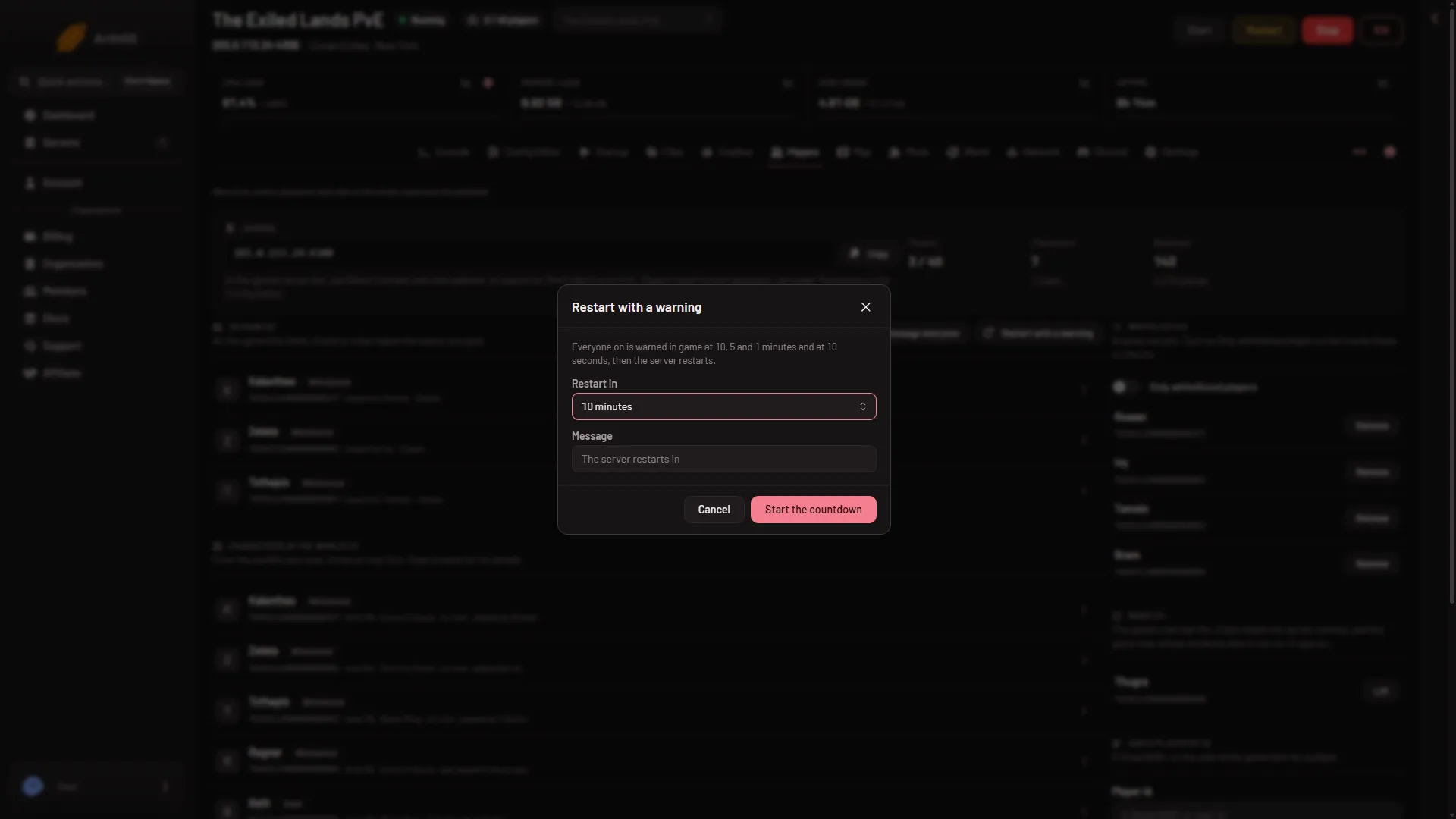
- Pick the delay
- Warning words
- Start the countdown
The page says “Counting down. The server restarts at (time).” The warnings are broadcasts, the same kind as Message everyone. The countdown works only while the game answers the panel.
Which warnings players get
The dialog says everyone on is warned at 10, 5 and 1 minutes and at 10 seconds before the restart. A shorter countdown cannot give a warning that is longer than the countdown itself, so a 1 minute countdown ends with the 1 minute and 10 second warnings at most.
While it counts down
The server keeps running until the restart, and the restart drops everyone who is on at that moment. A server has one countdown at a time.
To cancel, open the dialog and choose Stop the countdown. The page says “The countdown is stopped. The server keeps running.” If players already saw a warning, tell them it is cancelled with Message everyone.
The restart itself
When the time comes, the panel restarts the server. A stop asks the game to save first. On a played world that took about 40 seconds when measured. A stop can take longer, up to a few minutes, on a new world. The panel waits for the game before it ends it.
Read the number of seconds the panel waits on Settings, in the card Auto-Kill, under Seconds until auto-kill. The card’s own sentence about 15, 120 and 30 seconds names other games. A kill does not save.
After the stop, the server starts again. It is ready about 16 to 25 seconds after its files load. The first start of a new server takes longer. See first start and stop times.
Every day at the same time
For a regular restart, use a schedule instead. See a daily restart schedule.
More about the game: Conan Exiles servers.
If it does not work
- There is no Restart with a warning button. Your role may not allow restarting the server. Ask the owner of the server for a role that does.
- The server is offline. The warnings go to players in game, so the server must be running. Start it first.
- The page says the game is not answering. The game answers about half a minute after a start. Try again then. The warnings go through the same remote console, so while the panel’s password is refused they reach nobody. Tell players in your own channel, or use Restart at the top of the server page and accept that it drops everyone.
- The restart did not happen. Open the dialog. If it does not say “A countdown is running”, the countdown was stopped or has finished.