
















Make a schedule with a Daily trigger and one Send Power Signal step set to restart. The server then restarts at the same time every day. A restart saves the world first, so allow a minute or more for it.
Set the time zone first
A schedule runs in the server’s own time zone. Open Settings and check the Timezone card. The schedule dialog repeats it as “Times use the server timezone” with the zone named.
Create the schedule
- Open Settings, then the Schedules tab.
- Choose Create Schedule.
- In Schedule Name (1), type a name such as “Daily restart”.
- Under Triggers, choose Add Trigger (2). A trigger of type Time Interval (Cron) appears.
- Set Runs (3) to Daily, and set At to the time you want, in server time. Press Add Trigger again only for a second time of day.
- Choose Create (4).
- Open the schedule and choose Add Step. Choose the action Send Power Signal, then choose Restart.
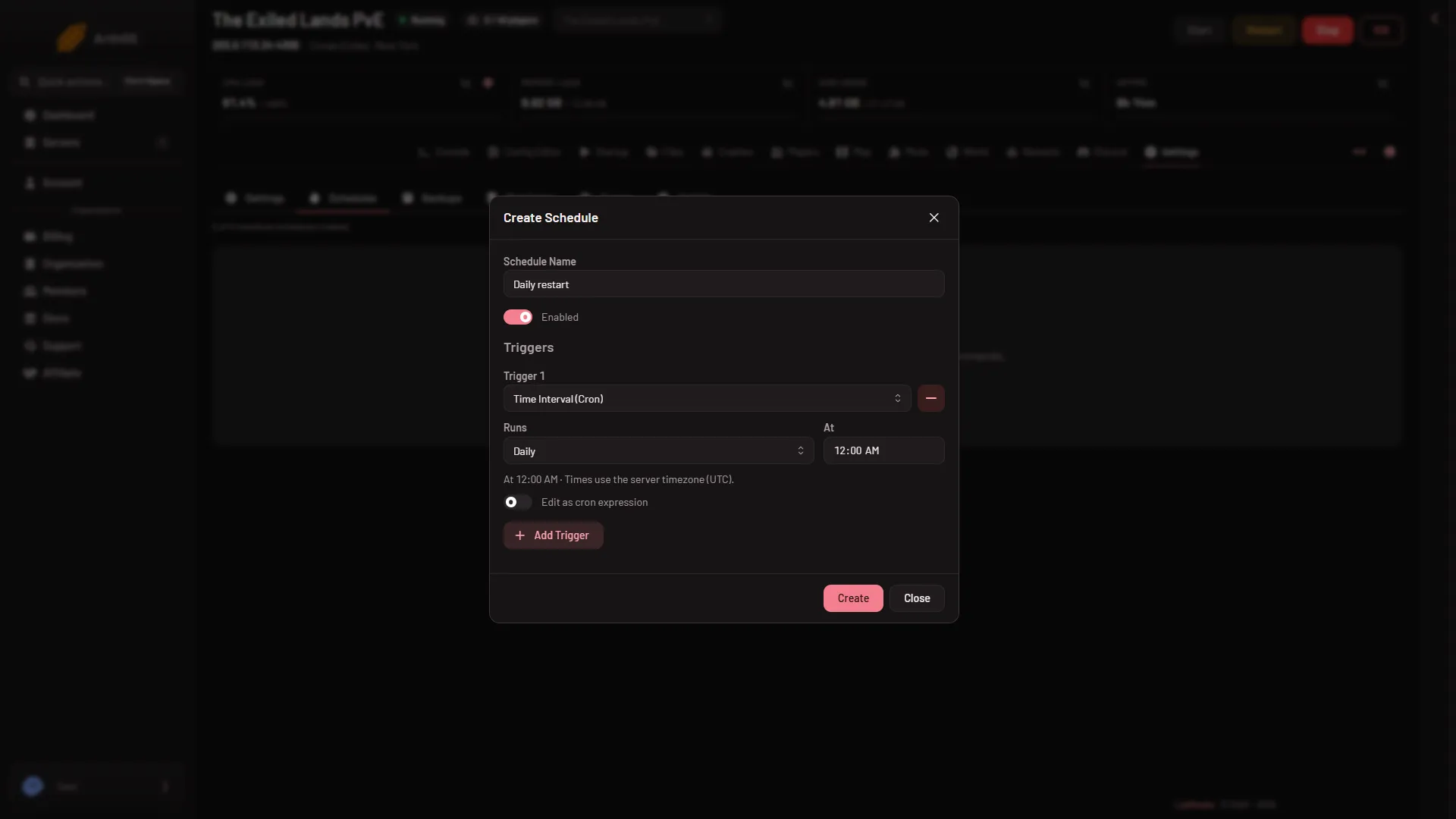
- Schedule Name
- Add Trigger
- Runs
- Create
The step card reads “Restart the server”. The panel explains it as “Stops the game and starts it again, and goes on to the next step at once.”
To test it, use Run Now on the schedule while nobody is on.
How long it takes
A restart is a stop followed by a start. A Conan stop saves the world and takes about 40 seconds on a played world, up to 3 minutes 43 seconds on a new one. Pick a time when few people play, and do not set two schedules close together. See why a stop takes so long.
Warn players
For a warning, use Restart with a warning on the Players page. It warns everyone in game at 10, 5 and 1 minutes and at 10 seconds, then restarts. It is for one restart at a time, not a daily one. See restart with a warning.
Back up before the restart
Add a Create Backup step before the restart if you want a panel backup each day. It runs while the server is up, and nothing here saves the world first: the row says “Taken while running. The game did not confirm a save.” or “Taken while running. The world was saved first.” How reliably such a copy restores has not been checked. A scheduled backup at the plan’s limit deletes the oldest backup that is not locked. Lock a backup you want to keep.
If it does not work
- It runs at the wrong hour. Check the Timezone card under Settings.
- It does not run. Open the schedule and look at its trigger. A schedule with no trigger “never starts on its own”.
- You cannot add another schedule. The server is at its limit. The Schedules page shows how many are made out of how many.
- Players are cut off with no warning. That is how this schedule restarts.
More about the game: Conan Exiles servers.