
















Message everyone sends one line to every player who is on the server now. It is a broadcast: the panel says it is shown in game. Choose Message everyone above the On now list, write the text and choose Send. The server must be running.
Send a message
- Open Players.
- Above the On now list, choose Message everyone.
- In Message (1), write your text. A short example:
Server restarts in 10 minutes. - Choose Send (2).
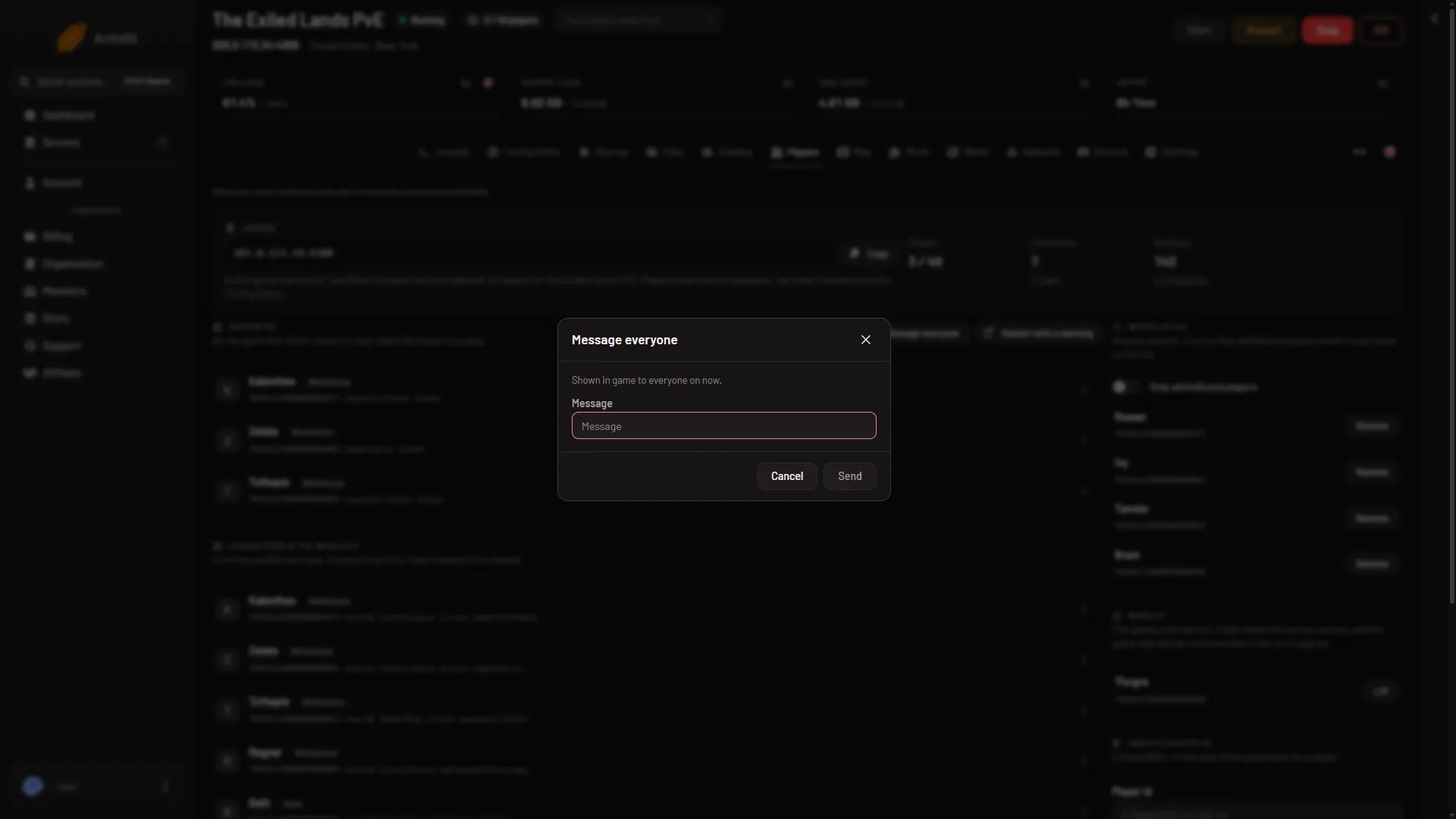
- Write the text
- Send
The dialog’s hint says “Shown in game to everyone on now.” The page then shows the game’s own answer; the one known reply is “Message has been broadcast.”
Not checked on Enhanced, server build 25792439 as of 13 November 2026: how the message looks to a player in game, because no real player was on to see it.
Limits
- At most 200 characters. Keep it short.
- It cannot be empty. An empty message is refused with “write a message first”.
- Only players on now see it. Someone who joins later does not. For text that every joining player sees, use the message of the day.
The panel sends commands to the game one at a time and spaces them out, because the game limits how often it takes remote commands from one address. If you press Send several times in a row, wait for each to finish.
The server must be running
The game takes messages only while it runs. If the server is offline, the panel says to start it first. While it starts or stops, the panel asks you to try again once it is up. Just after a start, the game may not answer yet. It answers once the world has loaded, about half a minute after the start.
Warn before a restart
For a restart, use the warned restart instead. It sends warnings by itself. See restart with a warning.
By hand, the game command is broadcast <text>, sent through the remote console (RCON).
More about the game: Conan Exiles servers.
If it does not work
- There is no Message everyone button. Your role may not allow control of the console. Ask the owner of the server for a role that does.
- The page says to start the server first. The server is offline. Start it, wait for the world to load, and send again.
- The page says the game is not answering. Wait about half a minute after a start, then try again.
- The page says the game refused it. The panel shows the game’s own answer. Shorten the text and try again.