
















Standby stops your Conan Exiles server when nobody has played on it for a while, and saves the world as it stops. Nothing is deleted. A wake link is a web address your players open to start the server again, with no account.
How the server knows it is empty
The panel asks the game for its player list through the remote console. When the list is empty for the time you chose, the server goes into standby.
If the panel cannot read the list, it does not guess. A count it cannot read never counts as empty. This happens, for example, while the server is starting and the game has not answered yet. The card then says: “Waiting: the panel cannot read how many players are on, and a count it cannot read never counts as empty.”
Standby also waits while a change, a backup or a wipe is running on the server.
Check standby
Standby is on by default on every new server, with After nobody plays for at 10 days.
- Open Settings on your server, then find the Standby card.
- Check that Stop the server when nobody plays on it is on. Turn it on if it is off.
- Under After nobody plays for, choose how long the server waits with nobody on.
- Turn on Email the owner each time if you want an email whenever it goes into standby.
The card has no Save button: it saves as you change it and shows “Standby settings saved.” It then shows where the server stands. For example, “Nobody on for (time). Standby (when) unless someone joins.” Or, when players are on: “Players are on. The server stops by itself once nobody plays for a while.”
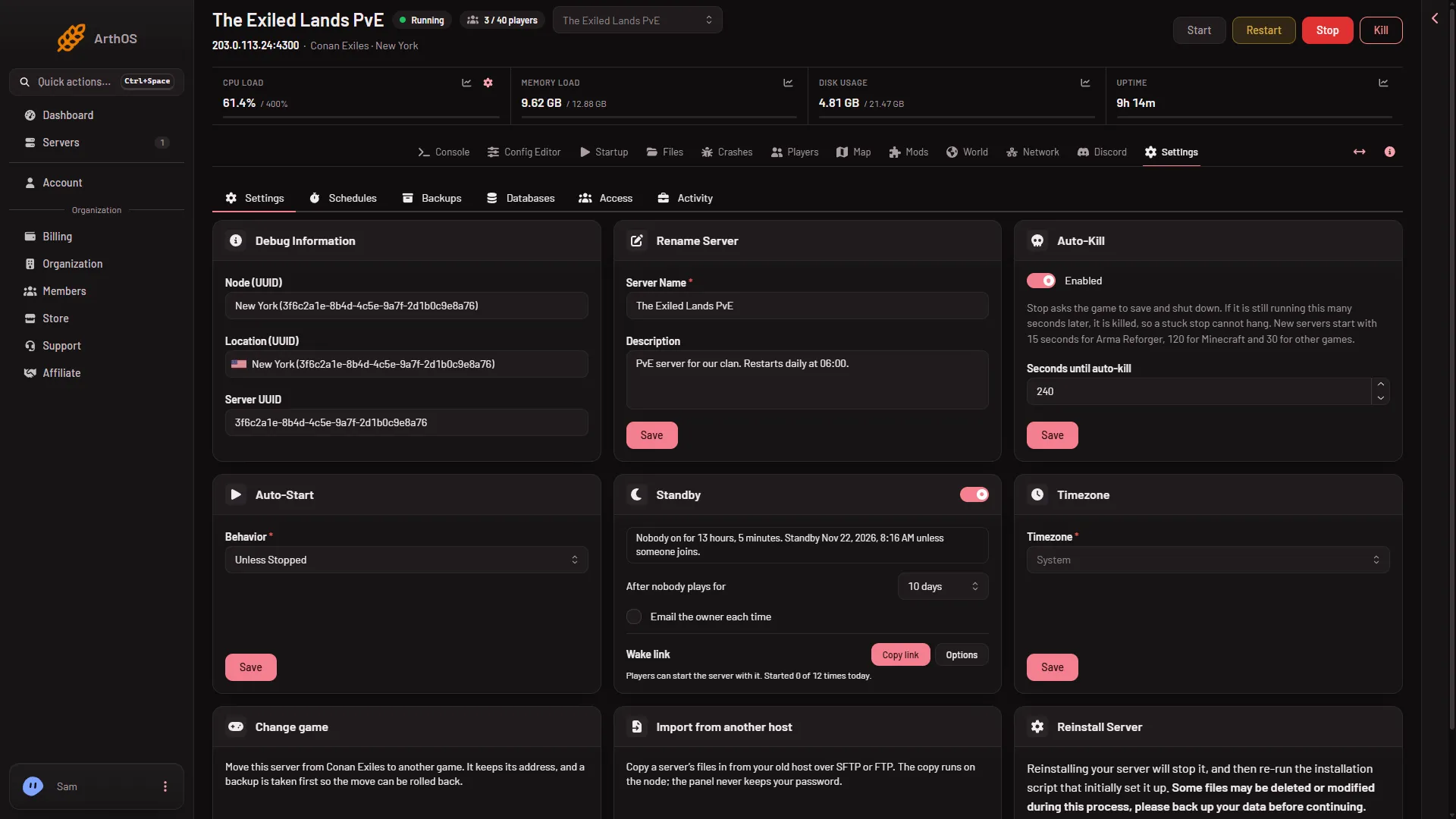
- The standby switch
- Wake link
The switch (1) is at the top of the card, and the Wake link row (2) is at the bottom.
A standby stop is a normal clean stop. The game saves the world, as it does when you press Stop. A Conan stop can take a while, so see Auto-Kill and the stop timeout.
When the server is in standby
The card says “Went into standby (when). Nothing was deleted. Start it here or from its wake link.” The server page also shows a box that says the server is in standby. Use the Start button, or the wake link, to bring it back.
The server is back about as fast as a normal start. A start needs the game to load its files and then answer. A newly started server takes some time before the Players page can read it. See first start and stop times.
Make a wake link
- On the Standby card, choose Make link.
- Choose Copy link.
- Send the link to your players.
The card shows how many times a day the link can start the server, and how often it has been used today.
Under Options on the link you can:
- Turn on Show the join address on the wake page, so players see how to join once it is up.
- Turn on Add a Start server button to Discord status messages, if your server posts a status to Discord.
- Choose New link to replace the link. The old link stops working at once.
- Choose Turn off to remove the link. You can make a new one later.
Making a link needs a role that allows it, and a role that may start the server.
Choose a good wait
If your players come and go through the day, choose a longer wait, so the server does not stop between two sessions. If the server is used in one block of time, a shorter wait stops it soon after the last player leaves. A stopped server needs a start before anyone can join, so pass the wake link to your players.
If it does not work
- The server never goes into standby. Read the note on the card. It may say the panel cannot read the player count, or that a change or backup is running.
- A player says the wake link does nothing. The link may have been replaced or turned off, or it has reached its limit for the day. Make a new link, or start the server from the panel.
- The server stopped soon after you saved. If nobody had played for longer than the time you chose, a box asks “Go into standby now?” with Save. Without it the server goes into standby within a few minutes.
More about the game: Conan Exiles servers.