






Get the server’s address and port, add them as a new server in the game’s server list, and join. On Java that is Multiplayer, Add Server. On Bedrock it is Play, Servers, Add server.
You need three things: the address, the port, and a game version that matches the server.
Phones, tablets and Windows join with the Bedrock app. Game consoles (Xbox, PlayStation, Nintendo Switch) cannot add a server by address. See Bedrock players on a Java server.
Get the address
If you own the server, open it in the ArthOS panel. The address is under the server name, written as an IP and a port with a colon between them. Click it to copy it. If the owner set up a domain, the header shows the domain instead.
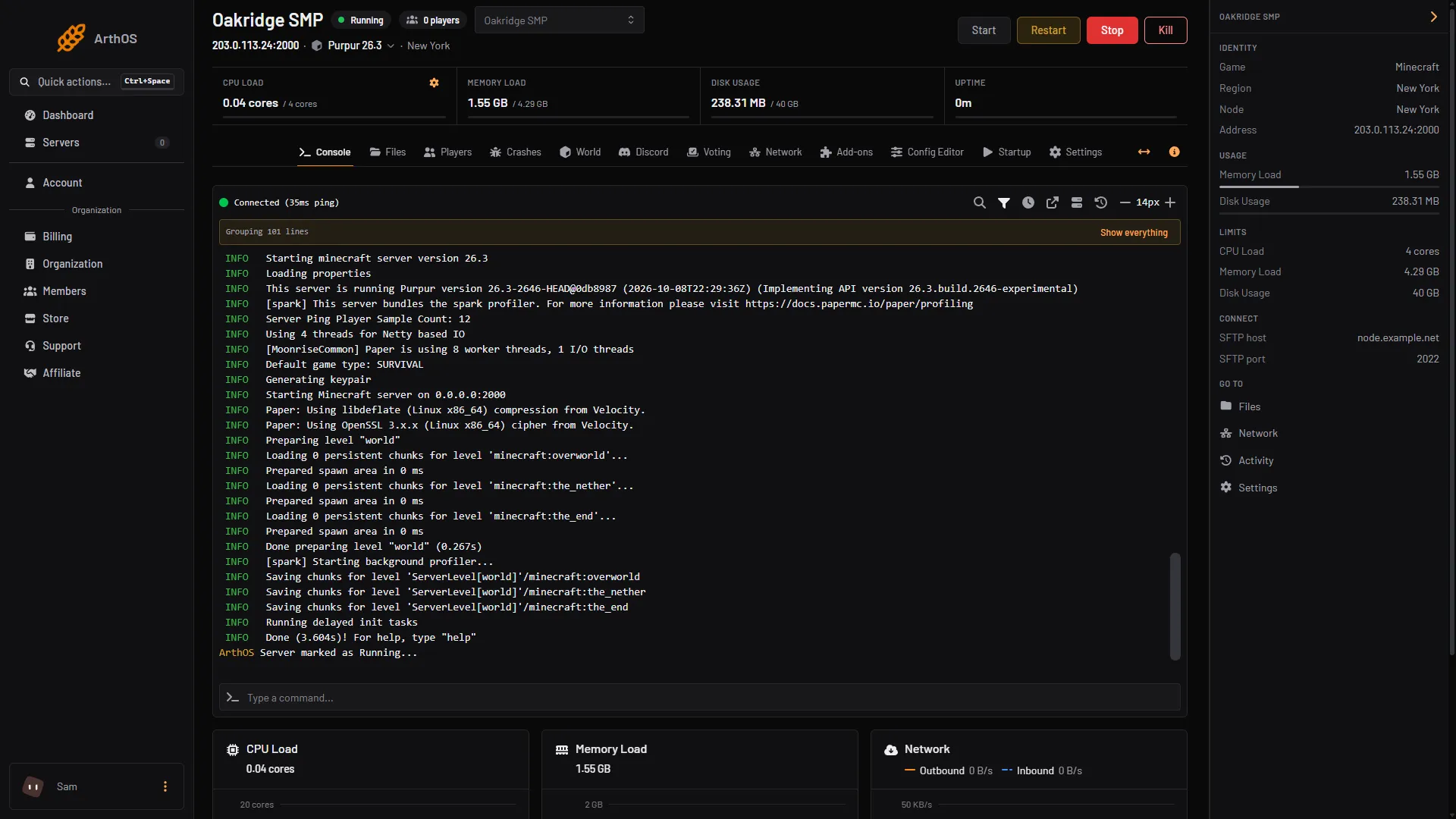
- The address and port, click to copy
- The software and version
If someone else owns the server, ask them for the address and the port. Also ask which Minecraft version it runs. The server header shows it as the software chip, for example Purpur 26.3.
Join on Java Edition
- Start the game with the same version as the server. A Java client can only join a server with the same protocol version as itself.
- Choose Multiplayer, then Add Server.
- Type any name for the server. It is only a label in your list.
- Paste the address with its port in the address box, with a colon between them, for example
203.0.113.24:2000. - Choose Done, select the server in the list, and choose Join Server.
The standard Java port is 25565. A server on Loafhosts gets its own port number, so keep the colon and the number.
Join on Bedrock Edition
Bedrock keeps the address and the port in two boxes.
- Choose Play, then the Servers tab, then Add server.
- Type any name in Server name.
- Put the address (the part before the colon) in Server address.
- Put the number after the colon in Port. The game fills in 19132 if you leave it, which is the standard Bedrock port, but a server on Loafhosts uses its own number.
- Choose Add and play, or save it and join from the list.
Bedrock does not use the domain record that hides the port, so a Bedrock player always types the port.
Game consoles (Xbox, PlayStation, Nintendo Switch) cannot add a server of their own. Their server list only holds the featured servers Mojang picks, so a private server is not reachable from them.
Bedrock players can only join a Java server if the owner turned that on. See Bedrock players on a Java server. They then use the same address and number as Java players.
By hand
If you host the server yourself, the port is the server-port line in server.properties (Java, default 25565) and the IP is the machine’s public address. The server must be running and the port open in your firewall and router before anyone can join.
If it does not work
- The server shows “Can’t connect to server” in the list. The game could not reach it. Check the address, the port, and that the server is running. Why a Minecraft server will not connect goes through each message.
- “Outdated client” or “Outdated server”. Your game version does not match the server’s. Use the version the server runs.
- “You are not whitelisted on this server”. A new Java server starts with the whitelist on. The owner must add you. See set up the whitelist.
- It works for you but not a friend. Check that they typed the port, and that their game version matches.
More on the game: Minecraft servers.
Sources: minecraft.wiki: Setting up a Java Edition server, minecraft.wiki: Playing on servers, minecraft.wiki: Protocol version, minecraft.wiki: Server.properties, minecraft.wiki: Play, geysermc.org: Faq, geysermc.org: Common issues