
















A Factorio mod has to be made for the same game version as the server. The first two numbers must match: a server on 2.1 needs mods for 2.1. A mod for 2.0 stops the start before anything loads. Find the mod on the Crashes page, then update it or turn it off on the Mods page.
What you see
The server goes offline soon after a start, and the game’s log has a line like this. The Crashes page shows the last lines of the start:
Incompatible Factorio version (current: 2.1, required: 2.0)The game checks every mod before it loads the world. One mod for another version is enough to stop the whole start.
Find the mod
- Open the Crashes page. A finding called A mod could not load, so the server did not start says why: a mod for another game version, or one that needs a mod the server does not have.
- Open the Mods page. A note says “The game refused these at its last start, so the server could not run”, followed by the names. Each of those mods also shows the chip Refused.
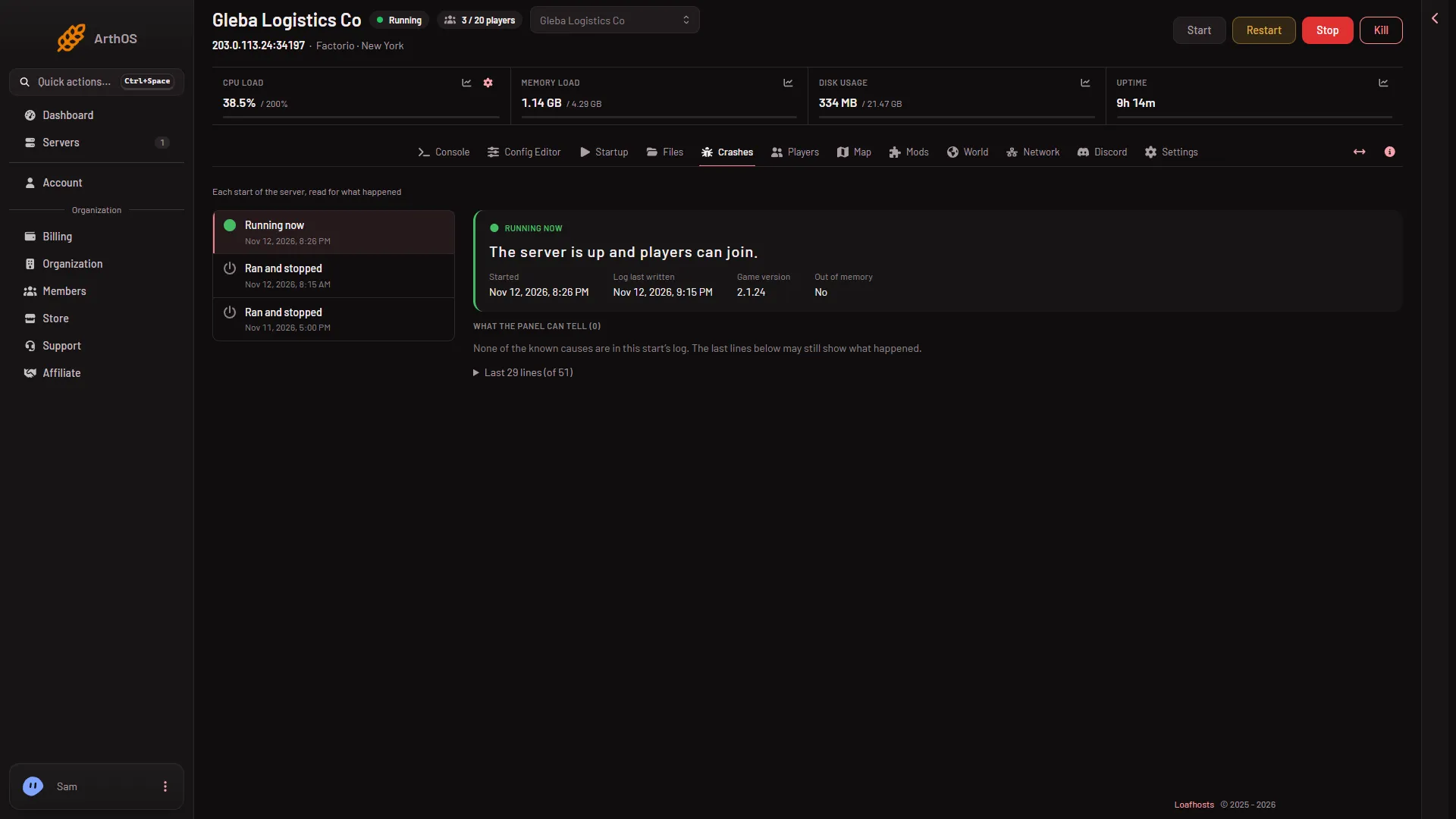
- Game version of this start
The Game version (1) of a start tells you which release the server ran. Mods must be made for it.
Fix it
Pick one.
- Update the mod. If the row’s menu More for (name) shows Update to a version, use it. The panel only uses releases made for the server’s game version. If the mod has no release for 2.1 yet, the panel says “(name) has no release for Factorio 2.1 yet”. Updating downloads from the mod portal, so the server needs its own factorio.com account: the username on Startup and its token under Passwords in the Config Editor. The account must own Factorio.
- Turn it off. Use the switch Turn (name) off on the row. The mod stays on the server and is skipped from the next start.
- Remove it. Open More for (name) and choose Remove. The panel warns you if other mods need it.
Then start the server again. Changes on the Mods page apply at the next start.
Mods you upload yourself
A mod you uploaded is used as it is. The panel does not pick a release for you. Get a file made for 2.1 from the mod portal, upload it again, and turn the old one off. The portal lists which game version each release is for.
Keep it from happening again
- Install mods from the Add a mod tab. It only offers releases made for the server’s game version.
- Before you change the game version, see mod updates. A new major.minor version may leave some mods behind.
- When a version changes, check the Mods page after the first start.
If it does not work
- Another mod is named after you fix one. The game stops at the first problem it finds. Fix each named mod, then start again.
- The finding says a mod needs another mod. That is a missing dependency, not a version problem. See a mod that could not load.
- The mod has no 2.1 release. Turn it off and ask its author. The mod portal page of the mod shows what it supports.
More about the game: Factorio servers.
Sources: mods.factorio.com