
















The Mods page shows Wube’s own mods, the mods you installed from the mod portal, and their settings. The game reads which mods are on when the server starts, so most changes load at the next start. Players need the same mods as the server to join.
The page
At the top is Wube’s own, with Space Age, Quality, Elevated rails and Recycler. See Space Age on a server.
Below it are four tabs:
- Installed: the mods on the server, with a count.
- Add a mod: search the mod portal and install. See install mods.
- Collections: a set of mods you keep and put on a server in one step.
- Settings: the settings the mods write. The tab shows a count.
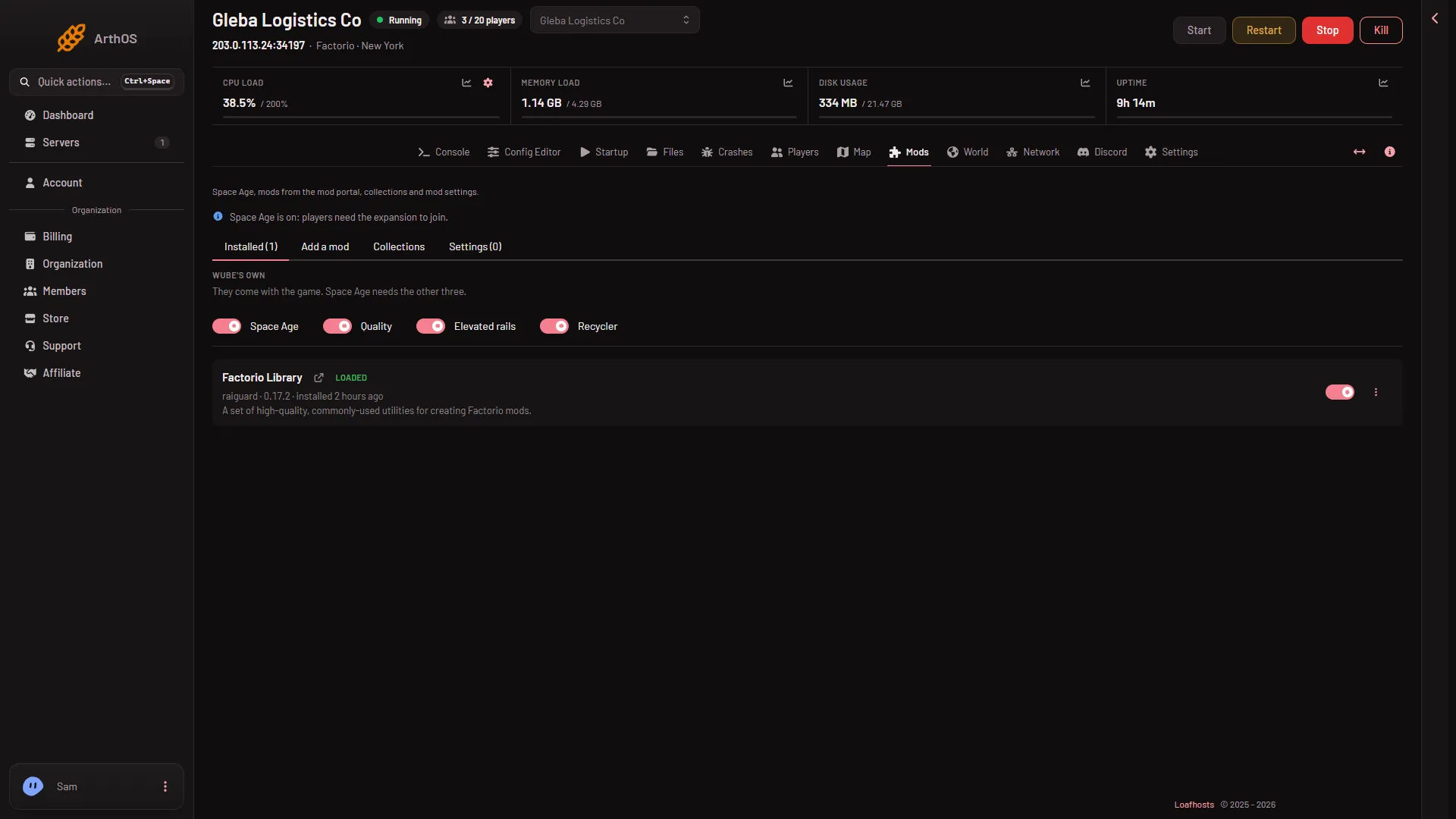
- Wube's own
- Add a mod
- Settings
Read the chips
Each mod in Installed has chips:
- Loaded: the game loaded it at its last start.
- Off: it stays on the server and is skipped from the next start.
- Refused: the game refused it at its last start. The page names these mods.
- Not started yet: you added it, and the server has not started since.
- A chip with a version and “out” means a newer release exists.
The page says when it read what loaded: “What loaded is read from the last start (when).” So a mod you just installed shows Not started yet until the server starts.
A mod that another mod needs is listed under “Installed because another mod needs them”, with “needed by (names)”.
What a row can do
Each row has a switch, named Turn (mod name) off or Turn (mod name) on. The page says of a mod turned off: “Turned off. It stays on the server and is skipped from the next start.” Turn it on again with the switch; it loads at the next start.
The menu “More for (mod name)” holds:
- Update to (version), when a newer version exists.
- Remove. The panel deletes the mod’s file and asks first. The mod’s settings stay in
mod-settings.datin case it comes back. If other mods need it, the box lists them, and you can tick “Also remove the (count) mods only it brought”.
Install again is a button on a result in Add a mod.
When mods have newer releases the page says so and offers Update all. Updating downloads from the mod portal, so the server needs its factorio.com account: see the mod portal account. Wube’s own mods cannot be removed: turn them off instead.
When changes load
The game reads the list of mods once, at start. Turn a mod off or remove it, and the change loads at the next start. Use Restart at the top of the server page; it drops everyone who is on, so warn them first with Message everyone on the Players page. Installing from Add a mod is different: the server stops, the mods are put in place and it starts again if it was running. Players are disconnected for that time.
A mod must be made for the server’s game version, such as 2.1. A mod made for 2.0 stops the start. A mod that needs another mod the server does not have also stops it. In both cases nothing loads. A mod with a script error can stop the game in the middle of play and the game names the mod.
No load order
The game orders mods by what they need. The panel offers on and off, not an order.
Mod settings
The Settings tab holds startup settings, map settings and per player settings. Startup settings apply at the next start. A world keeps its own runtime settings, so those you change here are what a new world starts with. The tab is empty until the game has written them: “No mod settings yet. The game writes them when it starts with mods on.”
If it does not work
- The server will not start. Open Crashes. It names the mod and tells you to turn it off or update it.
- A mod shows Refused. It is for another game version, or it needs a mod the server does not have. Install what it needs or turn it off.
- Players cannot join after a change. Their game must have the same mods and versions. Players need the same version to join.
More about the game: Factorio servers.
Sources: wiki.factorio.com: Multiplayer, wiki.factorio.com: Mod settings