
















The Map page shows each planet as the game’s own map draws it. Without live game details it shows only the ground the world was made with. With them on, it also shows what is built, train stops and where players are.
The ground
The ground is a picture of the world as it was made, from the world’s seed. It is made when the server is installed and for each new world. It needs nothing from the running game, so it shows even when the server is stopped.
It is the world as made. Ore you have mined and trees you have cut still show. It is not a live view of the land.
The page says: “The ground the world was made with. What is built shows with live game details on.”
What live game details add
Turn them on from the Players page while the server runs; turn them off from this page. See live game details.
With them on, the map adds:
- What is built. The page counts chunks with something built, for example “(number) chunks with something built”, or “Nothing built yet”. Chunks are the game’s square pieces of land. The count covers the area the game has generated, not only what players have charted.
- Enemy bases. Shown only where players have charted. A headless server with nobody on charts nothing by itself.
- Train stops. A layer called Train stops.
- Players. Each online player on their planet. A player in a vehicle shows “in a (vehicle name)”. An idle player shows “idle (time)”.
With live details off, the page says “Where players are shows with live game details on.” If nobody is on the planet it says “Nobody is on this planet.” If the server is stopped it says “The server is stopped.”
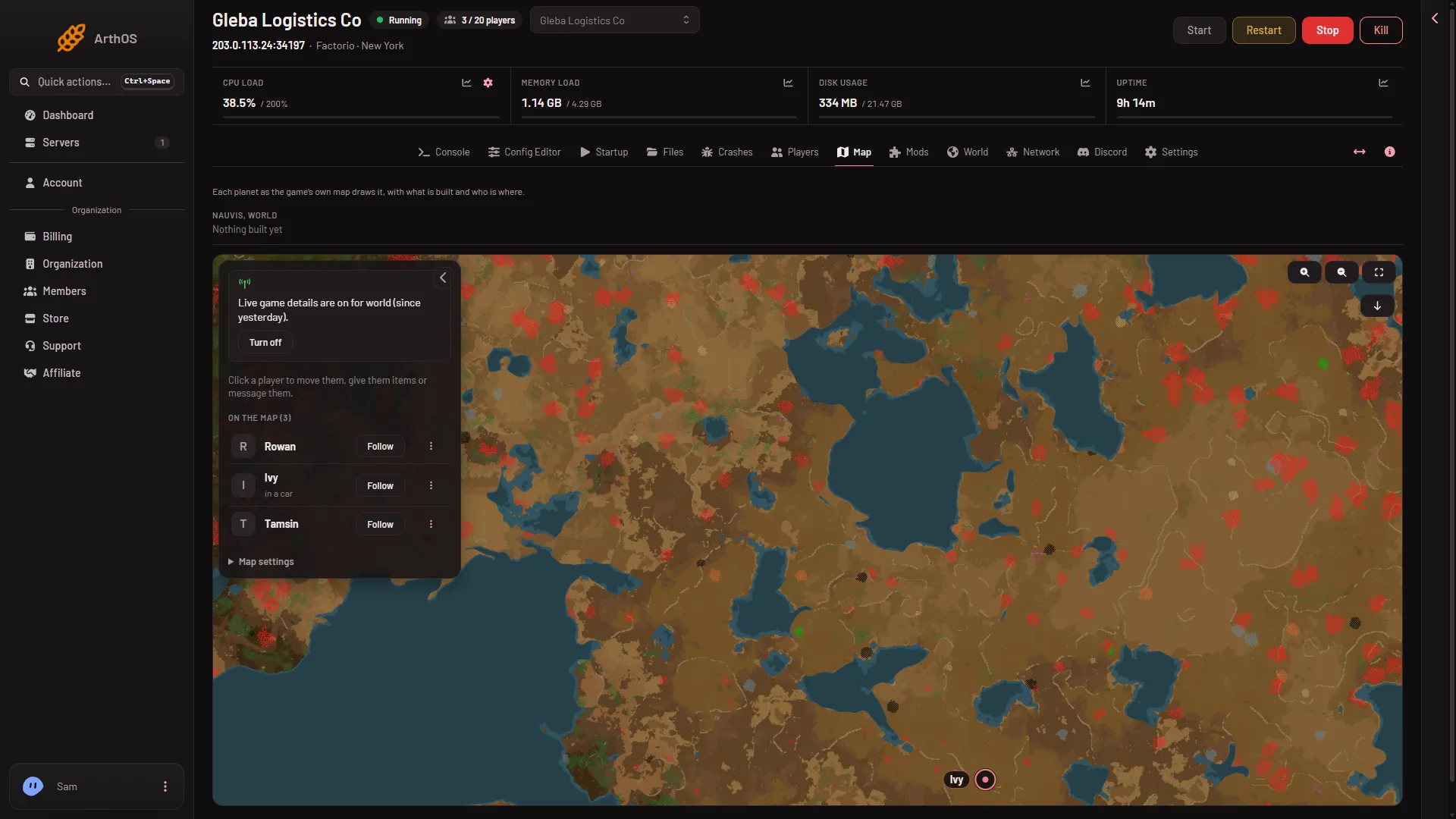
- Players on the map
The list (1) names everyone on the planet. The picture shows the marker of one of them.
Pick a planet
If the world has more than one planet, use the Planet picker. A planet whose ground has not been drawn says “The ground of (planet) is not drawn yet.” and offers Draw the map. See draw the map.
Act on a player from the map
Click a player. The card offers Move to a spot, Give items and Message. Moving and giving need live game details on; Message works without them. The page says: “Click a player to move them, give them items or message them.” See teleport players.
Who can see it
You need a role that allows reading the live map. If the Map tab is missing, ask the owner to change your role (Settings, Access, Manage roles on the organization page).
If it does not work
- The ground is not drawn yet. Use Draw the map. It needs the server to have started once so the panel can read the world’s seed.
- No players show. Live game details are off, the server is stopped, or nobody is on that planet.
- The map shows ore I mined. It is the ground as made. This is how it works.
- No enemy bases show. No player has charted that area yet.
More about the game: Factorio servers.
Sources: wiki.factorio.com: Console