
















On the Players page, choose Act on an online player’s row. Then choose Move to a player to send them next to someone else, or Move to a spot on the map to send them where you click. The move happens at once, on the planet the player is on.
Before you start: live game details
Moving players needs live game details, and a running server. They let the panel act on the running game with short scripts.
If the page says “Live game details are off”, start the server and choose Turn on live game details. See live game details.
Move a player next to another player
- Open the Players page. Under Online, find the player to move.
- Choose Act on the row, then Move to a player.
- In Next to, pick the other player.
- Choose Move.
The dialog says: “Sends (name) next to another player, on their planet.” If nobody else is on, it says “Nobody else is on.” and there is nothing to pick.
Move a player to a spot
- Choose Act on the player’s row, then Move to a spot on the map.
- The Map page opens for you to pick. It says “Click the spot on (planet) to send (name) to. They are sent the moment you click.”
- Click the spot.
You can also open the Map page yourself, click a player, and choose Move to a spot on the card (this also needs live game details). The map shows the ground the world was made with, so pick by the land or by what is built. See the server map.
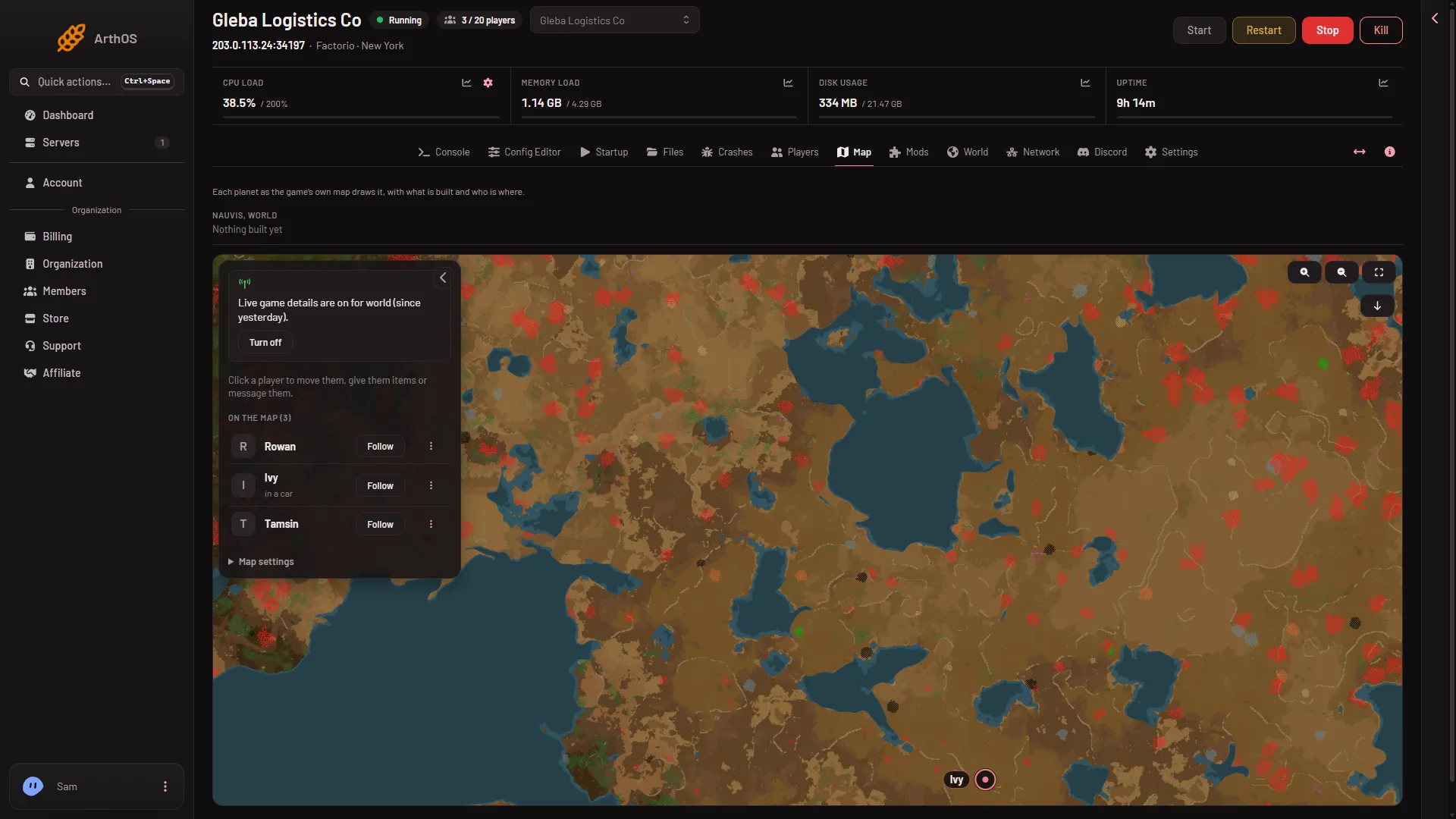
- Players on the map
Who can do it
You need a role that allows moving players. If the row has no Act button, live game details are off or your role does not allow it. ask the owner to change your role (Settings, Access, Manage roles on the organization page).
If it does not work
- No Act button on the row. Live game details are off, or the server is stopped.
- The game could not move them there. The panel does not say why. Try another spot, or move them next to a player instead.
- Pick a point on the map. The panel got no spot to send the player to. Start again and click a spot on the map.
- The player did not move. They may have left or be dead. Check Online on the Players page.
More about the game: Factorio servers.
Sources: wiki.factorio.com: Console