
















The mod portal only gives a download to someone signed in with a factorio.com account. Without one it sends you to a login page. So your server needs its own account: put the username on Startup, and the account’s token under Passwords in the Config Editor. The token is not the password.
The Mods page says it too: “Downloads from the mod portal need a factorio.com account: the username on Startup and its token under Passwords in the Config Editor.”
What you need
- A factorio.com account that owns Factorio. An account that does not own the game is refused by the portal.
- Its username.
- Its token. It is shown on your profile at factorio.com/profile. It is not your password. Never type the account password into the panel.
Set the username
- Open Startup.
- Find factorio.com username.
- Type the username. Use letters, digits, dots, dashes and underscores, up to 60 characters.
- Save.
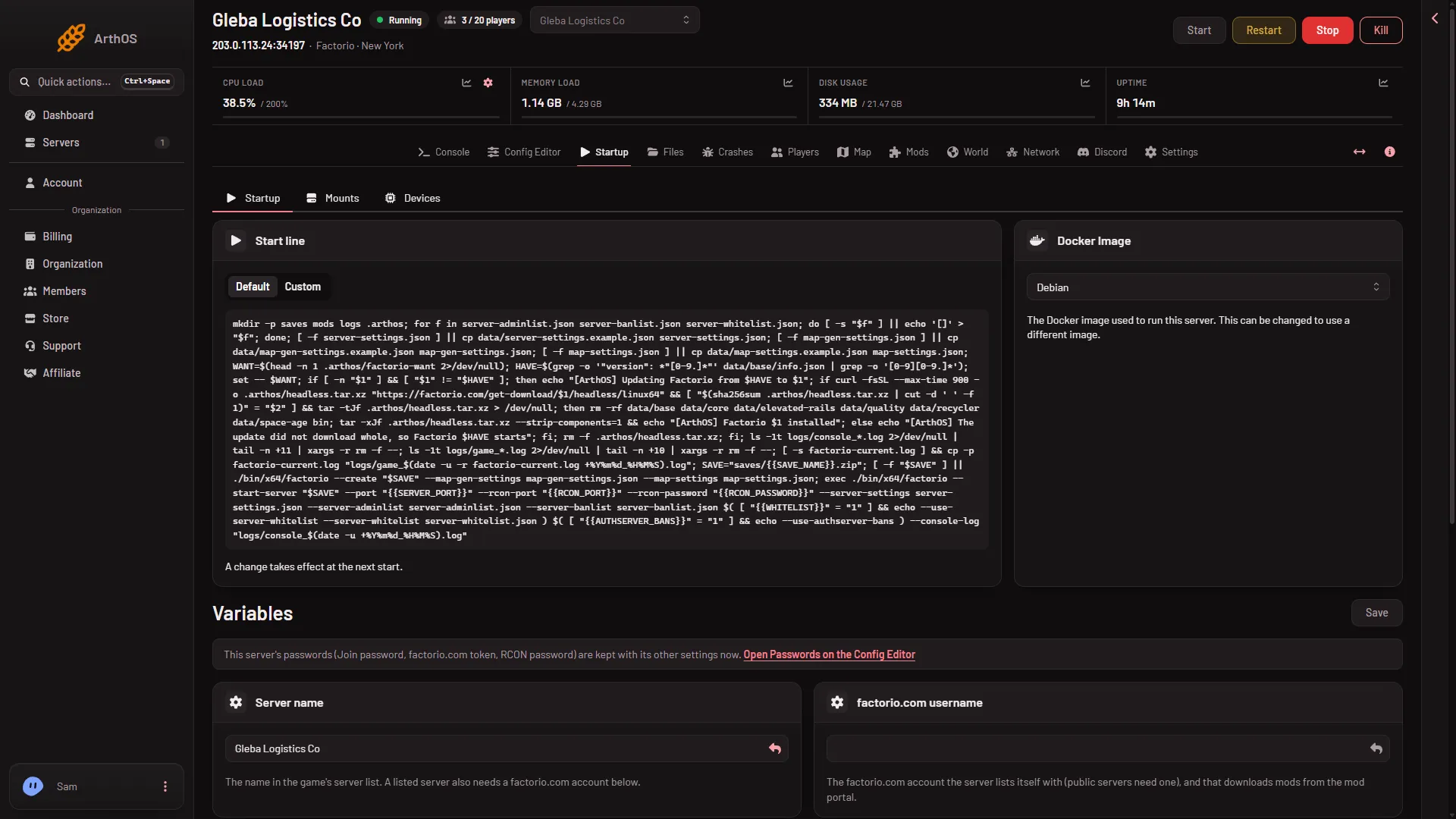
- Type the username
- Passwords are on the Config Editor
Set the token
- Open the Config Editor.
- Choose the source Passwords.
- Find factorio.com token.
- Paste the token. It may be letters and digits, up to 100.
- Save.
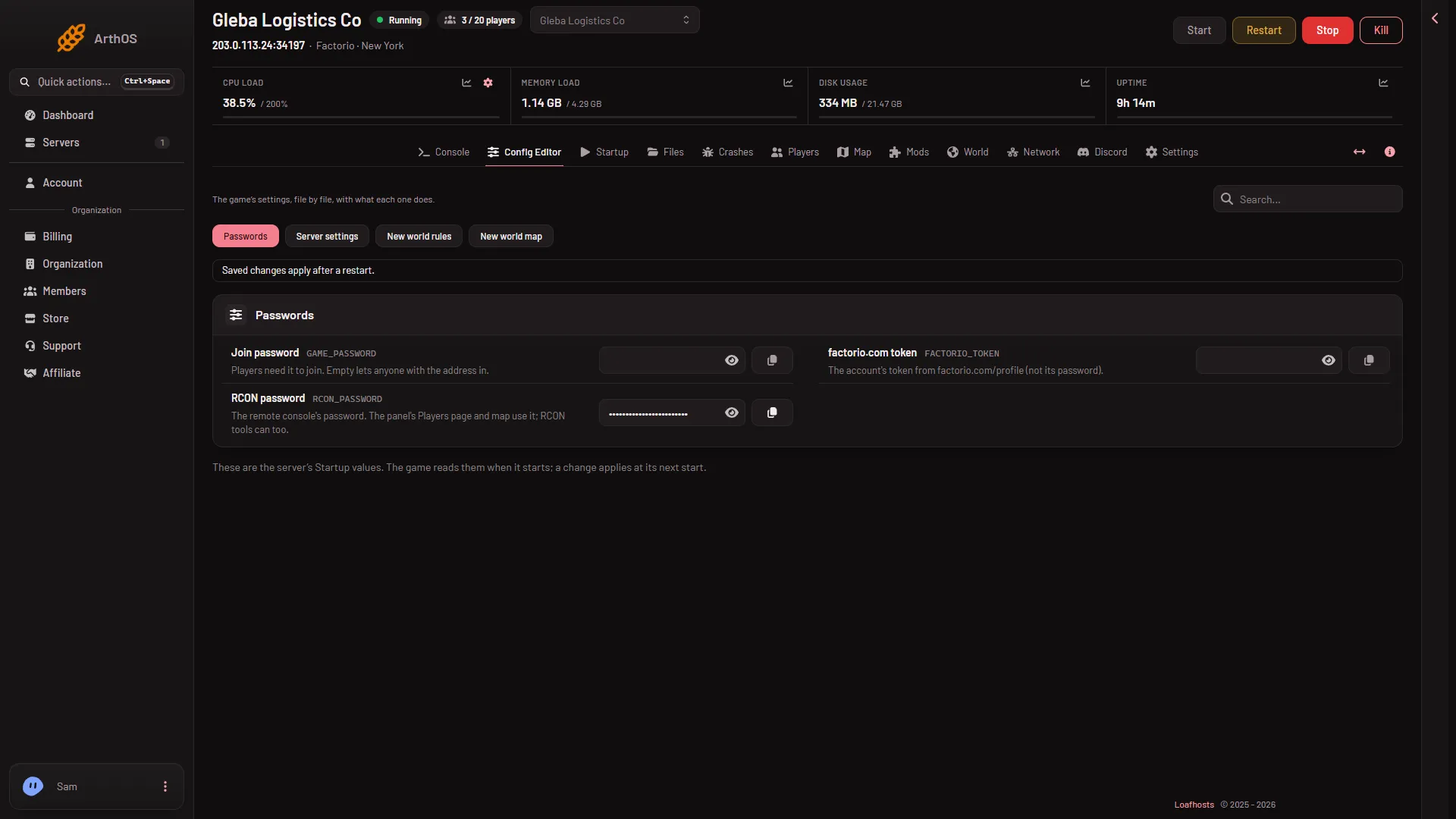
- Passwords
- Paste the token
Passwords are never shown on Startup. That page points you to the Config Editor. The server writes the username and token into its settings file at every start, so edits you make to those two lines by hand in server-settings.json do not stay. Use the panel.
Then install
Go back to the Mods page and install a mod. See install mods. The panel uses the server’s own account when both the username and the token are set.
The restart is not needed for downloads, only for the server list below.
The same account lists the server
The username and token are also what a public server list needs. For that, restart the server after you save them, because they are written at every start. See the public server listing. One account does both jobs.
Uploading a mod
An uploaded mod file needs no account, because nothing is downloaded. Mods that the uploaded one needs are downloaded from the portal, and those do need the account.
If it does not work
- “Downloads from the mod portal need a factorio.com account: set the server’s username on the Startup page and its token under Passwords on the Config Editor page”. One of the two is empty. Set both.
- “factorio.com refused the server’s account: check the username on the Startup page and the token under Passwords on the Config Editor page”. The username or token is wrong, the token is really the password, or the account does not own Factorio. Copy the token again from factorio.com/profile.
- You cannot see Passwords. Your role may not allow it.
More about the game: Factorio servers.
Sources: wiki.factorio.com: Mod portal API, mods.factorio.com