
















server-settings.json holds most of your Factorio server’s settings: its name, player limit, listing, autosaves and network limits. It sits in the top folder of the server. The easy way to change it is the Config Editor. If you edit the file by hand, four values are written back at every start, so do not set them in the file.
Where the file is
- Open Files on your server.
- In the top folder, scroll down past the folders to
server-settings.json. The picture below stops atserver-banlist.json.
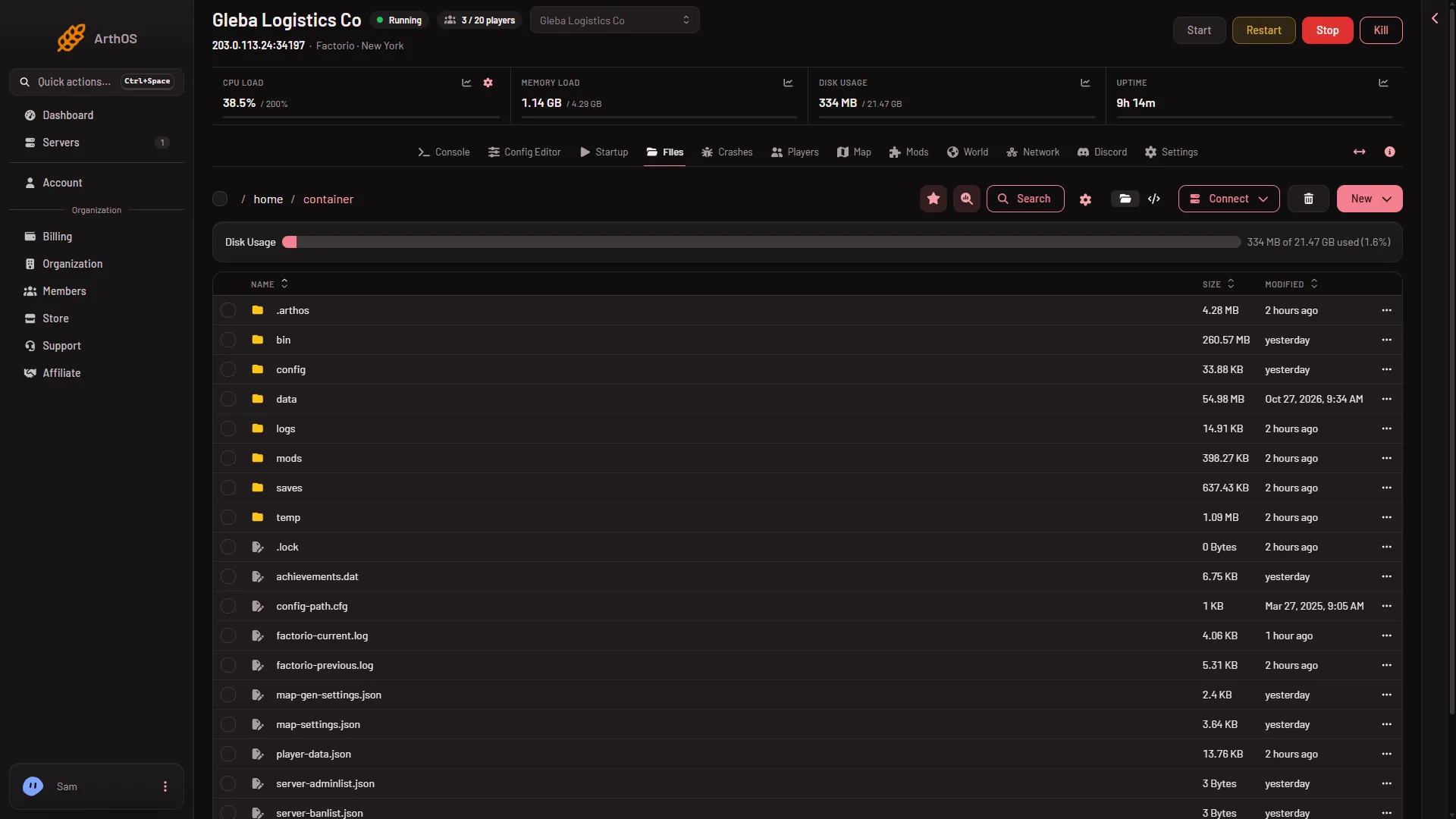
Beside it are the game’s other files: server-adminlist.json, server-banlist.json, server-whitelist.json, map-gen-settings.json and map-settings.json. If server-settings.json is missing at a start, the server copies the game’s own example file in its place.
The four values written at every start
At every start the panel writes these into the file from your Startup and Passwords values:
| Key in the file | Where you change it |
|---|---|
name | Server name on Startup |
username | factorio.com username on Startup |
token | factorio.com token under Passwords |
game_password | Join password under Passwords |
The old password key is emptied at every start. Your factorio.com account password never belongs on the server: use the token, which is not your password.
Every other setting
All other keys are yours. Change them in the Config Editor, source Server settings, or in the file.
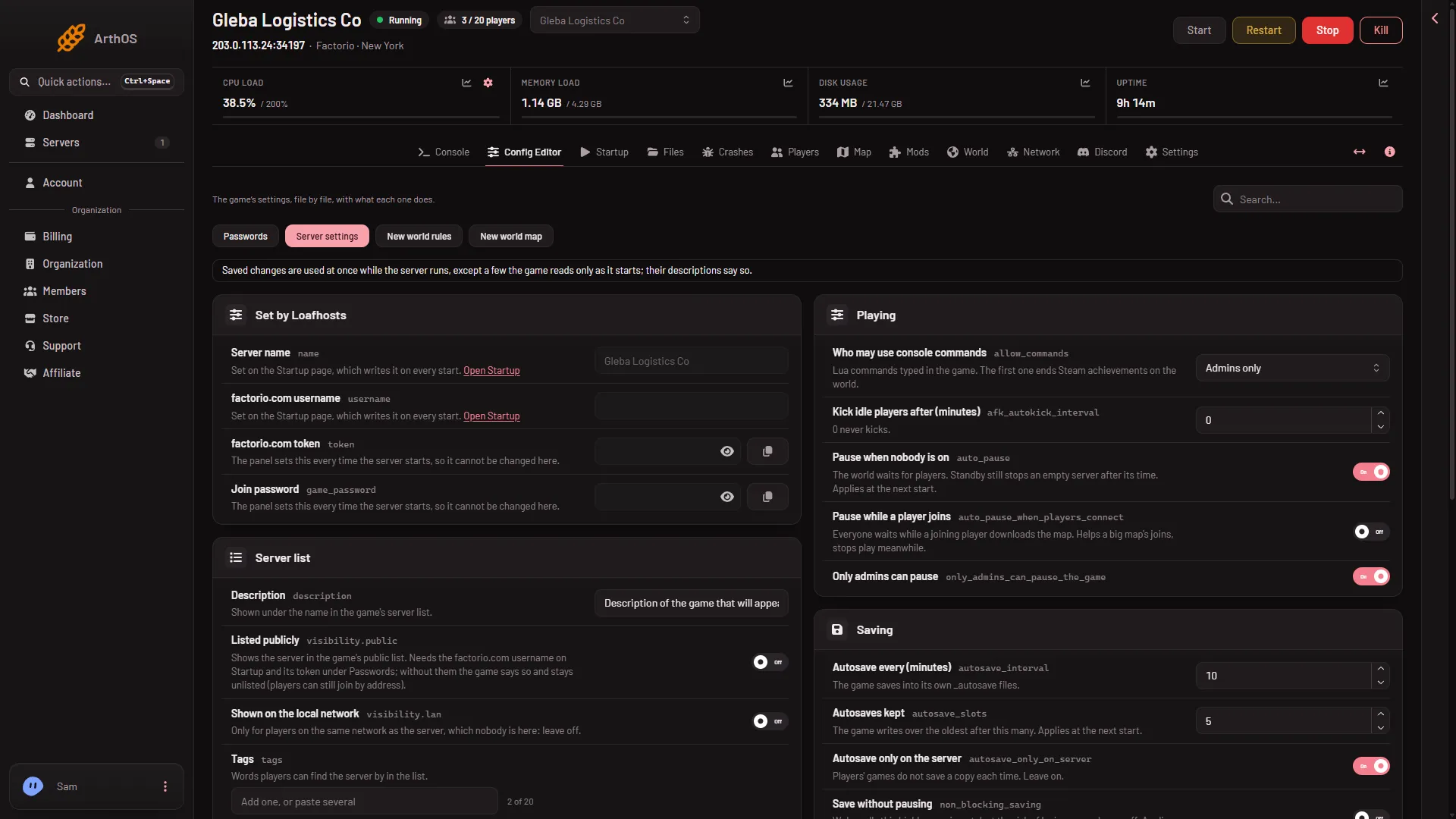
The Config Editor keeps each value inside a sensible range that the panel sets, for example Autosave every (minutes) from 1 to 1440. It leaves out the _comment keys that the game’s example file carries.
A trimmed excerpt of the file. The values are the game’s own example values, except public and lan: the game’s example file has both true, and a new Loafhosts server starts with both false.
{
  "max_players": 0,
  "visibility": { "public": false, "lan": false },
  "require_user_verification": true,
  "allow_commands": "admins-only",
  "autosave_interval": 10,
  "autosave_slots": 5,
  "auto_pause": true
}
When a change applies
The game reads the file when it starts. The Config Editor does more: when you save to a running server, it also sends most settings straight to the game, so they apply at once.
Apply at once when saved in the Config Editor on a running server:
- Description, Tags (a tag with a space waits for a restart), Listed publicly, Shown on the local network
- Most players, Returning players skip the limit, Only factorio.com accounts
- Who may use console commands, Kick idle players after (minutes), Pause while a player joins, Only admins can pause
- Autosave every (minutes), Autosave only on the server
- Upload limit (KB/s), Players downloading the map at once
Wait for the next start, whichever way you save them:
- Pause when nobody is on, Autosaves kept, Save without pausing
- Smallest delay (ticks), Network updates a second
- Smallest message part, Players for the smallest part, Largest message part, Players for the largest part
A hand edit in the file never applies to a running game. It is read at the next start.
The name, username, token and join password also take effect at the next start.
Settings in map-gen-settings.json and map-settings.json only matter when a new world is made. They do not change the world that is running.
If it does not work
- A value you typed in the file is gone after a start. It was one of the four that the panel writes at every start. Change it on Startup or under Passwords.
- A change in the file did nothing. The game reads the file at start. Restart the server, or save in the Config Editor to have the live ones applied at once.
- A setting still shows the old value after a save. It is one of those that wait for the next start. The save tells you what took effect at once and what waits.
More about the game: Factorio servers.