
















Most Factorio settings that seem not to save have one of three causes. The value is one the panel sets from another page. The setting waits for the next start. Or the setting only matters when a new world is made. Find your case below.
The name, username, token or join password comes back
These four are written into server-settings.json at every start, from other places. Whatever you type into the file is replaced.
| What you want to change | Where to change it |
|---|---|
| The server’s name | Server name on Startup |
| The factorio.com username | factorio.com username on Startup |
| The factorio.com token | factorio.com token under Passwords in the Config Editor |
| The join password | Join password under Passwords in the Config Editor |
Save there, then restart the server. All four apply at the next start.
The name and the username are on Startup: Server name (1) and factorio.com username (2).
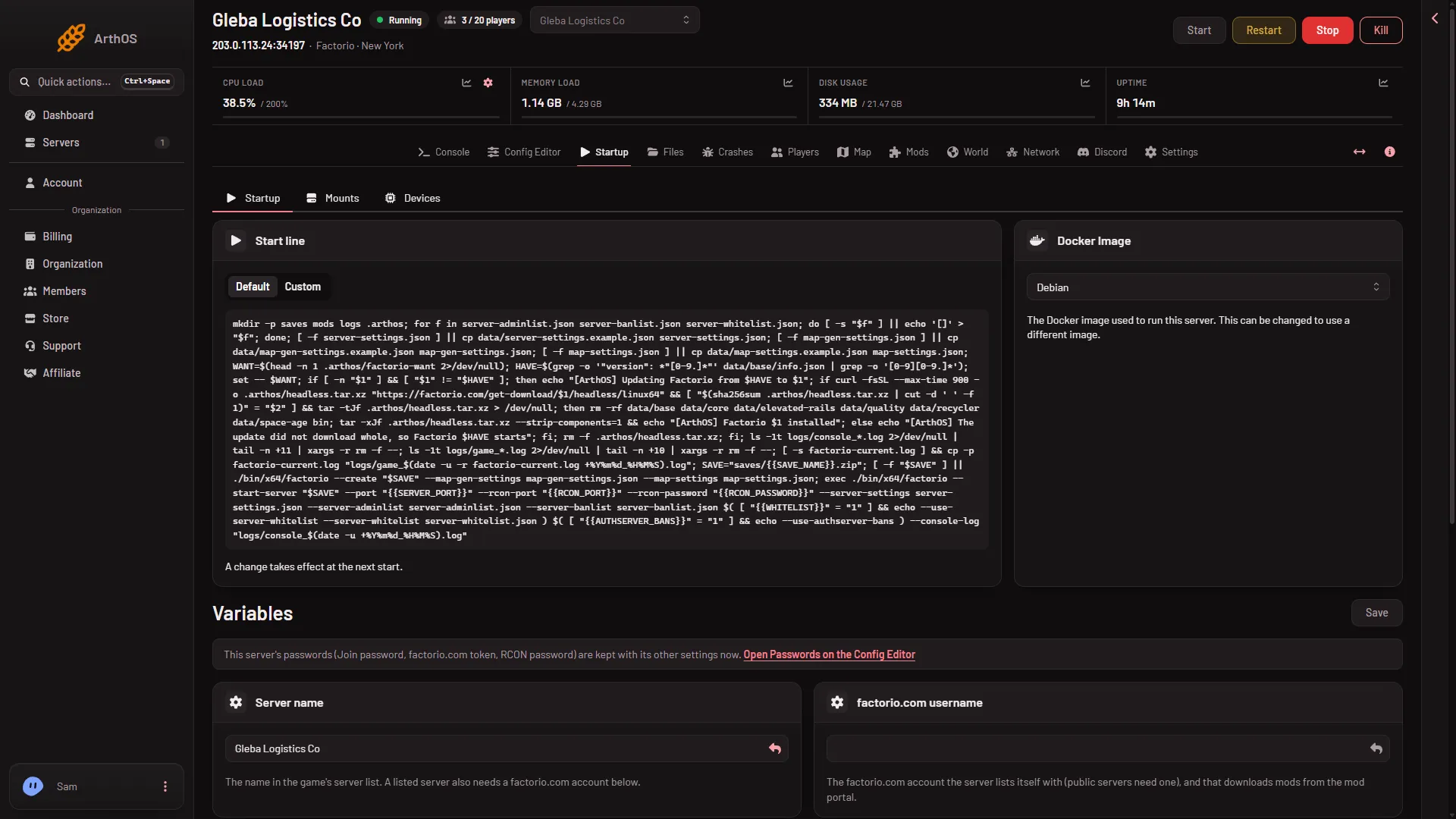
- Server name
- factorio.com username
- Open Passwords link
The token and the join password are under Passwords: Join password (1) and factorio.com token (2).
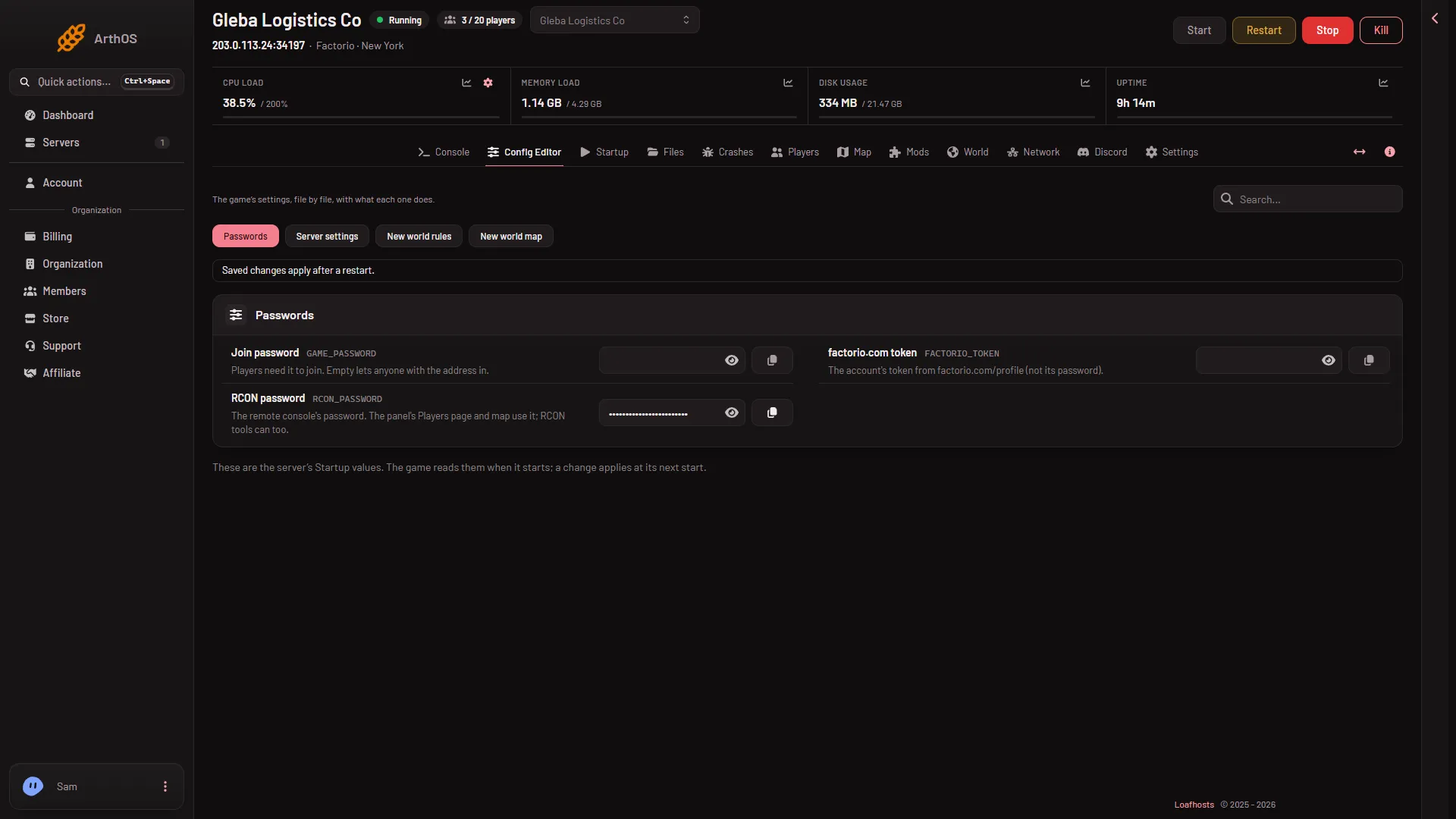
- Join password
- factorio.com token
In the Config Editor, those four rows under Set by Loafhosts in Server settings are locked. Server name and factorio.com username say “Set on the Startup page, which writes it on every start.” factorio.com token and Join password say “The panel sets this every time the server starts, so it cannot be changed here.” Passwords are never on Startup.
The setting changed but nothing happened
Save in the Config Editor on a running server. Most settings then apply at once, and the save says which ones did. Nine settings cannot change in a running game. They apply at the next start:
- Pause when nobody is on
- Autosaves kept
- Save without pausing
- Smallest delay (ticks)
- Network updates a second
- Smallest message part
- Players for the smallest part
- Largest message part
- Players for the largest part
Restart the server with Restart at the top of the server page to apply them. See restart your server.
A change typed into the file by hand never applies to a running game, even for the settings above that apply at once from the Config Editor. The game reads the file when it starts. Save in the Config Editor instead, or restart. The full list is in server-settings.json.
A Tags entry with a space in it, such as “big base”, also waits for the next start. Use single words to have tags apply at once.
A new world setting did nothing
The sources New world rules and New world map hold settings for a world that has not been made yet. They are read only when a world is made. They do not change the world that is running. To use them, make a new world on the World page. The old world stays as a save.
If it does not work
- The save is refused. A value is outside the range the game allows, for example Most players above 1000. Set it inside the range shown for that row.
- A setting changed in the file is gone at the next start. It is one of the four above.
- Everything looks right but the game plays as before. Restart the server, then check the setting again in the Config Editor.
More about the game: Factorio servers.