
















Standby stops your Factorio server after nobody has played on it for a time you choose. The world, the saves and the settings stay as they are. Anyone you trust can start it again with the Start button or with a wake link.
What standby does
The panel asks the running game who is on. It uses the game’s remote console (RCON) for that, and checks the count a second way before it stops anything. When nobody has been on for the time you chose, it stops the server. The server shows as stopped, and nothing is deleted.
Standby is not the same as the game’s own Pause when nobody is on setting. That one keeps the server running and freezes the factory while nobody is on. Standby stops the server itself. See pause when empty.
Check or change standby
Standby is on by default on every new server, and it waits 10 days after the last player. Check the switch and the time, and change them if you want.
- Open Settings on your server, then find the Standby card (1).
- Check the switch at the top right of the card (2). Its name is “Stop the server when nobody plays on it”. It should be on.
- In After nobody plays for, pick how long the server waits.
- Tick Email the owner each time if you want an email whenever it goes into standby.
The card has no Save button. It saves as you change it and says “Standby settings saved.” If nobody has played for longer than the time you chose, the panel asks “Go into standby now?”. Choose Save to stop the server, or close the box to keep it running.
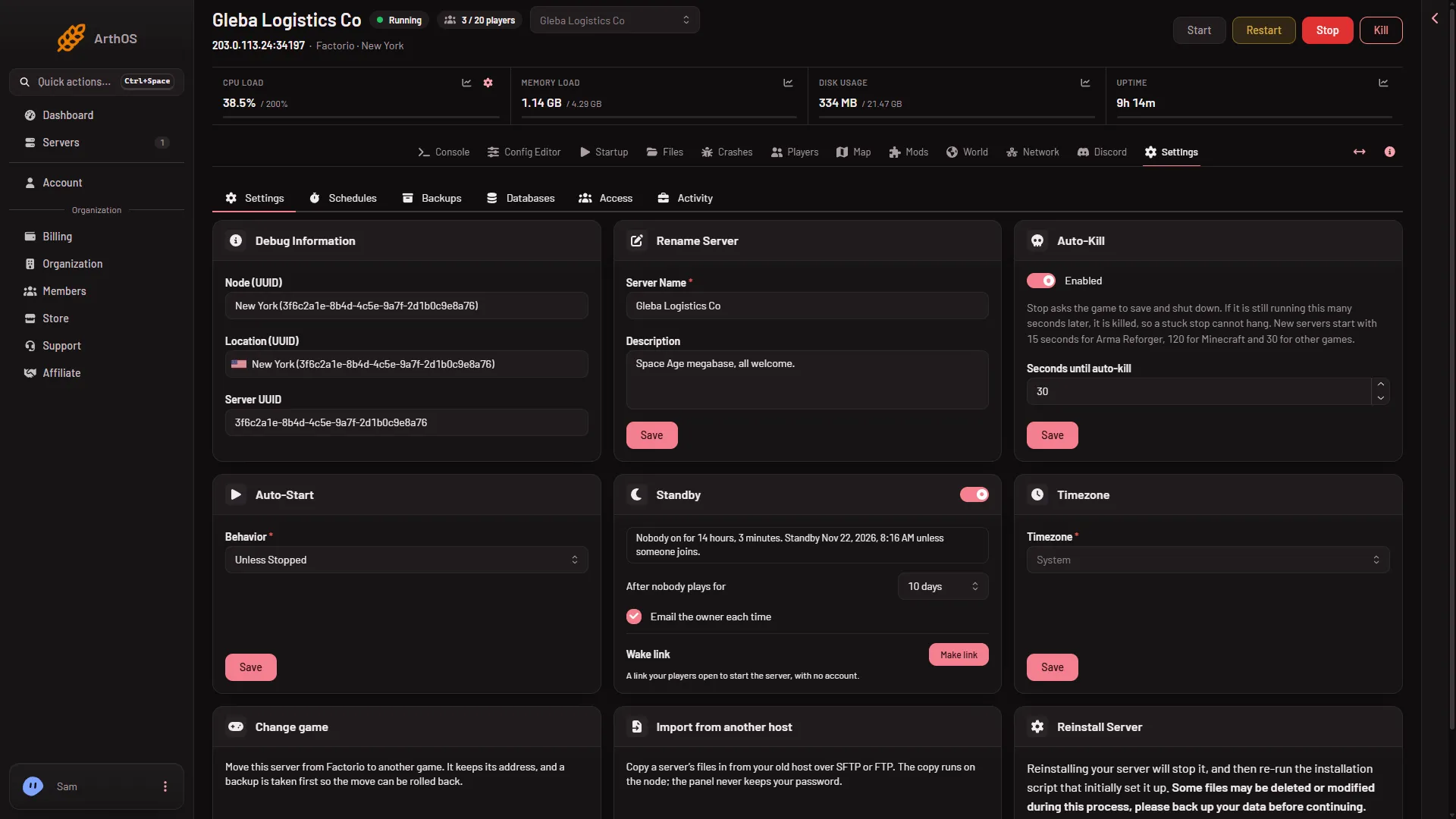
- Standby card
- Standby switch
- Wake link
The card tells you where it stands:
- “Nobody on for (time). Standby (when) unless someone joins.”
- “Players are on. The server stops by itself once nobody plays for a while.”
- “Went into standby (time ago). Nothing was deleted. Start it here or from its wake link.”
- “Off. The server keeps running when nobody plays.”
Sometimes the panel waits before it stops the server: a backup or another change is running, or it is checking the count a second way. The card says so, and the server stays up until the wait is over.
Start a sleeping server
Press Start on the server, as with any stopped server. The server page also shows “This server is in standby” with the same advice. A start takes a few seconds, and the server is ready when the console shows Starting RCON interface.
The wake link
A wake link lets your players start the server without a panel account. The card says: “Anyone with this link can start the server, and nothing else: no stop, no settings, no files.”
- In the Standby card, find Wake link (3) and choose Make link.
- Choose Copy link and share it with the people who play.
Under Options you can tick:
- Show the join address on the wake page. Players then see the address to paste into Connect to address in Factorio.
- Add a Start server button to Discord status messages. The server’s Discord status message then carries a button that starts it. See Discord for Factorio.
The link can start the server only a limited number of times a day. The card shows how many starts it has used today and when it was last used.
To stop a link from working, choose New link: the old link stops at once. To remove the link for good, choose Turn off.
If it does not work
- The server never goes into standby. Someone is on, or the panel cannot read the count. Check the status line on the card. A backup or other change running on the server also makes it wait.
- The wake link does nothing. It may have been replaced with New link or turned off. Make a fresh one and share it again.
- The link has been used many times today. It can start the server only a set number of times a day. Start the server with the Start button on the panel instead.
More about the game: Factorio servers.
Sources: wiki.factorio.com: Multiplayer