
















Upload limit (KB/s) caps how fast the server sends data to its players, in kilobytes a second. The value 0 means no limit, and that is the default. Most servers should leave it at 0. In the game’s settings file it is max_upload_in_kilobytes_per_second.
The game’s own settings file says: “default value is 0. 0 means unlimited.” The game added the option in version 0.14.2, as a way to limit upload speed when hosting.
What it limits
The limit is on what the server sends out. The game’s own comment says only that 0 means unlimited, so whether the number is shared by all players or applies to each is not stated. Not checked on 2.1.24 as of 13 November 2026.
A low number can slow what players receive, such as the updates that keep their game in step and the map a new player downloads when joining. A server with a limit set too low can make players lag or wait longer to join. A limit only makes sense if the server’s own connection is the thing that is crowded. On a Loafhosts server, leave it at 0 unless you have a reason.
Change it in the panel
- Open Config Editor on your server.
- Choose the source Server settings.
- In the group Network, find Upload limit (KB/s).
- Type a number (1), or 0 for no limit. The panel accepts 0 to 10,000,000.
- Choose Save in the bar “Unsaved changes: (n)”.
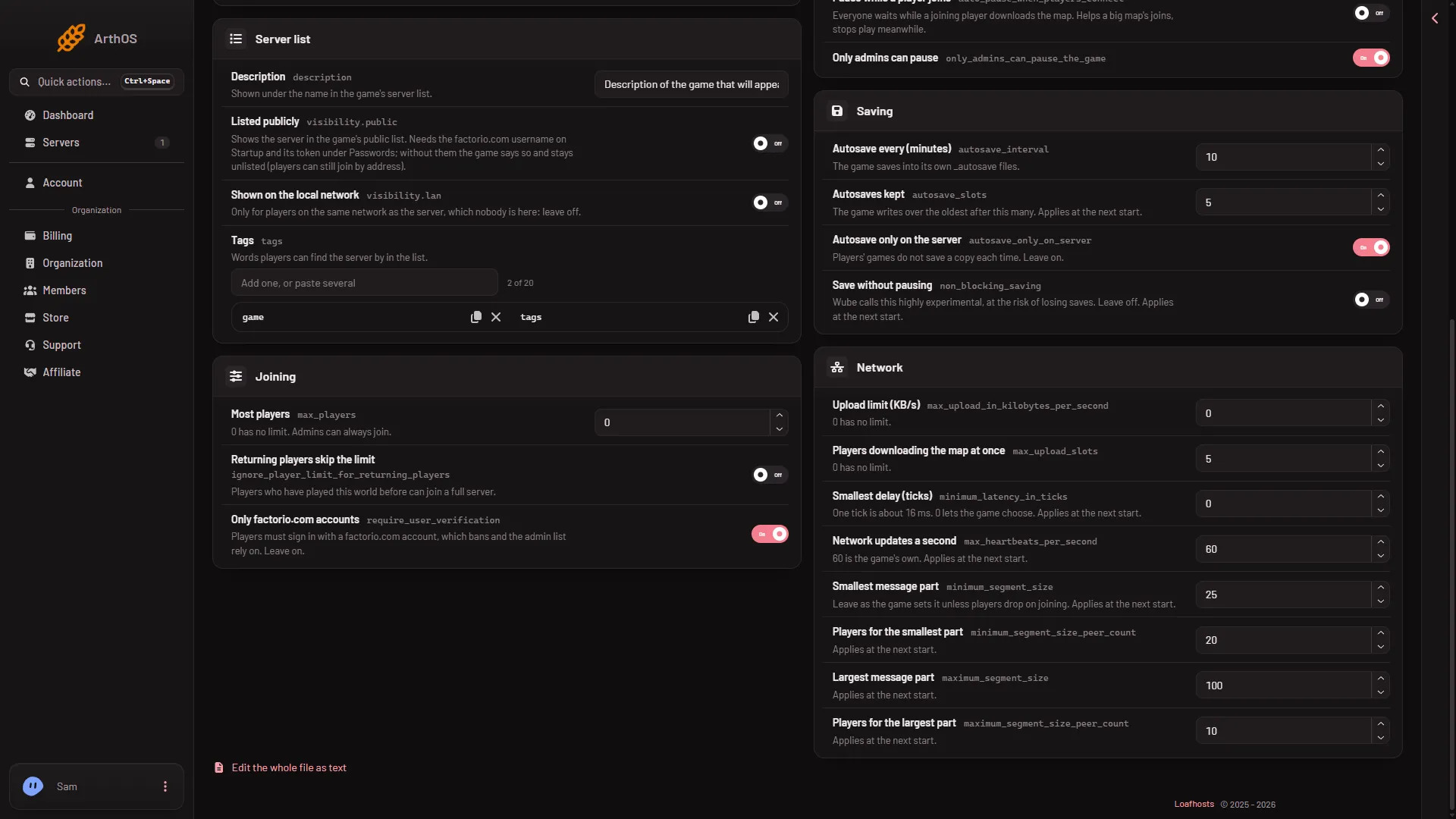
- Upload limit
- Map downloads at once
This setting applies at once on a running server. No restart is needed. The panel shows what took effect after the save.
Units
The unit is kilobytes a second, not bits. 1,000 KB/s is 1 MB/s. A number from your internet plan in megabits needs dividing by 8 first.
Other network settings
Other settings in the same group change how much the server sends. Raising the message part sizes raises the bandwidth the server needs and the bandwidth players need to download. The game’s own comment warns that changing them “can have a negative impact on connection stability for some clients”. See Factorio network settings.
To limit how many players download the map at the same time, see players downloading the map at once.
If it does not work
- Players lag or join slowly after you set a number. Put the limit back to 0 and save. It applies at once.
- The field rejects the number. It must be a whole number from 0 to 10,000,000.
- The change does not seem to apply. Open Config Editor again and check the value. If the server was stopped when you saved, the new value is used at its next start.
More about the game: Factorio servers.
Sources: wiki.factorio.com: Multiplayer