
















Factorio has a few network settings that shape how the server talks to players. The defaults suit most servers. Change them only for a reason, and change one at a time. The six settings below wait for a restart: a save on a running server does not apply them until the next start.
Where they are
- Open the Config Editor and choose Server settings.
- Find the group Network.
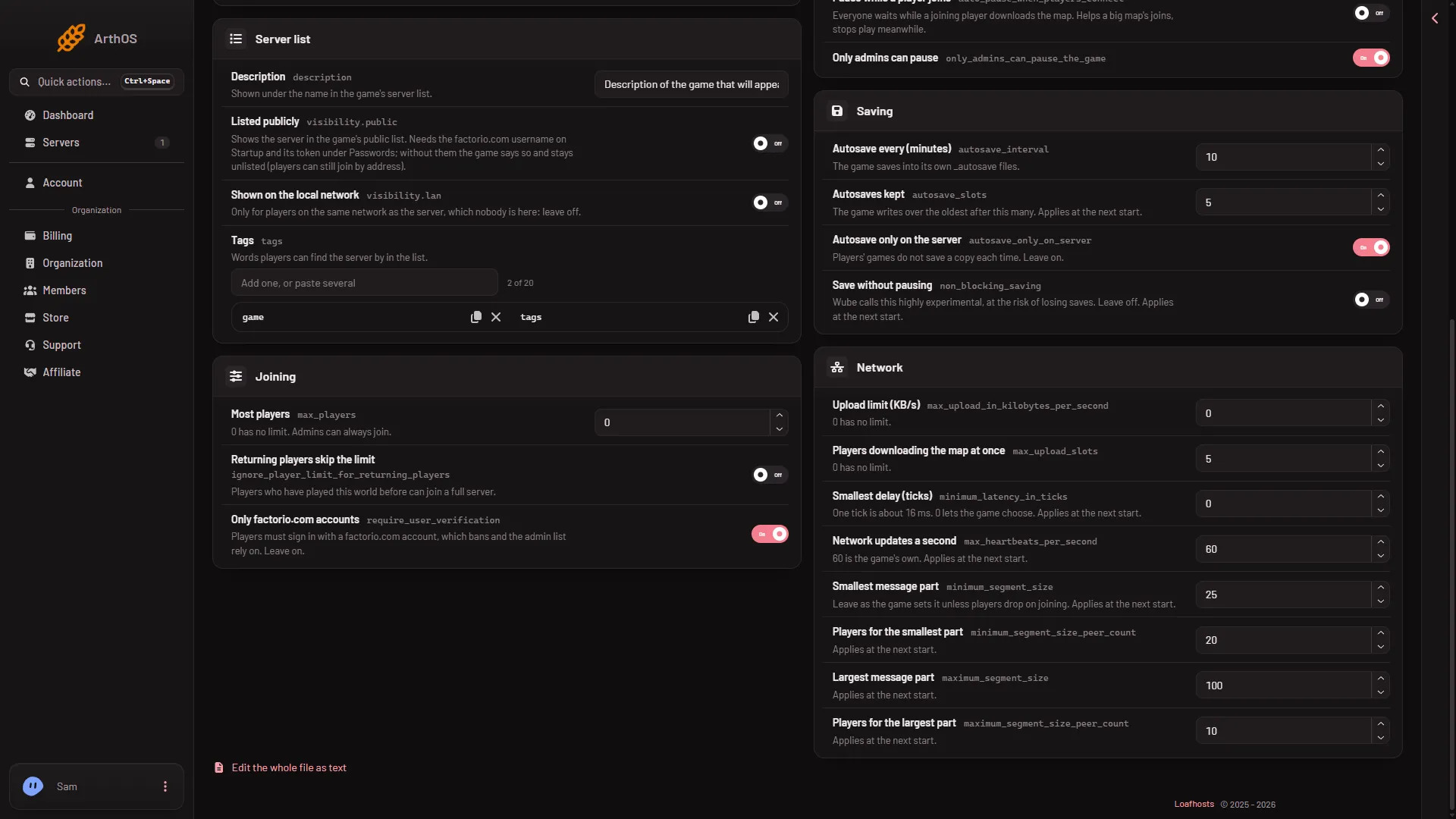
- Smallest delay (ticks)
The fields below Smallest delay (ticks) (1) are Network updates a second and the four message part sizes.
The group also holds Upload limit (KB/s) and Players downloading the map at once. See the upload limit.
Smallest delay (ticks)
The game runs 60 ticks a second. The panel’s help says: “One tick is about 16 ms. 0 lets the game choose.” The game’s own settings file says 0 means no minimum.
- The game’s default is
0. - The panel accepts 0 to 600.
- A bigger number makes the server wait that many ticks. Raise it only if players on poor connections keep stuttering, and try a small step such as
2.
Network updates a second
The most game updates the server sends a second. Above that rate it bundles updates together. The game calls it max_heartbeats_per_second.
- The game’s default is
60. The panel’s help says “60 is the game’s own.” - The panel accepts 6 to 240.
Message part sizes
A long network message, such as the map sent to a joining player, is split into parts. Four settings control the size of a part, and the size depends on how many players are connected.
| Setting | Game default |
|---|---|
| Smallest message part | 25 |
| Players for the smallest part | 20 |
| Largest message part | 100 |
| Players for the largest part | 10 |
Each takes 1 to 10,000. The panel’s advice for Smallest message part is “Leave as the game sets it unless players drop on joining.” The game warns that changing these can make some players’ connections less stable.
When a change takes effect
All six settings wait for the next start. To apply them:
- Choose Save in the Config Editor. A running server shows “Saved. Restart the server to apply the changes.”
- Use Restart at the top of the server page. This drops everyone who is on. Warn them first with Message everyone on the Players page. See restarting the server.
The world is saved when the server stops, so a restart does not lose progress.
Go back to the defaults
Type the game’s default into each field you changed (0, 60, 25, 20, 100, 10), save, and restart.
If it does not work
- You changed a value and nothing differs. The server has not restarted since. These settings wait for a start.
- Players lag more than before. Put the value back to its default and restart. See Factorio server lag.
- The save is refused. A number is outside its range, for example Network updates a second under 6.
Not checked on 2.1.24 as of 13 November 2026: how much any of these changes lag with real players on a Loafhosts server.
More about the game: Factorio servers.
Sources: wiki.factorio.com: Multiplayer