
















Players downloading the map at once sets how many players can download the map together while they join. The game’s default is 5. The value 0 means no limit. The setting is max_upload_slots in the game’s own settings file.
A player who joins must first download the map from the server. On a big map that takes time. This setting caps how many players do it at the same moment.
Change it in the panel
- Open Config Editor.
- Choose the source Server settings.
- In the group Network, find Players downloading the map at once.
- Type a number from 0 to 1000. Use 0 for no limit.
- Choose Save.
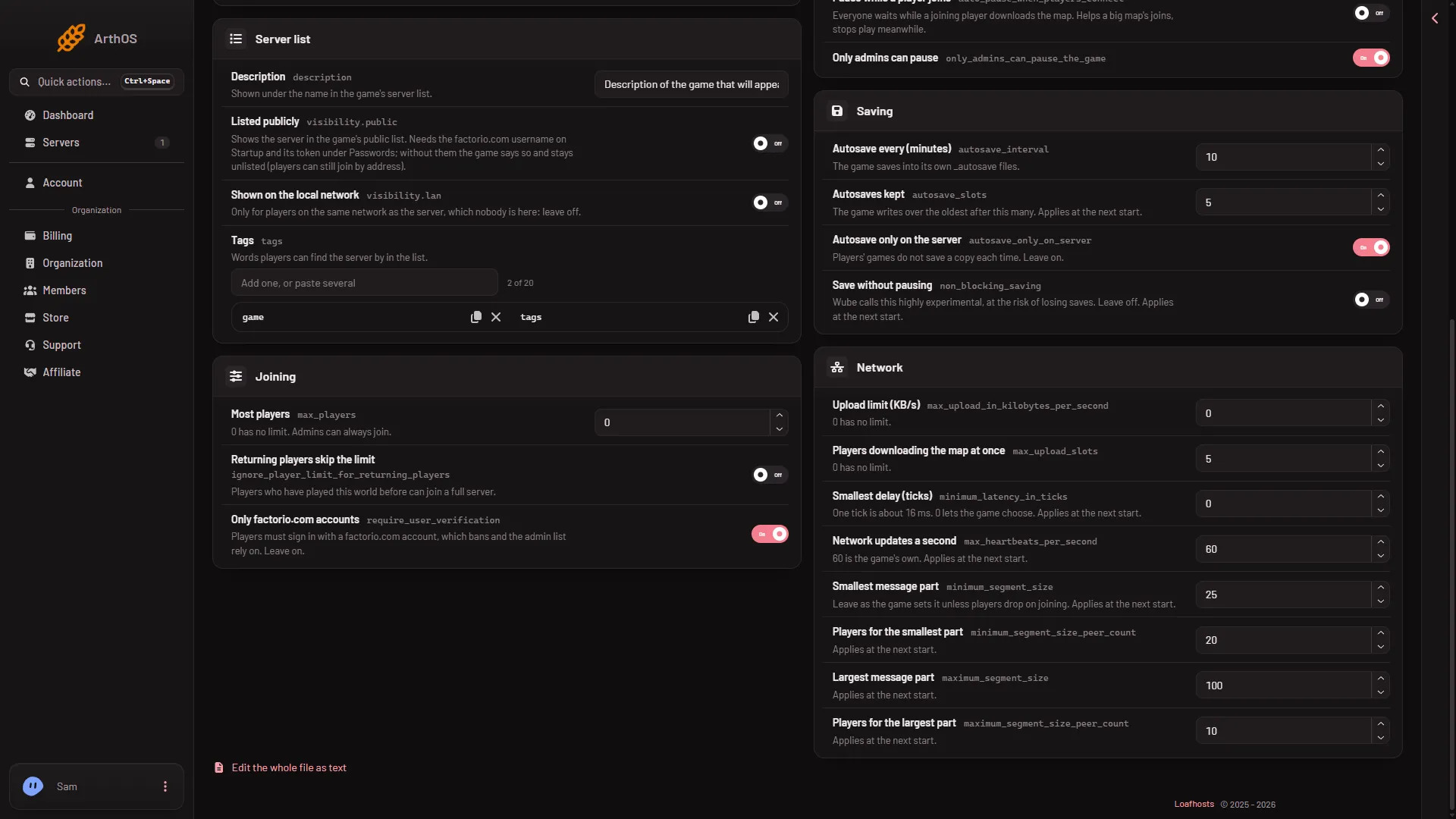
- Upload limit
- Players downloading the map at once
Type the number in Players downloading the map at once (2). Upload limit (KB/s) (1) sits above it. The panel’s own help under both reads “0 has no limit.”
Unlike the fields below it, this one does not carry the line “Applies at the next start.” After you save, the panel says what took effect.
When to change it
Leave it at 5 unless joins cause trouble. Two cases:
- A big map, and several players join together. Try a different number and watch how joins go. The game’s file says only what the default is and what 0 means.
- A server that rarely has more than one join at a time. The number makes no difference. Leave it.
Not checked on 2.1.24 as of 13 November 2026: how the game orders players when all slots are in use, and whether the number counts for the whole server or per player.
It is not the upload limit
Upload limit (KB/s) is a separate setting with its own number, and 0 means no limit there too. This one caps how many players download the map at the same time. See upload limit.
A different way to protect a busy join
Pause while a player joins is in the same Config Editor source. With it on, everyone waits while a joining player downloads the map. The panel’s help says it “Helps a big map’s joins, stops play meanwhile.” It is a separate switch from this one.
If it does not work
- Joins are still slow on a big map. This setting may not be the cause. Check Upload limit (KB/s), and Memory Load on the Console strip against your plan.
- The field rejects the number. It must be a whole number from 0 to 1000.
- You set 0 and joins got worse. With no limit, every joining player downloads at once. Set a number again, such as 5.
More about the game: Factorio servers.
Sources: wiki.factorio.com: Multiplayer