
















A Factorio save can only be opened by the game version that made it, or a newer one. If the server is on an older version than the save, it will not load. The Crashes page then shows The world is newer than the game. The fix is to put the server on the newer version, or to run an older save.
See the problem
- Open the Crashes page and open the newest start.
- The finding reads The world is newer than the game. It says to pick that newer version (or stable) on the World page.
This usually happens when the server was pinned to an older number, when Update at every start is off, or when you uploaded a save from a game that is newer than the server.
Pick the newer version
- Open the World page.
- In Game version (1), look at Installed (2) and Next start runs (3).
- In Version, choose Stable, or Experimental if your save came from an experimental build. Choose One version and type the number in Which version if you know the exact one.
- Turn on Update at every start (4) if you want the server to follow the newest of its kind. When it is off, the server stays on the installed version.
- Choose Save.
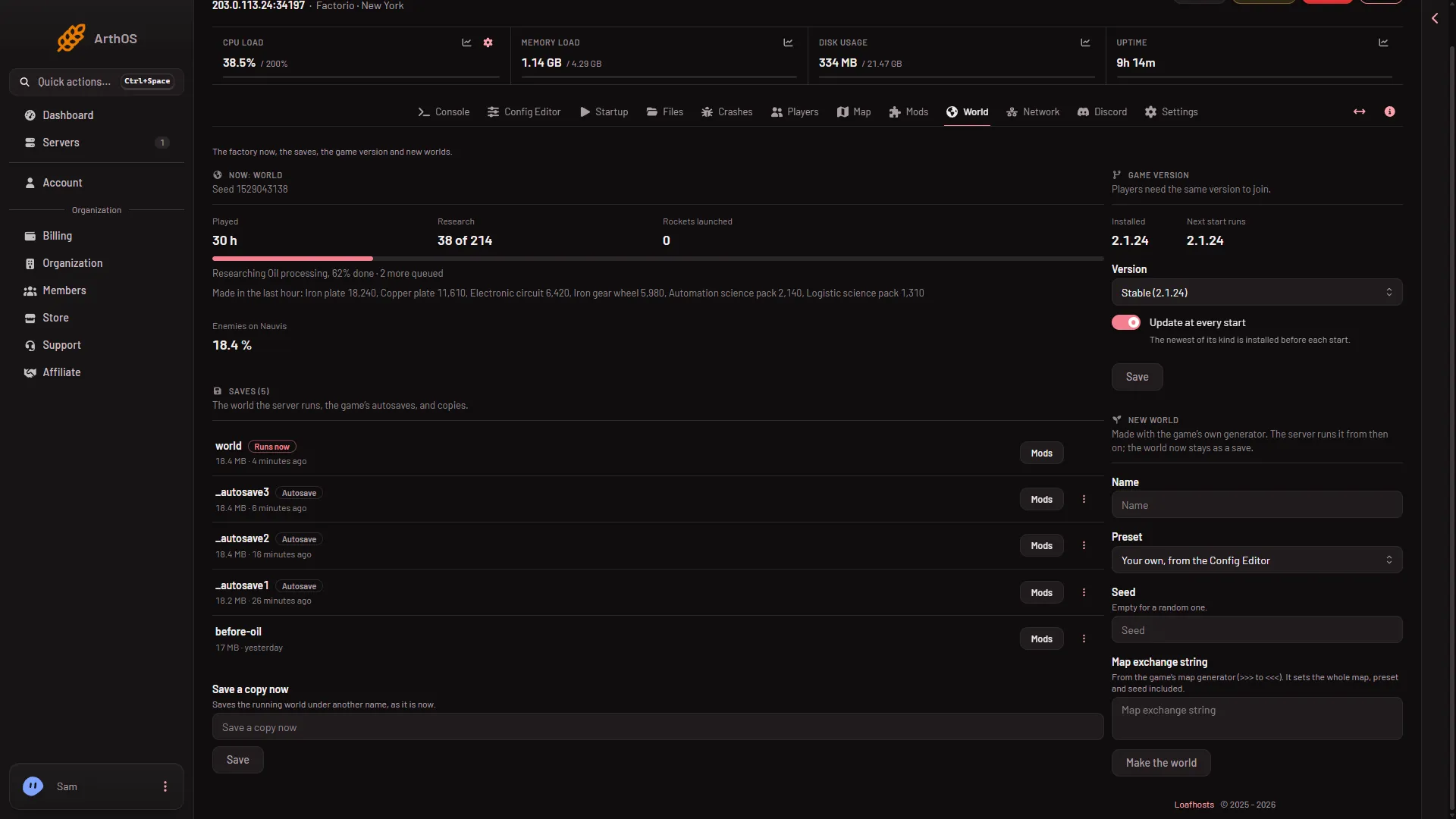
- Game version
- Installed
- Next start runs
- Update at every start
The panel says “Saved. The server changes version at its next start; players need the same version to join.” Start the server. Before the start the panel checks the download against factorio.com’s checksum list and swaps the game files.
Or run an older save
If no newer version of the game exists yet, run a save the server can open.
- On the World page, find Saves.
- Open the menu on an older save (More for the save) and choose Run this from the next start.
- Start the server.
Autosaves are listed here too, tagged Autosave. An older autosave made by the server’s own version will open.
If it does not work
- The same finding comes back. The save is still newer than the version you chose. Choose Experimental, or run another save.
- No version to pick. The panel could not read factorio.com’s list. It says so. Try again in a moment.
- Players cannot join after the change. Their game must match the server’s version.
See also Factorio version mismatch and the game version. More about the game: Factorio servers.
Sources: wiki.factorio.com: Multiplayer, factorio.com: Latest releases