
















Open the World page and look at the Game version card. It shows the version the server has now and the one it runs at its next start. You can follow Stable, follow Experimental, or keep one version number.
Players need exactly the same version as the server to join. Factorio says so itself: all game instances need the same game version and mods. So pick a version your players can run.
What the card shows
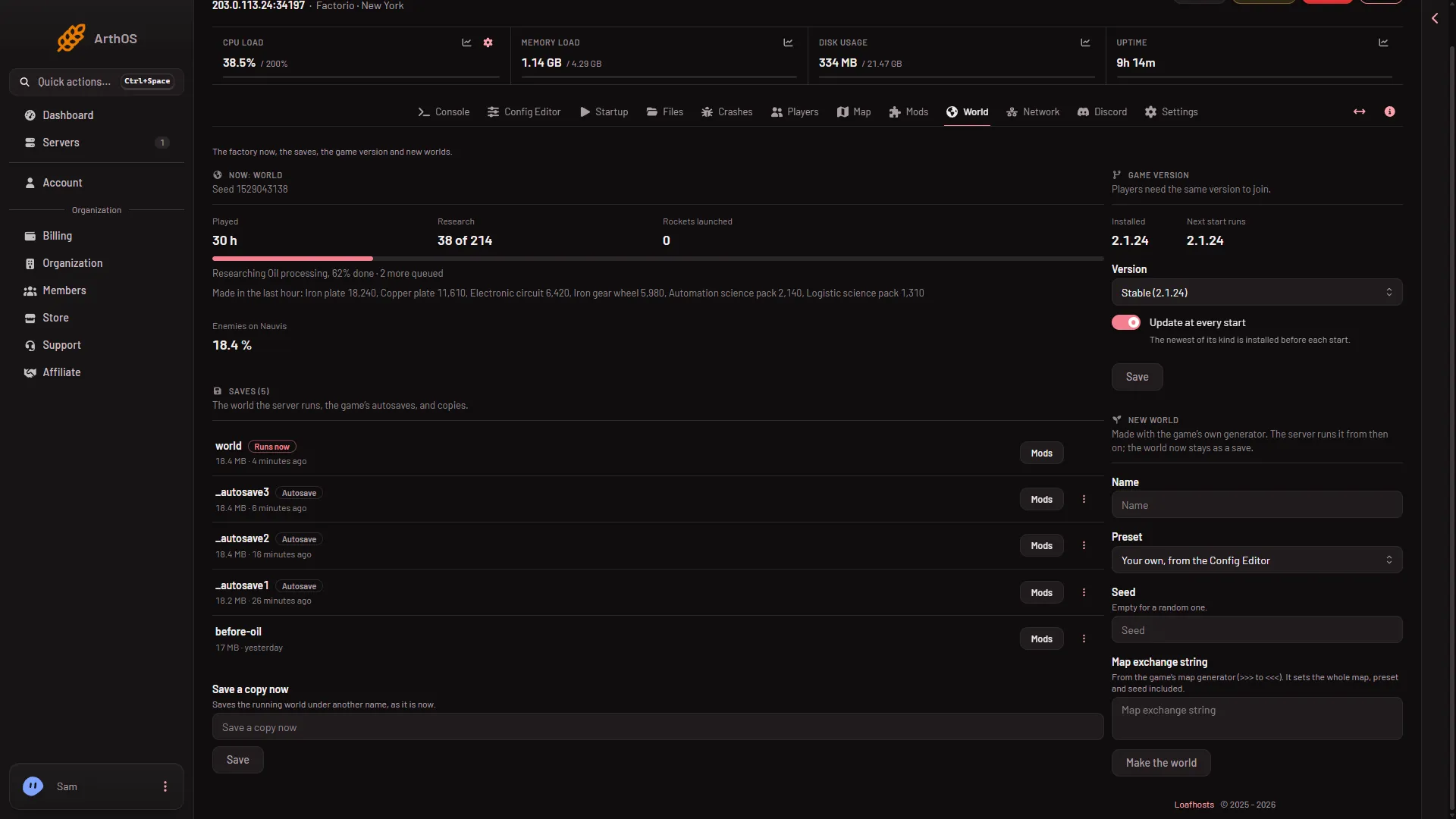
- Game version
- Installed
- Next start runs
- Installed is the version on the server now.
- Next start runs is the version the server will use after its next start.
- Version is your choice: Stable, Experimental or One version.
The server gets Factorio straight from factorio.com. It does not use Steam. The panel checks each download against the checksum factorio.com publishes before it swaps the files.
Stable, Experimental or one version
- Stable follows the version Wube Software calls stable. Most players run this. Choose it unless you have a reason not to.
- Experimental follows the newest test version. Players must run that version too, and it can change often.
- One version keeps a number you type in Which version, such as
2.1.24. See pin a version.
On 13 November 2026 both Stable and Experimental were 2.1.24, so they gave the same server. They can split apart when Wube releases a new test version.
Change it
- Open the World page.
- In Game version, pick Version. If you choose One version, a Which version box appears: type the number there.
- Choose Save.
The panel says the server changes version at its next start. Nothing changes until then. Choose Restart at the top of the server page when your players are ready. A restart drops everyone who is on, so use Message everyone on the Players page first. Tell your players the version before, so they update their game before they join.
The same values are on the Startup page as Game version and Update on start.
When to keep the old version
If a mod you need does not work on a newer version, keep the old one with One version. A backup first is wise: see back up a world.
If it does not work
- Players cannot join after a change. Their game is on another version. Tell them the version on the card.
- The card refuses your number. It must be
stable,experimentalor a number such as2.1.24that factorio.com publishes for the headless server. - The version did not change. It changes at the next start. Choose Restart.
More about the game: Factorio servers.
Sources: factorio.com: Latest releases, wiki.factorio.com: Multiplayer