
















To keep a Factorio server on one version, open the World page, choose One version in Game version, type the number in Which version, such as 2.1.24, and choose Save. A pinned number never changes. The server keeps it until you pick something else.
Use this when your mods or your players are on a version that is not the newest. Players need the same version as the server to join.
Pin a version
- Open the World page.
- In Game version, set Version to One version.
- In Which version, type the number, for example
2.1.24. This box appears after you choose One version. - Choose Save.
- Choose Restart at the top of the server page. The change happens at the next start. A restart drops everyone who is on, so use Message everyone on the Players page first.
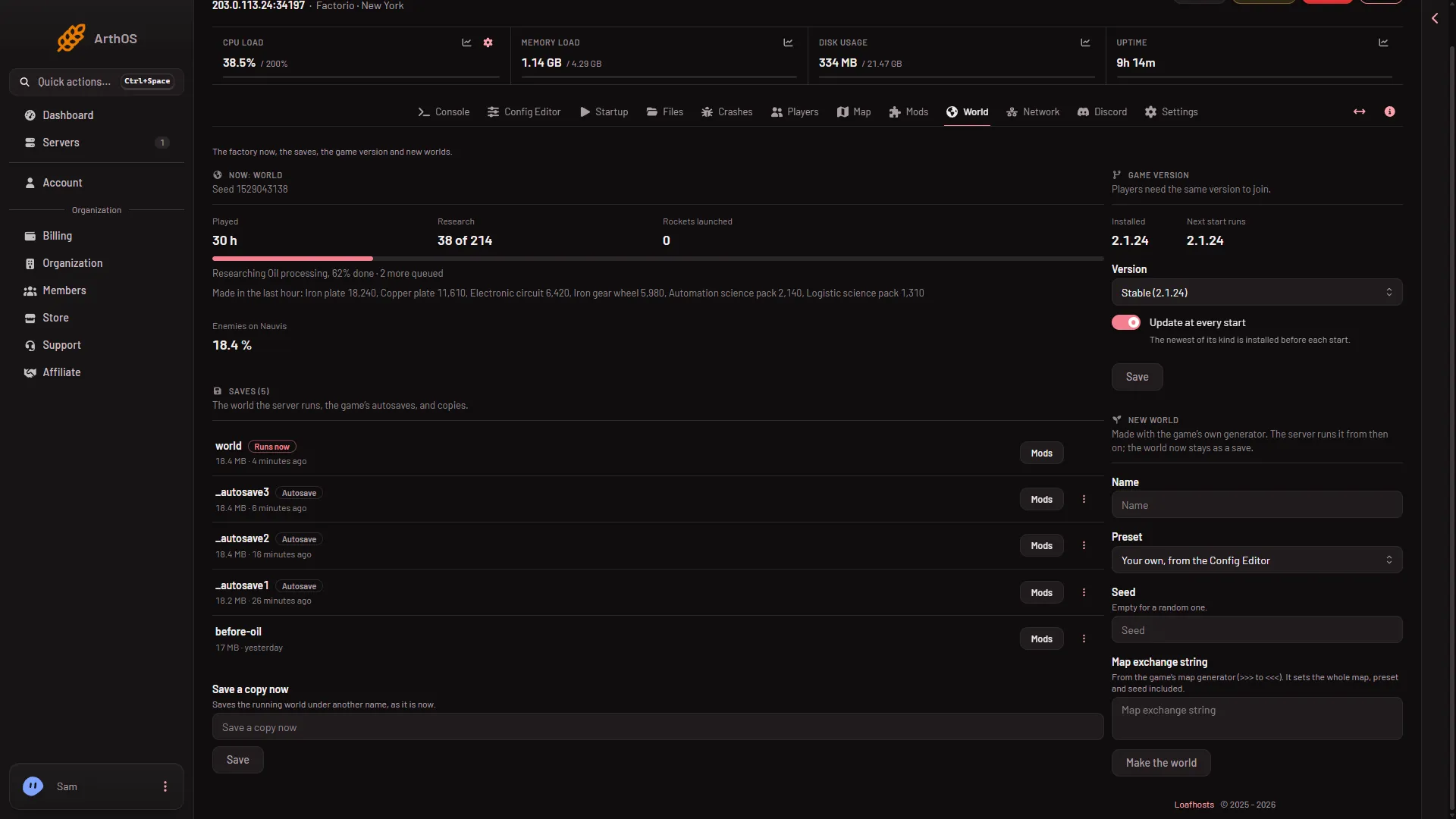
- Game version
- Next start runs
The panel says the server changes version at its next start, and that players need the same version to join. If the version is the one already installed, nothing changes.
You can also set it on the Startup page. Game version takes stable, experimental or a number like 2.1.24.
Which numbers work
The server downloads Factorio from factorio.com. The number must be a headless server version that factorio.com publishes, written like 2.1.24. If it is not, the panel refuses it and says factorio.com publishes no headless server with that number. Check the spelling, and use a version that exists. This guide does not list the numbers.
Each download is checked against the checksum factorio.com publishes. The panel swaps files only when it matches.
Go back to following the newest version
- Open the World page.
- Set Version to Stable or Experimental.
- Choose Save, then choose Restart at the top of the server page.
With Update at every start on, it then installs the newest of its kind before each start. See update a server.
Going back to an older version
See back up a world.
A mod for a newer version may also not work on an older one. The game names a mod that stops the server from starting. Turn it off on the Mods page.
If it does not work
- The panel refuses the number. It is not a number factorio.com publishes for the headless server, or it is written differently. Use the form
2.1.24. - The version did not change. It changes at the next start. Choose Restart.
- The server will not start on the older version. Your world is newer than the game. Run an older save from the World page, or choose a newer version.
- Players cannot join. Tell them the pinned version. They must run exactly that one.
More about the game: Factorio servers.
Sources: factorio.com: Latest releases, wiki.factorio.com: Multiplayer