
















A kick disconnects a player, and they can join again. A ban disconnects them and keeps them out until you lift the ban. Both are one button on the Players page of your Loafhosts server. You can type a reason for each.
Factorio bans by factorio.com username, not by address. A banned player who signs in with a different factorio.com account is a different player to the game. If you need to keep out a person who changes accounts, the whitelist is stronger.
Kick or ban someone who is online
The server must be running. The Online list only shows while it is.
- Open the Players page.
- In Online, find the player. Each row has a Kick button (1) and a Ban button (2).
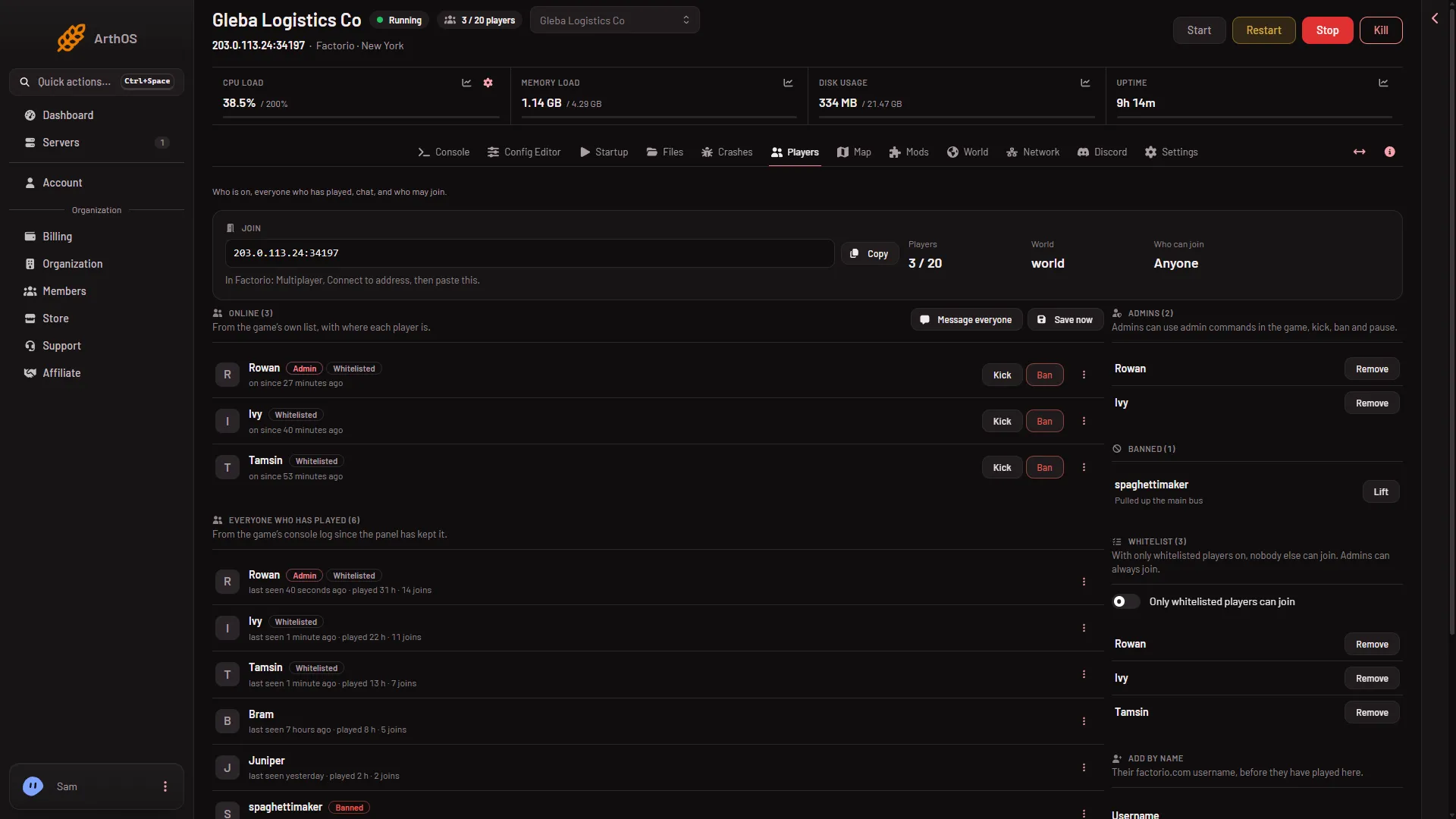
- Kick
- Ban
- Choose Kick or Ban. A box opens with the title “Kick (name)” or “Ban (name)”.
- Type a Reason if you want one. The box says it is shown to the player. If you leave it empty, the server uses “Kicked by an admin” or “Banned by an admin”.
- Choose the red Kick or Ban button in the box.
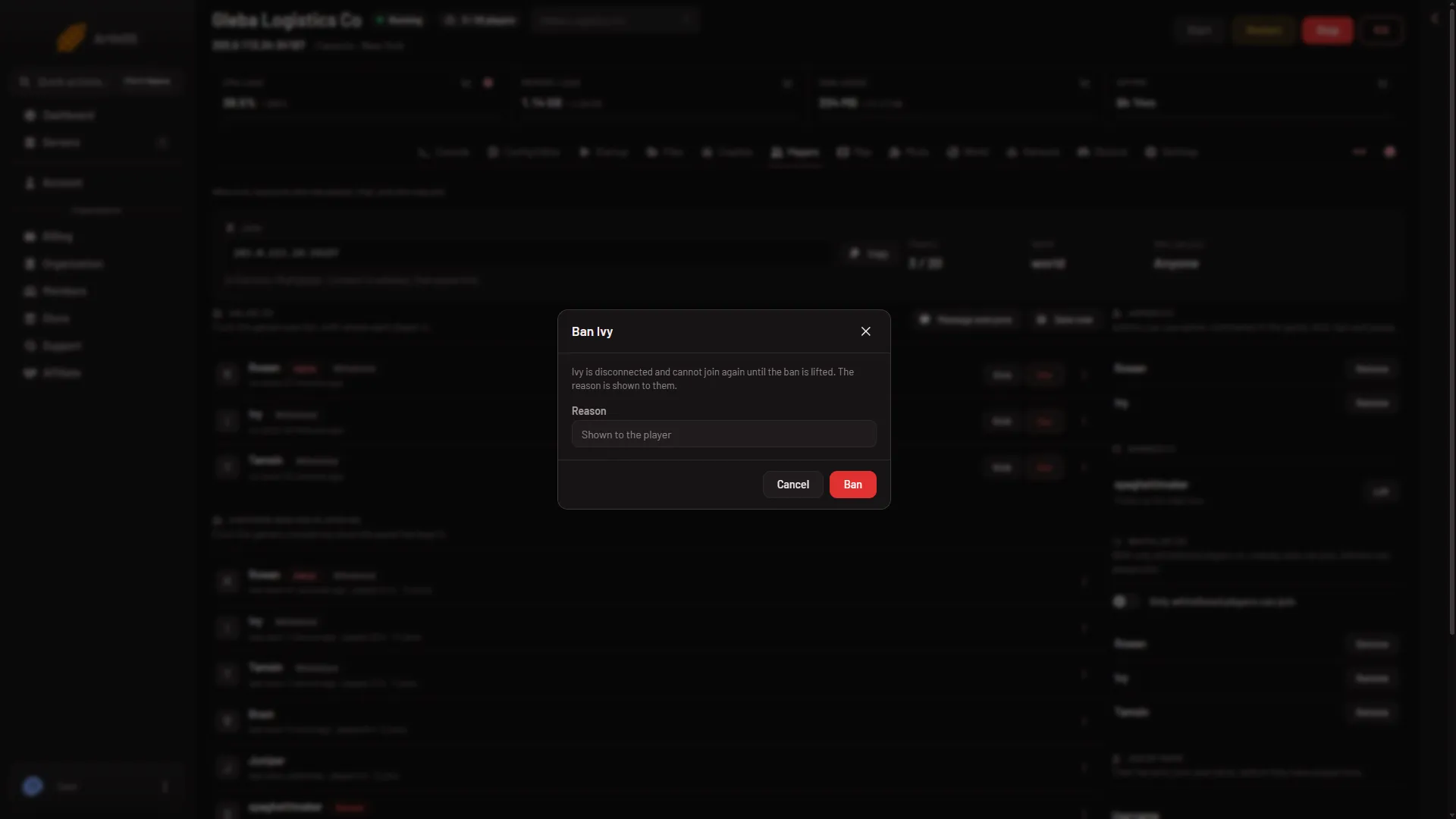
For a kick, the box says the player “is disconnected and can join again”. For a ban, it says they cannot join again until the ban is lifted.
The change applies at once. Factorio writes its own ban list file when the server runs the ban, and the panel reads it back. If the game did not change its list, the panel says so instead of showing a success.
Ban someone who is not on, or who never joined
You can ban a name in two ways.
- A player the server has seen. Find them under Everyone who has played, open the menu on their row (three dots), and choose Ban. This bans at once, with no box and no reason. That menu has no Kick, because a kick needs the player to be on.
- Any name, even before they play. In Add by name, type their factorio.com username in Username, choose Banned in Add to, and choose Add. A box asks “Ban (name)?”. Confirm with Ban.
Names may use letters, digits, dots, dashes and underscores only. The panel refuses anything else.
When the server is stopped
The server must run to kick, because a kick disconnects a live connection. The panel says “the server is not running, so nobody can be kicked”.
You can still ban while it is stopped, by Add by name. The panel writes the ban list file itself and says the player is banned from the next start.
By hand, in the game
An admin can type the same commands in the game’s chat: /kick (player) (reason) and /ban (player) (reason). An example: /ban Builder_One griefing the base. They need only the admin tag. See the admin commands.
See who is banned
The Banned list on the right of the page shows every banned name, with the reason when there is one. To undo a ban, see lift a ban. The What happened list on the same page records each kick and ban, who did it and why.
Who can do this
You need a role that allows moderating players. Players with that role see Kick and Ban. Without it, the buttons are not there. Give that role only to people you trust.
Share bans with factorio.com
An optional switch also refuses players banned by Wube, the maker of Factorio. See factorio.com bans.
If it does not work
- There is no Kick or Ban button. The server is stopped, or your role does not allow moderating players.
- “is not on the server”. The player left before you confirmed. Ban them from Everyone who has played instead.
- “the game did not change its list”. The game refused the command. Read the Console tab for its answer.
- The name is refused. Check the spelling of the factorio.com username.
More about the game: Factorio servers.
Sources: wiki.factorio.com: Console, wiki.factorio.com: Multiplayer